SitePlanCreator vs MySitePlan: Which Is Best for Permits?
Choosing between SitePlanCreator and MySitePlan can make or break your permit timeline. This in-depth comparison breaks down pricing, features, turnaround times, and which service is the right fit for your specific project in 2026.
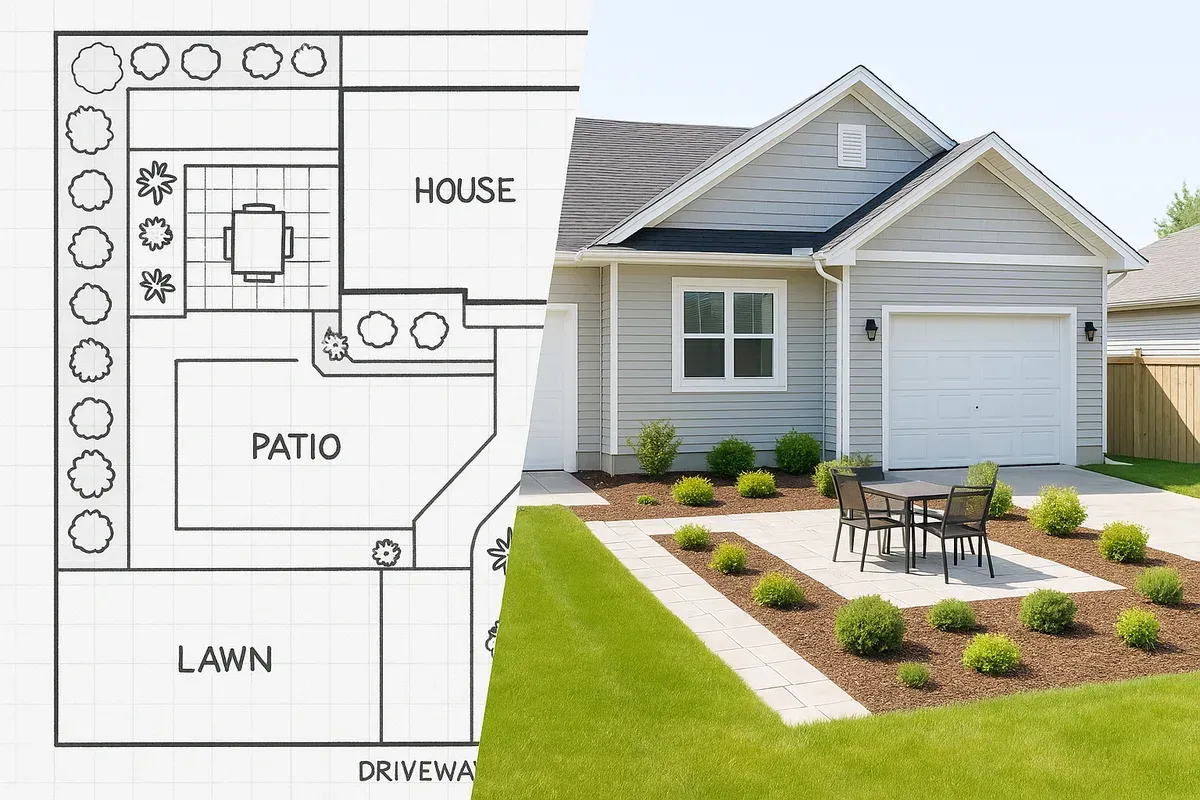
<p>Getting a permit approved starts with one critical document: a professional, accurate site plan. Whether you are adding a deck, building an ADU, installing a fence, or tackling a full home addition, your local building department will almost certainly require a site plan that shows property boundaries, setbacks, building footprints, and other key details.</p>
<p>The problem most <a href="/homeowners">homeowners</a> and <a href="/contractors">contractors</a> face is not understanding what a site plan is. The problem is figuring out the fastest, most affordable, and most reliable way to get one. Two services come up again and again in that search: <strong><a href="/">Site Plan Creator</a></strong> and MySitePlan. Both promise permit-ready drawings, but they take very different approaches to delivering them.</p>
<p>This comparison breaks down exactly how these two services work, what you get for your money, and which one is the right fit depending on your project type, timeline, and budget.</p>
<hr>
<h2>What Is Site Plan Creator?</h2>
<p>Site Plan Creator (siteplancreator.com) is a browser-based, CAD-style application that lets you create your own professional site plan directly in your web browser. No software downloads, no design experience required, and no waiting around for someone else to finish your drawing.</p>
<p>The platform is built specifically for property owners, contractors, architects, and <a href="/real-estate">real estate</a> professionals who need permit-ready site plans quickly. You import your parcel data or sketch your lot manually, place structures, label setbacks, add dimensions, and export a finished plan that meets common building department requirements.</p>
<p>Site Plan Creator is a <strong>DIY site plan tool</strong> in the truest sense: you are in control of every element, every measurement, and every revision. This is a major advantage when your project details change or when a permit reviewer asks for corrections.</p>
<h3>Key Features of Site Plan Creator</h3>
<ul>
<li>Browser-based platform with no software installation</li>
<li>Intuitive drag-and-drop drawing tools built for non-engineers</li>
<li>Pre-loaded templates for common project types (ADUs, pools, decks, sheds, additions)</li>
<li>Accurate scaling and dimension tools</li>
<li>Property boundary and setback visualization</li>
<li>Instant PDF export for permit submission</li>
<li>Unlimited revisions on your own plan</li>
<li>Parcel data integration to speed up the drafting process</li>
<li>Affordable flat-rate <a href="/pricing">pricing</a></li>
</ul>
<p>The core value proposition is simple: you get a professional-quality site plan in hours, not days, at a fraction of the cost of hiring a drafter or waiting on a done-for-you service.</p>
<hr>
<h2>What Is MySitePlan?</h2>
<p>MySitePlan is a done-for-you site plan service. Rather than giving you a tool to create your own drawing, MySitePlan assigns your project to a team of drafters who create the site plan on your behalf. You submit your property information, answer some questions about your project, and wait for the team to deliver a finished drawing.</p>
<p>This model appeals to people who feel uncomfortable drawing anything themselves and who are willing to pay a premium and wait longer in exchange for having the work handled by someone else.</p>
<p>MySitePlan has been around for a number of years and has processed a large volume of plans, primarily for residential permit projects. Their service is entirely hands-off from the customer's perspective, which is both its biggest selling point and its most significant limitation.</p>
<h3>Key Features of MySitePlan</h3>
<ul>
<li>Done-for-you drafting by a remote team</li>
<li>Covers common residential project types</li>
<li>Delivers a PDF site plan via email</li>
<li>Revision requests handled by the drafting team</li>
<li>Multiple pricing tiers based on project complexity</li>
</ul>
<hr>
<h2>Side-by-Side Comparison: The Details That Matter</h2>
<p>Let's break down the most important factors when choosing a site plan service for your permit.</p>
<h3>1. Turnaround Time</h3>
<p>This is often the single biggest factor for anyone working against a permit deadline.</p>
<p><strong>Site Plan Creator</strong> lets you complete and export your site plan in the same session. Many users finish a straightforward residential site plan in one to two hours. Even complex projects with multiple structures, easements, and detailed <a href="/setback-guide">setback requirements</a> can typically be completed in a single afternoon. Because you are doing the work yourself in real time, there is zero waiting period.</p>
<p><strong>MySitePlan</strong> operates on a queue-based system. Standard turnaround is typically listed as 2–5 business days, with rush options available at an additional cost. If you need revisions after delivery, you submit a request and wait again for the team to process it. For time-sensitive permits, this back-and-forth can add up quickly.</p>
<p>Verdict: If your permit timeline is tight, Site Plan Creator wins decisively on speed.</p>
<h3>2. Pricing</h3>
<p>Cost is obviously a major consideration, especially for homeowners managing a renovation budget.</p>
<p><strong>Site Plan Creator</strong> uses a straightforward flat-rate pricing model. You pay once and get full access to create, edit, and export your site plan. There are no per-revision fees, no rush charges, and no hidden costs. If your building department asks for changes, you open your plan and make them yourself at no additional charge.</p>
<p><strong>MySitePlan</strong> charges per plan, with pricing that varies based on project type and complexity. Rush delivery costs extra. Revision requests beyond the included number may also incur additional fees. When you add up the base plan cost, potential rush fees, and revision charges, the total can be significantly higher than a DIY tool.</p>
<p>Verdict: Site Plan Creator is the more cost-effective option, particularly for projects that may require revisions.</p>
<h3>3. Control and Accuracy</h3>
<p>Accuracy is non-negotiable when it comes to permit submissions. A site plan with incorrect setbacks or misplaced structures will be rejected, costing you time and money.</p>
<p>With <strong>Site Plan Creator</strong>, you are the one entering your measurements, placing your structures, and verifying every dimension. You know your property better than any remote drafter does. You can cross-reference your survey, your deed, and your local zoning code in real time as you draw. If something looks wrong, you catch it immediately and fix it.</p>
<p>With <strong>MySitePlan</strong>, accuracy depends entirely on how well you communicate your project details to a remote team. If your description is unclear, or if the drafter makes an assumption that does not match your actual property, the resulting plan may be incorrect. You will not know until the drawing is delivered, at which point you need to submit a revision request and wait again.</p>
<p>Verdict: Site Plan Creator gives you direct control over accuracy, which reduces the risk of errors that lead to permit rejections.</p>
<h3>4. Revision Flexibility</h3>
<p>Building departments frequently request changes to submitted site plans. Setback labels need to be added, dimensions need to be clarified, or a structure needs to be repositioned. How easily can you respond to these requests?</p>
<p><strong>Site Plan Creator</strong> makes revisions instant. You log back into your account, open your saved plan, make the changes, and export a new PDF. The entire process can take ten minutes. There is no waiting, no submitting a revision request, and no additional cost.</p>
<p><strong>MySitePlan</strong> requires you to email or submit your revision request to the drafting team and wait for them to process it. Depending on their queue and the nature of the change, this could take another 1–3 business days. If your permit reviewer is waiting on a corrected plan, this delay can push your entire project timeline back.</p>
<p>Verdict: Site Plan Creator is dramatically more flexible when revisions are needed.</p>
<h3>5. Project Types Supported</h3>
<p>Both services cover the most common residential permit project types:</p>
<ul>
<li><a href="/adu-feasibility-software">Accessory Dwelling Units</a> (ADUs)</li>
<li>Detached garages and carports</li>
<li>Decks and patios</li>
<li>Swimming pools and hot tubs</li>
<li>Sheds and outbuildings</li>
<li>Home additions</li>
<li>Fences and walls</li>
<li>Solar panel installations</li>
</ul>
<p><strong>Site Plan Creator</strong> also gives you the flexibility to create plans for less common project types, because you are working with a full set of drawing tools rather than a fixed template system. If your project does not fit a standard category, you can still build the plan you need.</p>
<p><strong>MySitePlan</strong> is more structured around predefined project categories. Unusual or complex projects may fall outside what their standard service covers, potentially requiring an upgrade to a higher pricing tier.</p>
<p>Verdict: Site Plan Creator is more versatile for non-standard projects.</p>
<h3>6. User Experience and Learning Curve</h3>
<p>This is an honest area where the two services differ in a meaningful way.</p>
<p><strong>Site Plan Creator</strong> requires you to engage with the drawing process. The interface is designed to be intuitive for non-engineers, and most users pick it up quickly. However, there is still a learning curve, particularly for users who have never used any kind of CAD or drawing tool. The platform includes guides and tutorials to help, and most users report feeling comfortable after 20–30 minutes.</p>
<p><strong>MySitePlan</strong> requires almost no engagement from the user. You fill out a form, submit your information, and wait. If you genuinely have no interest in learning a new tool and simply want someone else to handle the drawing, this hands-off approach has appeal.</p>
<p>The key question to ask yourself is: how much is your time worth, and how much do you value control over the output? If you are comfortable spending an hour learning a tool in exchange for instant revisions and lower cost, Site Plan Creator is the better choice. If you would rather pay more and wait longer to avoid any involvement in the drawing process, MySitePlan may suit you.</p>
<p>Verdict: Depends on personal preference, but Site Plan Creator's learning curve pays dividends over time.</p>
<h3>7. Permit Acceptance and Professional Quality</h3>
<p>Both services aim to produce permit-ready drawings that meet standard building department requirements. However, it is worth understanding what "permit-ready" actually means in practice.</p>
<p>Building departments across the United States vary significantly in what they require on a site plan. The <a href="https://www.iccsafe.org/" rel="nofollow noopener" target="_blank">International Code Council (ICC)</a> publishes model building codes that many jurisdictions adopt, but local amendments and specific requirements differ from city to city and county to county. No site plan service, DIY or done-for-you, can guarantee acceptance by every building department in every jurisdiction.</p>
<p>What both services can do is produce a drawing that includes the standard elements most building departments look for: a north arrow, scale bar, property lines with dimensions, setback distances, building footprints, and basic project labeling. Whether your specific jurisdiction requires additional elements (like a flood zone designation from <a href="https://www.fema.gov/flood-maps" rel="nofollow noopener" target="_blank">FEMA flood maps</a>, a surveyor's stamp, or a specific title block format) is something you need to verify with your local permit office before ordering any site plan.</p>
<p>With <strong>Site Plan Creator</strong>, you can add or adjust elements to meet specific local requirements because you have full control over the drawing. With <strong>MySitePlan</strong>, you would need to submit a revision request for any jurisdiction-specific additions.</p>
<p>Verdict: Site Plan Creator gives you more flexibility to meet jurisdiction-specific requirements.</p>
<hr>
<h2>Who Should Use Site Plan Creator?</h2>
<p>Site Plan Creator is the right choice for:</p>
<ol>
<li><p><strong>Homeowners and contractors who value speed.</strong> If you need a site plan today or this week, you cannot afford to wait 2–5 business days for a done-for-you service.</p>
</li>
<li><p><strong>Anyone on a tight budget.</strong> The flat-rate pricing model eliminates surprise costs from revisions and rush fees.</p>
</li>
<li><p><strong>Projects that may require multiple revisions.</strong> If you are working with a building department that frequently requests changes, the ability to revise instantly is invaluable.</p>
</li>
<li><p><strong>Professionals who create site plans regularly.</strong> Contractors, architects, and real estate developers who need site plans on a recurring basis will find Site Plan Creator far more efficient and economical than ordering individual plans from a done-for-you service.</p>
</li>
<li><p><strong>Users who want full control over accuracy.</strong> If you have a survey, a deed, or specific measurements you want to verify in real time, working directly in the drawing tool is the most reliable approach.</p>
</li>
<li><p><strong>Non-standard or complex projects.</strong> The flexibility of a full drawing tool means you are not limited by a predefined project category.</p>
</li>
</ol>
<hr>
<h2>Who Might Prefer MySitePlan?</h2>
<p>To be fair, there are situations where a done-for-you service might be the preferred choice:</p>
<ol>
<li><p><strong>Users with very low technology comfort.</strong> If the idea of learning any new software is genuinely overwhelming, and budget and time are not primary concerns, a done-for-you service removes the drawing burden entirely.</p>
</li>
<li><p><strong>One-time, simple projects with generous timelines.</strong> If you have a straightforward <a href="/shed-site-plans">shed permit</a>, plenty of time before your deadline, and no expectation of revisions, the done-for-you model works adequately.</p>
</li>
</ol>
<p>However, it is worth noting that Site Plan Creator's interface is specifically designed to be accessible to non-technical users. Most people who initially assume they cannot handle a DIY drawing tool find that they can complete their site plan successfully with minimal effort.</p>
<hr>
<h2>The Hidden Cost of Done-For-You Services</h2>
<p>There is a cost that never appears on a pricing page: the cost of waiting.</p>
<p>When your permit application is sitting in a building department queue, every day of delay has real consequences. Contractors have schedules. Material deliveries are timed. Rental income from an ADU is deferred. Project financing has carrying costs.</p>
<p>A done-for-you service that takes 3–5 business days to deliver a plan, followed by another 2–3 days to process a revision, can add a week or more to your project timeline before you even submit your permit application. That week has a dollar value that is often much higher than the difference in plan cost.</p>
<p>The <a href="https://www.planning.org/" rel="nofollow noopener" target="_blank">American Planning Association</a> consistently notes that permit timeline efficiency is one of the top concerns for residential developers and homeowners undertaking construction projects. Choosing a service that puts revision control in your hands directly addresses this concern.</p>
<hr>
<h2>Real-World Scenario: ADU Permit in a California City</h2>
<p>Let's walk through a practical example to illustrate how the two services compare in a real situation.</p>
<p>A homeowner in a California city wants to build a detached ADU in their backyard. Their city requires a site plan showing property lines, the existing house footprint, the proposed ADU footprint, all setback distances, and a note about the flood zone status of the parcel.</p>
<p><strong>Using Site Plan Creator:</strong></p>
<ul>
<li>Day 1: The homeowner logs in, imports their parcel data, places the existing house and proposed ADU, labels all setbacks, adds the flood zone note, and exports a PDF. Total time: approximately 90 minutes.</li>
<li>Day 1: The permit application is submitted.</li>
<li>Day 5: The building department requests a minor revision: add the square footage of the ADU to the plan label.</li>
<li>Day 5: The homeowner logs back in, adds the label in five minutes, exports a new PDF, and resubmits.</li>
</ul>
<p><strong>Using MySitePlan:</strong></p>
<ul>
<li>Day 1: The homeowner submits their project information.</li>
<li>Day 4: The plan is delivered.</li>
<li>Day 4: The homeowner reviews the plan and notices the setback distances are labeled incorrectly based on the property description they submitted.</li>
<li>Day 4: A revision request is submitted.</li>
<li>Day 7: The corrected plan is delivered.</li>
<li>Day 7: The permit application is submitted.</li>
<li>Day 12: The building department requests the square footage label addition.</li>
<li>Day 12: Another revision request is submitted.</li>
<li>Day 14: The revised plan is delivered and resubmitted.</li>
</ul>
<p>In this scenario, the done-for-you approach added nearly two weeks to the permit timeline, entirely due to the waiting periods inherent in the service model.</p>
<hr>
<h2>Making the Right Choice for Your Project</h2>
<p>The best site plan service is the one that gets your permit approved as quickly and affordably as possible. For the vast majority of homeowners, contractors, and property professionals, that means choosing a tool that puts you in control.</p>
<p>Here is a simple decision framework:</p>
<ul>
<li><strong>Do you need your site plan within 24 hours?</strong> Use Site Plan Creator.</li>
<li><strong>Are you concerned about revision costs?</strong> Use Site Plan Creator.</li>
<li><strong>Do you have specific local requirements to incorporate?</strong> Use Site Plan Creator.</li>
<li><strong>Are you a contractor or developer who creates plans regularly?</strong> Use Site Plan Creator.</li>
<li><strong>Do you have 5–10 business days to spare and no concern about revision delays?</strong> A done-for-you service might work, but Site Plan Creator still offers a faster, more flexible alternative.</li>
</ul>
<p>The DIY site plan tool model has matured significantly. Platforms like Site Plan Creator have closed the quality gap between self-service and professional drafting services, while maintaining the speed and cost advantages that done-for-you services simply cannot match.</p>
<hr>
<h2>Conclusion</h2>
<p>When it comes to choosing between Site Plan Creator and MySitePlan for your permit, the comparison comes down to one fundamental question: do you want to wait, or do you want to move forward?</p>
<p>MySitePlan offers a hands-off experience that appeals to users who want someone else to handle the drawing. But that convenience comes with real costs: longer timelines, higher prices when revisions are needed, and less control over the accuracy of your final document.</p>
<p><strong>Site Plan Creator</strong> gives you a professional, permit-ready site plan in hours rather than days, at a price that does not increase every time your building department asks for a change. The platform is built to be accessible to non-technical users, and the control you gain over your own drawing pays dividends throughout the entire permit process.</p>
<p>If you are ready to get your site plan done today, visit <a href="https://www.siteplancreator.com">Site Plan Creator</a> and start your plan now. Most users complete their first site plan in under two hours, and your permit application could be submitted before the end of the day.</p>