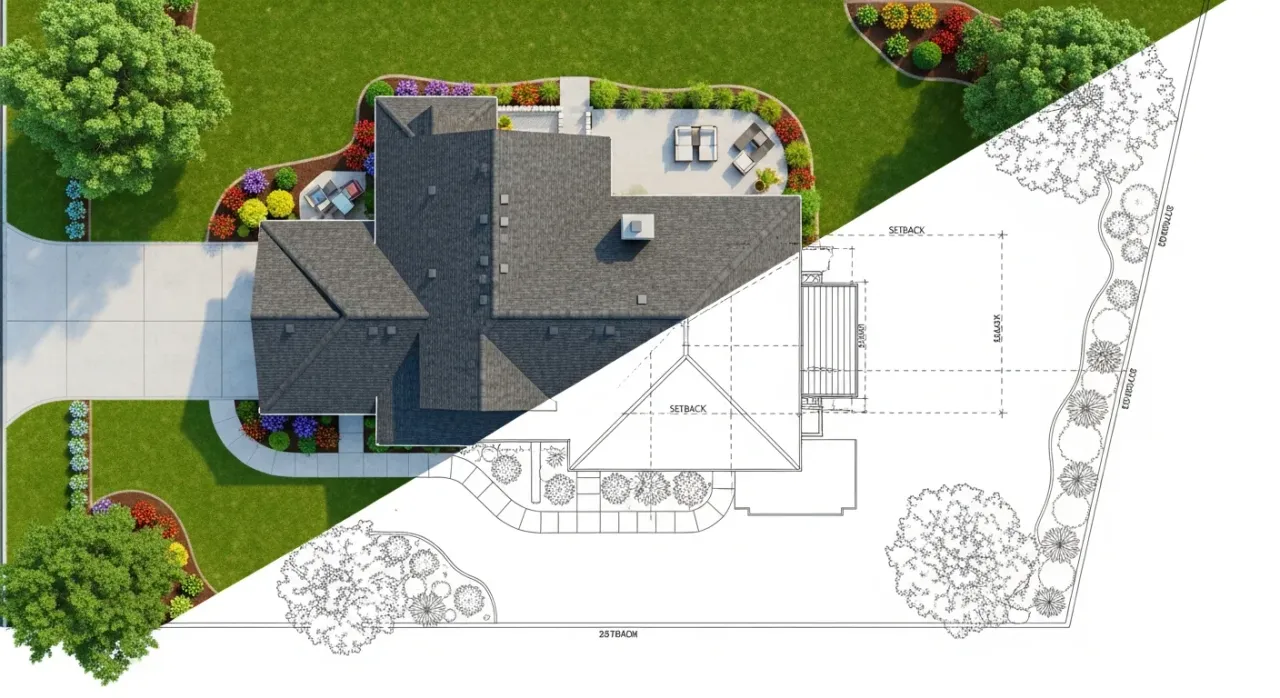
Create a Permit-Ready Site Plan in Minutes
Analyze property layouts, plan improvements, and generate professional site plans using aerial imagery and parcel data. No CAD experience needed. No learning curve.
How It Works
Enter Address
Type any US address to load property data
Review Data
Verify boundaries and building footprints
Design Your Plan
Draw driveway, add trees, symbols and labels
Export PDF
Download permit-ready site plan
The Numbers Speak For Themselves
- 80% average savings over online site plan providers
- Less than 10 min average time to complete your site plan
- 155M+ properties covered across all 50 states
Powerful Features That Make DIY Site Plans Simple
Satellite Imagery
Start with aerial views that eliminate the need for costly, time-consuming site visits.
Property Boundaries and Footprints
Automatically populate your plan with property lines and building footprints from official GIS data.
Precise Measurements
Add dimensions and easily adjust the scale to match specific project requirements.
Custom Property Features
Easily add decks, pools, fences, and other planned additions to visualize your complete project.
Annotation Tools
Add notes, labels, and markups to clearly communicate your project details.
PDF Export
Download your site plan in formats that meet permit and HOA requirements for easy submission.
Parking Layout Generator
Draw a single line and instantly generate a complete parking lot with customizable stall sizes and angles.
Impervious Surface Calculator
Calculate impervious and permeable surface coverage for stormwater compliance and lot coverage permits.
Topography Contours
View elevation contour lines from USGS LiDAR data to understand terrain, slopes, and drainage patterns.
Vicinity Map
Add a neighborhood context map showing surrounding streets so permit reviewers can quickly locate your property.
One-Click Zoning Rules
Instantly access your property's setback distances, height limits, lot coverage, and parking requirements.
Who We Serve
Homeowners
First time applying for a permit? We guide you step-by-step to create a site plan that gets approved.
Contractors
Create plans in minutes, not days. Consistent formatting and subscription pricing for multiple projects.
Real Estate Professionals
Show buyers the full potential of any property. Perfect for listings, ADU planning, and investor presentations.
Design Fast. Edit Freely. Export Anytime.
Save Time
Create a site plan in minutes to keep projects moving.
Cut Costs
Professional-quality site plans at a fraction of the cost.
Easy-To-Use
So easy anyone can use it, with no training required.
National Reach
Get a site plan for any property in all 50 states.
Site Plans for Every Project
- Fences and Decks
- Sheds and Outbuildings
- Pools and Spas
- Tree Removal
- Retaining Walls
- Construction Permits
- Parking Layout
- Short Term Rentals
- Driveway Construction
Frequently Asked Questions
How accurate are the property boundaries?
Data is sourced from public and private records for informational purposes only. Not a substitute for a licensed surveyor
Will my site plan be accepted by my local permit office?
Every city, county, and HOA has its own specific requirements. Site Plan Creator gives you the ability to create professional-looking site plans quickly and easily. In many cases, plans created with our tool are accepted for building permits, planning applications, and HOA reviews.
Do I need any special software to use Site Plan Creator?
No - you don't need to install any special desktop CAD software. The tool runs in your web browser and is designed so anyone can create a site plan without prior drafting experience.
What's included in a single site plan purchase?
When you purchase a single site plan, you can create, edit, and export unlimited PDFs for that specific property address. Your site plan is stored for 180 days from the date of purchase.
How long are my site plans stored?
With a Single Plan purchase, your site plan is stored for 180 days. With an active subscription, your site plans are stored indefinitely as long as your subscription remains active.
What can I use these site plans for?
Our site plans are excellent for permit applications, project planning, contractor coordination, and general construction purposes. Common use cases include fence and deck permits, shed and outbuilding permits, pool permits, tree removal applications, and retaining walls.
Can I cancel my subscription anytime?
Absolutely! There are no long-term contracts. You can cancel your subscription at any time from your account settings, and you'll continue to have access until the end of your current billing period.
What paper sizes and scales do you support?
We support Letter, Legal, Tabloid, A4, and A3 paper sizes in both portrait and landscape orientations. For scales, we offer standard engineer scales including 1"=10', 1"=20', 1"=30', 1"=40', 1"=50', 1"=60', and 1"=100'.
Where does the property data come from?
We source property boundaries and building footprints from official parcel data aggregated from county assessor and GIS records across the United States. This is the same data used by real estate professionals, title companies, and government agencies.
Do you have topography or elevation data?
Yes! We integrate USGS 3DEP LiDAR elevation data to display topography contour lines on your site plan. Toggle the Topography layer to see contours at 1-2 foot intervals with index contours every 5 feet showing elevation labels. This helps you understand slopes, drainage patterns, and grade changes for projects like retaining walls and driveways.
What if I get stuck?
Email us and our team will help you move forward. Most questions are quick to resolve.
What Our Customers Say
"I used this tool to draft a site plan for my backyard renovation. It was surprisingly easy to use, even for someone with no technical background. Measurements auto-calculated, and I exported the plan in minutes. Love it!" — Amanda L., Homeowner
"This software made it possible to create professional site plans for my clients without extra CAD tools. It's efficient, intuitive, and best of all - affordable. Saved me time and money!" — Megan B., General Contractor
"Needed a quick layout for a use permit, and this tool did the job beautifully. The interface is intuitive and easy to use. Highly recommend for homeowners!" — Rachel A., Property Manager