Zoning Setback Maps: What They Are and How to Use Them
Before you break ground on any construction project, understanding your property's setback requirements is essential. This guide explains what a zoning setback map is, how to find setback requirements by address, and how to apply that information when preparing your site plan for a building permit.
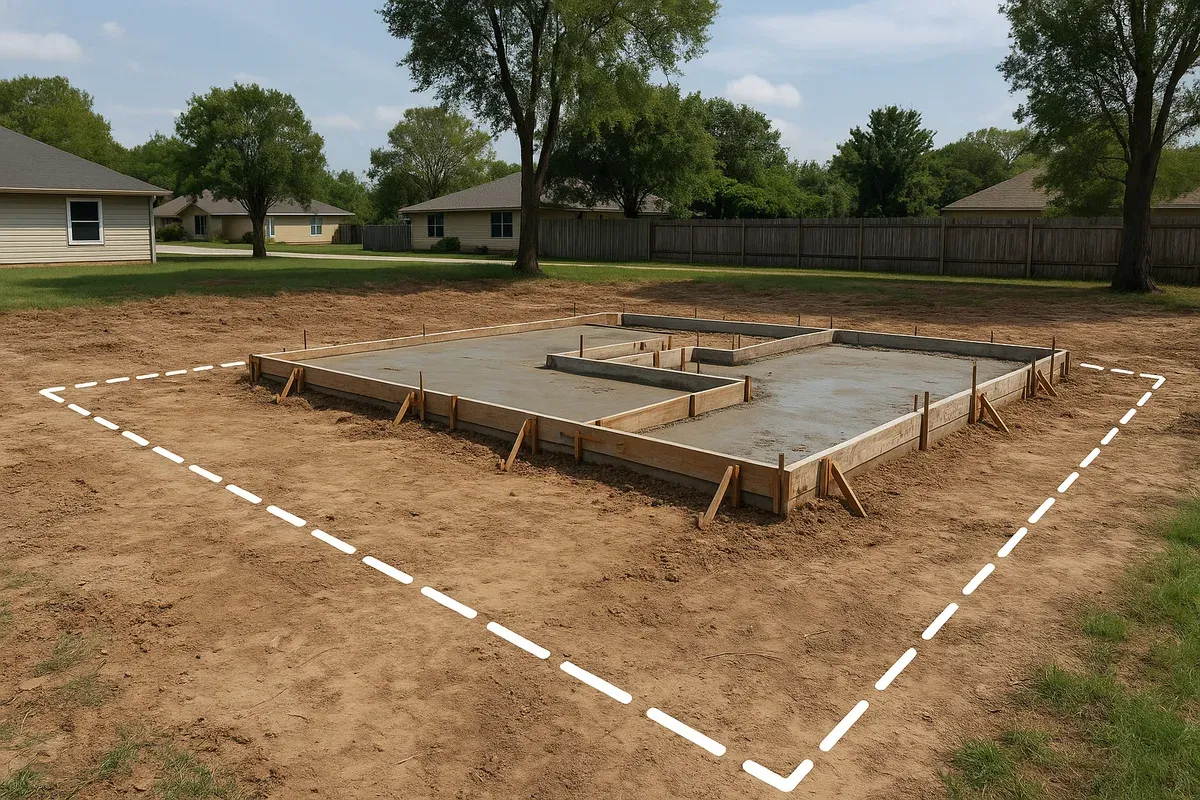
<h2>What Is a Zoning Setback Map and Why Does It Matter Before You Build?</h2>
<p>Imagine spending weeks designing your dream garage addition, only to discover during permit review that the structure sits two feet inside a required side yard setback. The project gets rejected. You revise. You resubmit. Weeks turn into months, and costs climb. This scenario plays out thousands of times each year, and in most cases, it could have been avoided with one simple step: consulting a zoning setback map before putting pencil to paper.</p>
<p>A <strong>zoning setback map</strong> is a geographic reference tool, typically provided by your local municipality, that shows how land is zoned and what <a href="/setback-guide">setback requirements</a> apply to each zone. Setbacks define the minimum distance a structure must be placed from property lines, roads, easements, and other features. They are not suggestions. They are legally enforceable regulations, and ignoring them can result in permit denial, fines, or even a demolition order.</p>
<p>Whether you are planning a new home, an accessory dwelling unit, a fence, a deck, or a commercial building, understanding how to read and use a zoning setback map is one of the most practical skills you can develop as a property owner or developer. This article walks you through exactly what these maps show, how to find setback requirements by address, and how to translate that information into a permit-ready site plan.</p>
<hr>
<h2>Understanding Zoning: The Foundation of Setback Rules</h2>
<p>Before diving into setback maps specifically, it helps to understand the broader zoning system they are part of. Zoning is the legal framework municipalities use to regulate how land can be used and developed. Most cities and counties divide their territory into zones, each with its own set of rules.</p>
<h3>Common Zoning Categories</h3>
<p>While the exact names vary by jurisdiction, most zoning systems include categories along these lines:</p>
<ul>
<li><strong>Residential zones</strong> (R-1, R-2, R-3, etc.): Single-family homes, duplexes, and multi-family buildings</li>
<li><strong>Commercial zones</strong> (C-1, C-2, B-1, etc.): Retail, office, and service businesses</li>
<li><strong>Industrial zones</strong> (I-1, I-2, M-1, etc.): Manufacturing, warehousing, and heavy industry</li>
<li><strong>Agricultural zones</strong> (A-1, AG, etc.): Farming, ranching, and rural land uses</li>
<li><strong>Mixed-use zones</strong>: Combinations of residential and commercial uses</li>
<li><strong>Planned unit development (PUD) zones</strong>: Custom zoning agreements for specific developments</li>
</ul>
<p>Each of these zone types carries its own setback requirements. An R-1 single-family residential zone might require a 25-foot front setback, a 5-foot side setback, and a 20-foot rear setback. A C-2 commercial zone in the same city might have completely different numbers. This is why knowing your specific zone, not just your general area, is critical.</p>
<h3>What Setbacks Actually Regulate</h3>
<p>Setbacks apply to the placement of structures relative to:</p>
<ol>
<li><strong>Front property line</strong> (usually adjacent to the street)</li>
<li><strong>Rear property line</strong> (the back of the lot)</li>
<li><strong>Side property lines</strong> (left and right boundaries)</li>
<li><strong>Easements</strong> (utility corridors, drainage easements, access easements)</li>
<li><strong>Waterbodies</strong> (streams, lakes, wetlands, and flood zones)</li>
<li><strong>Other structures</strong> (sometimes regulated by fire separation distance rules)</li>
</ol>
<p>Some jurisdictions also have <strong>setback averaging</strong> rules, where the required front setback is calculated based on the average setback of existing homes on the same block. This adds a layer of complexity that makes consulting the actual zoning code, not just the map, essential.</p>
<hr>
<h2>What a Zoning Setback Map Actually Shows</h2>
<p>A zoning setback map is typically a layered digital or printed map that combines two types of information:</p>
<ol>
<li><strong>Parcel boundaries</strong>: The legal boundaries of individual properties</li>
<li><strong>Zoning designations</strong>: Color-coded or labeled zones that indicate what rules apply to each parcel</li>
</ol>
<p>Modern municipal zoning maps are almost always available online through a <strong>GIS (Geographic Information System)</strong> portal. These interactive tools allow you to click on any parcel and see its zoning designation, and sometimes additional details like overlay districts, flood zones, and historic preservation areas.</p>
<h3>What a Zoning Map Does NOT Show</h3>
<p>This is a common point of confusion. The zoning map itself shows zone designations, but it does not always display the specific numerical setback distances. To find those numbers, you typically need to:</p>
<ul>
<li>Cross-reference the map with the municipality's <strong>zoning ordinance</strong> or <strong>development code</strong></li>
<li>Look up the specific zone in a setback table or dimensional standards chart</li>
<li>Contact the local planning or zoning department directly</li>
</ul>
<p>Think of the zoning map as the index and the zoning ordinance as the book. You need both to get the full picture.</p>
<h3>Overlay Districts and Special Zones</h3>
<p>Many properties fall within overlay districts that add requirements on top of the base zone. Common overlays include:</p>
<ul>
<li><strong>Flood zone overlays</strong>: Areas within FEMA-designated Special Flood Hazard Areas may have additional setbacks from waterways. You can check your property's flood zone status using the <a href="https://msc.fema.gov/portal/home" rel="nofollow noopener" target="_blank">FEMA Flood Map Service Center</a>.</li>
<li><strong>Historic district overlays</strong>: May require setbacks that match surrounding historic structures</li>
<li><strong>Airport approach zones</strong>: Restrict building heights and sometimes placement</li>
<li><strong>Shoreline or riparian buffers</strong>: Require setbacks from water features beyond standard property line rules</li>
<li><strong>Wildland-Urban Interface (WUI) zones</strong>: May impose additional setbacks for fire safety</li>
</ul>
<p>If your property sits within an overlay district, you need to comply with both the base zone requirements and the overlay requirements, applying whichever is more restrictive.</p>
<hr>
<h2>How to Find Setbacks by Address: A Step-by-Step Process</h2>
<p>Finding your property's setback requirements does not have to be complicated. Here is a reliable process that works for most jurisdictions in the United States.</p>
<h3>Step 1: Identify Your Municipality</h3>
<p>Zoning is regulated at the local level, primarily by cities and counties. Start by confirming which jurisdiction governs your property. Properties in unincorporated areas are typically governed by county zoning, while properties within city limits follow city zoning codes. If you are near a city boundary, do not assume, verify.</p>
<h3>Step 2: Access the Online Zoning or GIS Map</h3>
<p>Search for your city or county name plus terms like "zoning map," "GIS portal," or "parcel viewer." Most municipalities now offer an interactive online map where you can:</p>
<ul>
<li>Enter your address to locate your parcel</li>
<li>Click on the parcel to see its zoning designation</li>
<li>View adjacent zone boundaries</li>
<li>Sometimes see overlay districts and special designations</li>
</ul>
<p>The <a href="https://www.planning.org" rel="nofollow noopener" target="_blank">American Planning Association</a> maintains resources that can help you understand zoning systems and locate local planning departments if you are having trouble finding your municipality's tools.</p>
<h3>Step 3: Record Your Zoning Designation</h3>
<p>Once you identify your zone (for example, R-1, C-2, or A-1), write it down. This is the key you will use to look up your specific setback requirements.</p>
<h3>Step 4: Find the Zoning Ordinance or Development Code</h3>
<p>Search your municipality's website for the zoning ordinance, land development code, or unified development code. Most are published online and searchable. Look for a section titled something like:</p>
<ul>
<li>"Dimensional Standards"</li>
<li>"Bulk and Area Regulations"</li>
<li>"Development Standards by Zone"</li>
<li>"Setback Requirements"</li>
</ul>
<p>Find the section that corresponds to your zone designation and locate the setback table. It will typically list minimum front, rear, and side yard setbacks, as well as maximum building height and lot coverage limits.</p>
<h3>Step 5: Note Any Applicable Overlay Requirements</h3>
<p>If your GIS map showed any overlay districts, look those up separately in the ordinance and note any additional requirements that apply.</p>
<h3>Step 6: Contact the Planning Department If Uncertain</h3>
<p>If the code language is ambiguous or your situation is unusual (irregular lot shape, corner lot, flag lot, etc.), call or email your local planning department. Most planners are happy to help property owners understand requirements before they submit a permit application. A quick conversation can save weeks of back-and-forth during review.</p>
<hr>
<h2>Setback Requirements by Zone: What to Expect</h2>
<p>While setback requirements vary significantly by jurisdiction, there are general patterns you can expect across different zone types. Understanding these typical ranges helps you do a quick feasibility check before diving into detailed design.</p>
<h3>Typical Residential Setbacks</h3>
<p>For single-family residential zones in most U.S. cities:</p>
<ul>
<li><strong>Front setback</strong>: 15 to 30 feet from the front property line</li>
<li><strong>Side setback</strong>: 3 to 10 feet from each side property line</li>
<li><strong>Rear setback</strong>: 15 to 25 feet from the rear property line</li>
<li><strong>Corner lots</strong>: Often have two front setbacks, one for each street frontage</li>
<li><strong>Accessory structures</strong> (sheds, detached garages): Often have reduced setbacks, sometimes as low as 3 feet from side and rear lines</li>
</ul>
<h3>Typical Commercial Setbacks</h3>
<p>Commercial zones often have more variable setback rules:</p>
<ul>
<li><strong>Front setback</strong>: Ranges from 0 feet (build-to-line requirements in urban zones) to 25 feet or more in suburban commercial areas</li>
<li><strong>Side setback</strong>: Often 0 feet between commercial buildings, with larger setbacks required when adjacent to residential zones</li>
<li><strong>Rear setback</strong>: Typically 10 to 20 feet, with larger buffers required near residential zones</li>
</ul>
<h3>Typical Agricultural Setbacks</h3>
<p>Rural and agricultural zones often have large setbacks:</p>
<ul>
<li><strong>Front setback</strong>: 50 to 100 feet from road right-of-way</li>
<li><strong>Side and rear setbacks</strong>: 25 to 50 feet or more</li>
<li><strong>Structures near property lines</strong>: May require additional agricultural buffer distances</li>
</ul>
<h3><a href="/adu-feasibility-software">Accessory Dwelling Units</a> (ADUs)</h3>
<p>ADU setback rules have been changing rapidly across the country, particularly in states like California, Oregon, and Washington, where legislation has pushed municipalities to reduce ADU setbacks to encourage housing production. If you are planning an ADU, check your local code carefully because the rules may have been updated recently.</p>
<hr>
<h2>Using Zoning Data to Create a Permit-Ready Site Plan</h2>
<p>Once you have identified your setbacks, the next step is incorporating that information into a site plan. A site plan is a scaled, overhead drawing of your property that shows:</p>
<ul>
<li>Property boundaries and dimensions</li>
<li>Existing structures and their distances from property lines</li>
<li>Proposed new structures or additions</li>
<li>Setback lines clearly marked</li>
<li>Driveways, walkways, and parking areas</li>
<li>Easements and utility lines</li>
<li>North arrow and scale</li>
</ul>
<p>Most <a href="/construction-permit-site-plans">building permit</a> applications require a site plan, and many permit rejections happen because the site plan does not clearly demonstrate setback compliance. Here is how to use your zoning research effectively when creating your plan.</p>
<h3>Step 1: Start with Accurate Property Dimensions</h3>
<p>Your site plan must be based on accurate property dimensions. The best source is a recorded survey or plat map, which you can often obtain from your county recorder's office or through your title company. Do not rely solely on assessor data, which can be approximate.</p>
<h3>Step 2: Draw Your Setback Lines</h3>
<p>Once you have your property boundaries plotted, draw setback lines parallel to each property line at the required distances. The area inside all four setback lines is your <strong>buildable area</strong>, the zone where new structures can be placed.</p>
<p>This is one of the most valuable things a setback map exercise does for you: it visually defines exactly where you can build before you invest time in architectural drawings.</p>
<h3>Step 3: Place Your Proposed Structure Within the Buildable Area</h3>
<p>With your buildable area defined, you can now place your proposed structure, addition, or accessory building within that zone. Show the structure's footprint with dimensions and label the distance from each property line.</p>
<h3>Step 4: Show Existing Structures</h3>
<p>Include all existing structures on the property and label their distances from property lines as well. This helps the permit reviewer confirm that existing nonconforming conditions are documented and that the new work does not worsen any existing nonconformity.</p>
<h3>Step 5: Add Required Annotations</h3>
<p>A permit-ready site plan should include:</p>
<ul>
<li>The property address and parcel number</li>
<li>Zone designation</li>
<li>Scale bar and north arrow</li>
<li>Setback dimensions labeled clearly</li>
<li>Names of adjacent streets</li>
<li>Any easements shown and labeled</li>
<li>Total lot area and proposed building footprint area (for lot coverage calculation)</li>
</ul>
<h3>Using Digital Tools for Accuracy</h3>
<p>Creating a site plan by hand is possible but prone to scaling errors. Browser-based CAD tools like <a href="/">Site Plan Creator</a> allow you to draw accurate, scaled site plans using real property dimensions, with setback lines, building footprints, and annotations all included. The result is a professional, permit-ready document that meets the standards most building departments require.</p>
<p>For reference on what building departments typically expect in a submitted site plan, the <a href="https://www.iccsafe.org" rel="nofollow noopener" target="_blank">International Code Council (ICC)</a> publishes the International Building Code and related resources that inform permit requirements across thousands of jurisdictions.</p>
<hr>
<h2>Common Mistakes People Make with Setback Maps</h2>
<p>Even with good intentions, property owners frequently make errors when researching and applying setback requirements. Here are the most common pitfalls and how to avoid them.</p>
<h3>Mistake 1: Using Outdated Zoning Information</h3>
<p>Zoning codes are amended regularly. A map or ordinance from even a few years ago may not reflect current requirements. Always verify that you are looking at the most current version of both the zoning map and the ordinance. Many municipalities note the last amendment date on their documents.</p>
<h3>Mistake 2: Measuring from the Wrong Line</h3>
<p>Setbacks are measured from the <strong>property line</strong>, not from the edge of the sidewalk, curb, or fence. In many cases, there is a public right-of-way between the street and your actual property line, and your property line may be several feet behind the sidewalk. Measuring from the wrong starting point can throw your entire site plan off.</p>
<h3>Mistake 3: Ignoring Easements</h3>
<p>Easements are not the same as setbacks, but they can further restrict where you can build. A utility easement running along the rear of your property may prohibit permanent structures even if you are outside the required setback. Always check your title report or recorded plat for easements.</p>
<h3>Mistake 4: Assuming Accessory Structures Follow the Same Rules</h3>
<p>Detached garages, sheds, pergolas, and other accessory structures often have different setback requirements than the primary dwelling. In many zones, they can be placed closer to property lines, but this varies widely. Look up accessory structure standards specifically.</p>
<h3>Mistake 5: Forgetting About Height Restrictions</h3>
<p>Setbacks and height limits work together. Even if your structure fits within the setback envelope, it may exceed maximum height limits for the zone or trigger additional setback requirements based on height (some codes require increased setbacks for taller buildings).</p>
<h3>Mistake 6: Not Accounting for Proposed Right-of-Way Widening</h3>
<p>In some areas, municipalities have planned future road widenings that will require additional right-of-way. If your property is adjacent to a road scheduled for widening, your effective front setback may be calculated from the future right-of-way line, not the current one. Your planning department can tell you if this applies to your property.</p>
<hr>
<h2>When You Need a Variance</h2>
<p>Sometimes the math simply does not work. Your lot may be narrow, oddly shaped, or already occupied by structures that limit where new construction can go. When a project cannot meet standard setback requirements, you may be able to apply for a <strong>variance</strong>, a formal request for permission to deviate from the zoning code.</p>
<p>Variances are not automatically granted. Most jurisdictions require you to demonstrate:</p>
<ol>
<li><strong>Hardship</strong>: The standard setback creates an unreasonable hardship due to unique physical characteristics of the property</li>
<li><strong>Uniqueness</strong>: The hardship is not self-created and is not shared by all properties in the zone</li>
<li><strong>No harm to neighbors</strong>: The variance will not substantially harm adjacent property owners or the neighborhood</li>
<li><strong>Spirit of the code</strong>: The variance is consistent with the general intent of the zoning ordinance</li>
</ol>
<p>Variance applications typically require a hearing before a zoning board of appeals or adjustment, and they involve fees, public notice, and a waiting period. If you think you might need a variance, factor that time and cost into your project planning early.</p>
<hr>
<h2>How Zoning Maps Are Evolving in 2026</h2>
<p>In 2026, zoning maps are more accessible and data-rich than ever before. Several trends are reshaping how property owners and developers interact with zoning information:</p>
<ul>
<li><strong>Integrated GIS portals</strong>: Many cities now offer single-stop portals where you can see zoning, flood zones, historic districts, and utility easements all in one map view</li>
<li><strong>Zoning reform movements</strong>: Dozens of cities and states are actively reforming zoning codes to allow more housing types, reduce setbacks for ADUs, and simplify dimensional standards</li>
<li><strong>Digital permit workflows</strong>: More jurisdictions are accepting or requiring digital site plan submissions, making tools like Site Plan Creator increasingly relevant</li>
<li><strong>AI-assisted code research</strong>: Some municipalities are experimenting with chatbot interfaces that let property owners ask zoning questions in plain language</li>
</ul>
<p>Despite these advances, the fundamental process remains the same: find your zone, look up your setbacks, and make sure your site plan demonstrates compliance before you submit for a permit.</p>
<hr>
<h2>Conclusion: Do Your Zoning Homework Before You Build</h2>
<p>A zoning setback map is not bureaucratic red tape. It is a roadmap that tells you exactly where you can build, how close you can get to your property lines, and what constraints you need to design around. Property owners who take the time to understand their setback requirements before designing a project save themselves significant time, money, and frustration during the permit process.</p>
<p>The process is straightforward: locate your property on your municipality's zoning map, identify your zone, look up the setback requirements in the zoning ordinance, and incorporate those requirements into a clearly drawn site plan. When you do this work upfront, permit reviewers can quickly confirm compliance and move your application forward.</p>
<p>Ready to turn your zoning research into a professional, permit-ready site plan? <strong>Site Plan Creator</strong> gives you a browser-based CAD environment designed specifically for property site plans. Draw your property boundaries, mark your setback lines, place your building footprints, and export a clean, scaled plan that meets building department standards. No expensive software, no steep learning curve, and no guesswork. Start your site plan today at <a href="https://www.siteplancreator.com">siteplancreator.com</a> and go into your permit application with confidence.</p>