Site Plan Rejected? DIY Fixes vs Hiring It Out (2026 Guide)
A rejected site plan doesn't have to derail your project. This guide breaks down the most common rejection reasons, walks you through DIY correction strategies, and helps you decide when it makes more sense to bring in a professional.
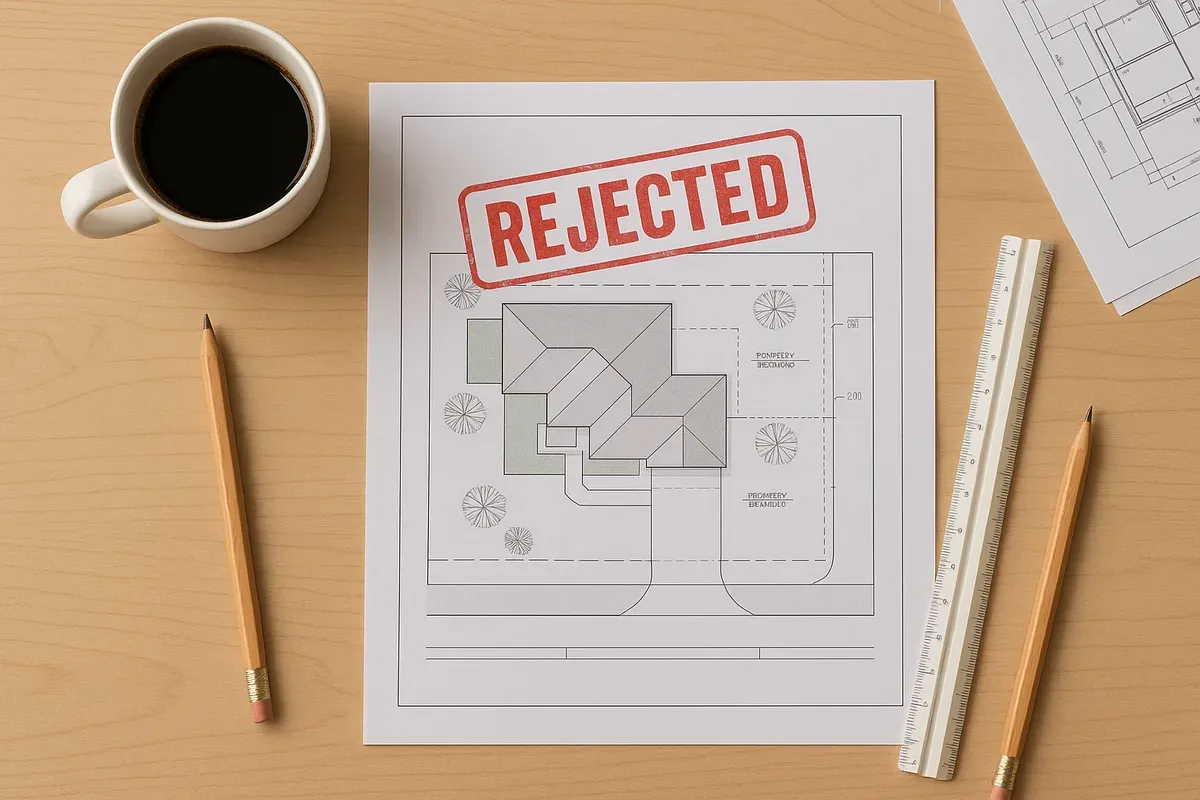
<p>Getting a rejection notice from your local permit office is one of the most frustrating moments in any home improvement or construction project. You submitted your paperwork, you waited, and now you're staring at a correction letter that might as well be written in a foreign language. What does "insufficient setback documentation" even mean? And do you really need to pay someone hundreds of dollars to fix it, or can you handle this yourself?</p>
<p>The good news is that a rejected site plan is not the end of the road. In 2026, more <a href="/homeowners">homeowners</a> and small <a href="/contractors">contractors</a> than ever are successfully navigating the permit revision process on their own, thanks to better online tools and more transparent correction feedback from permit offices. But some rejections genuinely do require professional expertise, and knowing the difference can save you weeks of back-and-forth and hundreds of dollars in unnecessary fees.</p>
<p>This guide covers exactly what happens after a site plan rejection, the most common reasons plans get sent back, and a clear-eyed comparison of the DIY versus professional revision path.</p>
<h2>What Happens Immediately After a Site Plan Rejection</h2>
<p>When a permit office rejects your site plan, the process varies by jurisdiction, but there are a few things that happen consistently across most municipalities.</p>
<h3>You Receive a Correction Letter or Plan Review Comments</h3>
<p>Most permit offices issue a formal correction letter or a marked-up set of plan review comments. This document is your roadmap. It identifies every deficiency the plan reviewer found, often with references to specific code sections. Read it carefully and completely before doing anything else. Some homeowners make the mistake of fixing only the first item they see and resubmitting, only to get rejected again for the other items they overlooked.</p>
<p>In many jurisdictions, you can also request a pre-application meeting or a post-rejection consultation with the plan reviewer. This is an underused resource. A 15-minute conversation with the reviewer can clarify vague correction language and prevent you from making the wrong changes.</p>
<h3>Your Permit Application Stays Open (Usually)</h3>
<p>In most cases, a rejection does not close your permit application. You typically have a window (often 180 days, though this varies by municipality) to resubmit a corrected plan before the application expires. Check your specific jurisdiction's rules on this. The <a href="https://www.iccsafe.org" rel="nofollow noopener" target="_blank">International Code Council's resource library</a> is a good starting point for understanding model code timelines, though your local amendments may differ.</p>
<h3>You May Face Resubmission Fees</h3>
<p>Some jurisdictions charge a resubmission or plan revision fee after the first rejection. These fees are typically modest (often $50 to $200 for residential projects), but they add up if your plan gets rejected multiple times. This is one practical reason to get the corrections right before resubmitting rather than sending in a half-finished revision.</p>
<h2>The Most Common Reasons Site Plans Get Rejected</h2>
<p>Understanding why plans get rejected is the first step toward fixing them. After reviewing thousands of permit submissions, these are the issues that come up most often.</p>
<h3>1. Missing or Incorrect Property Boundary Information</h3>
<p>This is the single most common rejection trigger. A site plan must accurately show the property boundaries, including dimensions for every side of the lot. If your plan was drawn from memory, estimated from Google Maps, or based on an old sketch, the dimensions may not match the legal description in your deed or the county assessor's records.</p>
<p>Fix: Locate your property survey or plat map. Your county recorder or assessor's office often has these on file, sometimes accessible online. Use those legal dimensions, not estimates.</p>
<h3>2. Setback Violations or Unclear Setback Dimensions</h3>
<p>Setbacks are the minimum required distances between a structure and the property lines, street right-of-way, or other features. If your plan doesn't clearly show these dimensions, or if the proposed structure appears to violate the required setbacks for your zoning district, the plan will be rejected.</p>
<p>Fix: Look up your zoning district's <a href="/setback-guide">setback requirements</a> through your local planning department or zoning ordinance (most are now available online). Then measure and clearly label the distance from each proposed structure to the nearest property line on your plan.</p>
<h3>3. Incorrect or Missing Scale</h3>
<p>A site plan must be drawn to scale. A plan that simply says "not to scale" or uses an inconsistent scale is almost always rejected. Reviewers use the scale to verify that dimensions are accurate and that structures fit within the lot as shown.</p>
<p>Fix: Redraw your plan at a standard engineering scale (1 inch = 10 feet, 1 inch = 20 feet, etc.) and include a scale bar or written scale notation on the plan.</p>
<h3>4. Missing North Arrow or Orientation</h3>
<p>This sounds minor, but it's a required element on virtually every site plan. Without a north arrow, reviewers cannot properly evaluate solar setbacks, street frontage requirements, or directional easements.</p>
<h3>5. Structures Not Shown or Incorrectly Labeled</h3>
<p>All existing structures on the property must typically be shown, not just the proposed new construction. If you omitted your existing garage, shed, or <a href="/adu-feasibility-software">accessory dwelling unit</a>, expect a rejection. Similarly, structures must be properly labeled with their use (e.g., "existing single-family residence," "proposed detached garage").</p>
<h3>6. Missing Utility Connections or Easements</h3>
<p>Many jurisdictions require that site plans show utility connections (water, sewer, gas, electric), easements, and right-of-way lines. If any of these are missing from your plan, you'll get a correction notice.</p>
<h3>7. Lot Coverage Calculations Not Shown</h3>
<p>Zoning codes typically limit the percentage of a lot that can be covered by impervious surfaces or structures. If your plan doesn't include a lot coverage calculation, or if the proposed project pushes you over the allowed coverage, the plan will be flagged.</p>
<h3>8. Flood Zone or Drainage Issues</h3>
<p>If your property is in or near a FEMA-designated flood zone, your site plan may need to include additional information about finished floor elevations, grading, and drainage. You can check your property's flood zone status using the <a href="https://msc.fema.gov/portal/home" rel="nofollow noopener" target="_blank">FEMA Flood Map Service Center</a>.</p>
<h2>DIY Site Plan Corrections: When It Makes Sense</h2>
<p>Not every rejection requires professional help. Many of the most common correction items are completely manageable for a detail-oriented homeowner or contractor with the right tools.</p>
<h3>When DIY Is a Reasonable Option</h3>
<p>DIY corrections make sense when:</p>
<ul>
<li>The correction letter is specific and clear (e.g., "Add north arrow," "Show setback dimensions to all property lines")</li>
<li>The errors are primarily missing labels, missing dimensions, or formatting issues</li>
<li>The project is a simple residential addition, shed, fence, pool, or accessory structure</li>
<li>You have access to your property survey or plat map</li>
<li>You're comfortable using a browser-based CAD or site plan tool</li>
</ul>
<h3>Step-by-Step DIY Correction Process</h3>
<p><strong>Step 1: Read the entire correction letter before touching your plan.</strong>
Make a checklist of every item flagged. Number them and work through them systematically.</p>
<p><strong>Step 2: Gather your source documents.</strong>
You'll need your property survey or plat map, your deed, and your local zoning ordinance. Many county assessor websites now offer free access to plat maps and parcel data.</p>
<p><strong>Step 3: Use a proper site plan tool.</strong>
Free-hand drawings and basic image editors are not appropriate for permit-level site plans. Browser-based tools like <a href="/">Site Plan Creator</a> allow you to draw to scale, add accurate dimensions, label structures, and export clean, professional PDFs that meet permit office standards. This is where many DIY attempts fail: the plan looks fine to the homeowner but doesn't meet the technical presentation standards that reviewers expect.</p>
<p><strong>Step 4: Address every item on the correction list.</strong>
Do not skip items you don't understand. If something is unclear, call the permit office and ask. Most reviewers are willing to explain what they need.</p>
<p><strong>Step 5: Do a self-review before resubmitting.</strong>
Check that your plan includes: property boundaries with dimensions, north arrow, scale bar, all existing and proposed structures labeled, setback dimensions, lot coverage calculation, and any jurisdiction-specific required elements.</p>
<p><strong>Step 6: Resubmit with a response letter.</strong>
Many permit offices appreciate (and some require) a written response that lists each correction item and explains how it was addressed. This makes the reviewer's job easier and speeds up the re-review process.</p>
<h3>Common DIY Mistakes to Avoid</h3>
<ul>
<li>Fixing only the items you understand and ignoring the rest</li>
<li>Redrawing the plan by hand when a digital, to-scale version is required</li>
<li>Using Google Maps screenshots as the base for your plan (these are not survey-accurate)</li>
<li>Submitting a revised plan without a clear revision date and revision number</li>
<li>Changing the project scope without noting the changes clearly</li>
</ul>
<h2>When to Hire a Professional for Site Plan Revisions</h2>
<p>Some rejections are genuinely beyond the scope of DIY. Knowing when to bring in professional help can save you significant time and money in the long run.</p>
<h3>Signs You Need Professional Help</h3>
<p><strong>The rejection involves zoning variances or code compliance issues.</strong>
If the reviewer is telling you that your proposed project doesn't comply with zoning code (not just that the plan is missing information, but that the project itself has a problem), you may need a land use consultant, architect, or permit expediter. These situations often require a variance application, which is a separate legal process.</p>
<p><strong>The correction letter references structural, engineering, or drainage requirements.</strong>
Site plans for larger projects sometimes require engineered grading plans, drainage calculations, or structural details. These cannot be DIY'd. A licensed civil engineer or landscape architect will need to prepare these components.</p>
<p><strong>Your property has complex boundary issues.</strong>
If there are overlapping easements, disputed boundaries, or encroachments involved, you need a licensed land surveyor before you can produce an accurate site plan.</p>
<p><strong>You've already been rejected twice.</strong>
Two rejections on the same project is a signal that something more fundamental is wrong. A professional can often identify the root issue quickly, whereas continued DIY attempts may just extend the delay.</p>
<p><strong>The project is commercial, multi-family, or involves significant grading.</strong>
These project types almost always require professionally prepared plans. The complexity of the review process and the potential liability make DIY revisions impractical.</p>
<h3>Professional Options and What They Cost</h3>
<p>You have several options when hiring out site plan revisions:</p>
<ol>
<li><p><strong>Permit expediter or permit runner:</strong> These professionals specialize in navigating local permit offices. They understand the specific requirements of your jurisdiction and can often resolve plan check issues faster than anyone else. Typical cost: $200 to $800 for residential projects.</p>
</li>
<li><p><strong>Drafting service or CAD technician:</strong> If your plan simply needs to be redrawn professionally, a drafting service can produce a clean, to-scale site plan from your survey and project description. Typical cost: $150 to $500.</p>
</li>
<li><p><strong>Architect or designer:</strong> For projects that require design expertise alongside plan preparation, an architect or licensed designer is the right choice. Typical cost: $500 to $2,000+ depending on scope.</p>
</li>
<li><p><strong>Civil engineer:</strong> Required for projects with drainage, grading, or infrastructure components. Typical cost: $1,000 to $5,000+ depending on complexity.</p>
</li>
<li><p><strong>Land surveyor:</strong> If boundary accuracy is in question, a surveyor must be involved. Typical cost: $400 to $1,500 for a boundary survey.</p>
</li>
</ol>
<p>The American Planning Association (<a href="https://www.planning.org" rel="nofollow noopener" target="_blank">planning.org</a>) maintains resources that can help you understand what type of professional is appropriate for different planning and permitting situations.</p>
<h2>How to Prevent Future Rejections</h2>
<p>Whether you're fixing a rejected plan yourself or hiring it out, it's worth building better habits for future submissions.</p>
<h3>Research Requirements Before You Draw</h3>
<p>Every jurisdiction has its own site plan submittal checklist. Most planning and building departments post these online. Download the checklist before you start drawing, not after. Treat it as a required specification, not a suggestion.</p>
<h3>Use the Right Tools from the Start</h3>
<p>The quality of your site plan software matters. Tools designed specifically for permit-ready site plans (like Site Plan Creator) include the elements reviewers expect: proper scale, title blocks, north arrows, dimension tools, and clean PDF export. Starting with the right tool dramatically reduces the chance of a format-related rejection.</p>
<h3>Consider a Pre-Application Review</h3>
<p>Many jurisdictions offer optional pre-application or pre-submittal review meetings where a staff planner or building official will look at your proposed plans before you formally submit. This is one of the most underused resources available to homeowners and small contractors. A pre-application review can surface problems before they become formal rejections.</p>
<h3>Keep Your Property Documents Organized</h3>
<p>Maintain a folder (digital or physical) with your property survey, deed, previous permit records, and any recorded easements or CC&Rs. Having these documents readily available makes every future permit application faster and more accurate.</p>
<h3>Understand Your Zoning District</h3>
<p>Know your zoning classification and the basic development standards that apply to your property: setbacks, height limits, lot coverage maximums, and allowed uses. This knowledge prevents you from proposing projects that can't be approved in the first place.</p>
<h2>The Real Cost of Getting It Wrong</h2>
<p>It's worth putting the stakes in perspective. A single additional round of plan review can add two to six weeks to your project timeline in many jurisdictions. If you're a contractor, that delay has direct financial consequences. If you're a homeowner trying to complete a project before a deadline (a home sale, a rental, a family event), the timeline cost is very real.</p>
<p>Resubmission fees, while modest individually, add up. More importantly, continued rejections can trigger escalating scrutiny from the permit office, making each subsequent review more detailed and more demanding.</p>
<p>The most expensive outcome of all is beginning construction before your permit is approved, or constructing something that ultimately can't be permitted. Unpermitted work can result in stop-work orders, fines, required demolition, and serious complications when you sell the property. None of these outcomes are worth saving a few hundred dollars on a proper site plan.</p>
<h2>Choosing the Right Path Forward</h2>
<p>Here's a simple decision framework for navigating a rejected site plan:</p>
<ol>
<li><strong>Read the correction letter completely.</strong> Make a numbered checklist.</li>
<li><strong>Categorize each item.</strong> Is it a missing label or dimension? A code compliance problem? A structural or engineering issue?</li>
<li><strong>If all items are presentational or informational:</strong> DIY is likely viable with the right tools.</li>
<li><strong>If any item involves code compliance, variances, engineering, or boundary disputes:</strong> Bring in the appropriate professional.</li>
<li><strong>If you're unsure:</strong> Call the permit office and ask. Then decide.</li>
<li><strong>Whatever path you choose:</strong> Use a proper, permit-ready site plan tool to produce your revised plan.</li>
</ol>
<p>The goal is not to avoid professional help at all costs. The goal is to make a smart, informed decision that gets your project approved as quickly and efficiently as possible.</p>
<h2>Conclusion</h2>
<p>A rejected site plan is a setback, not a dead end. Most rejections are correctable, many are correctable by the property owner or contractor directly, and all of them are more manageable when you understand exactly what went wrong and what the reviewer needs to see.</p>
<p>The key is to approach the correction process systematically: read the full correction letter, gather your source documents, address every item, and use tools that produce professional, permit-ready output.</p>
<p>Site Plan Creator was built specifically for this situation. Whether you're revising a rejected plan or starting fresh to avoid rejection in the first place, our browser-based platform gives you the scale accuracy, labeling tools, and clean PDF export that permit offices expect. Thousands of homeowners, contractors, and designers have used Site Plan Creator to get their permits approved without hiring a draftsman or architect for straightforward residential projects.</p>
<p>If your site plan was just rejected, don't wait. Open Site Plan Creator today, work through your correction checklist, and get back in the queue with a plan that's ready to be approved.</p>