What Is a North Arrow on a Site Plan and Why Does It Matter?
A north arrow is one of the smallest elements on a site plan, but it carries enormous weight when it comes to permit approvals and accurate property documentation. This guide explains what it is, why it matters, and how to get it right every time.
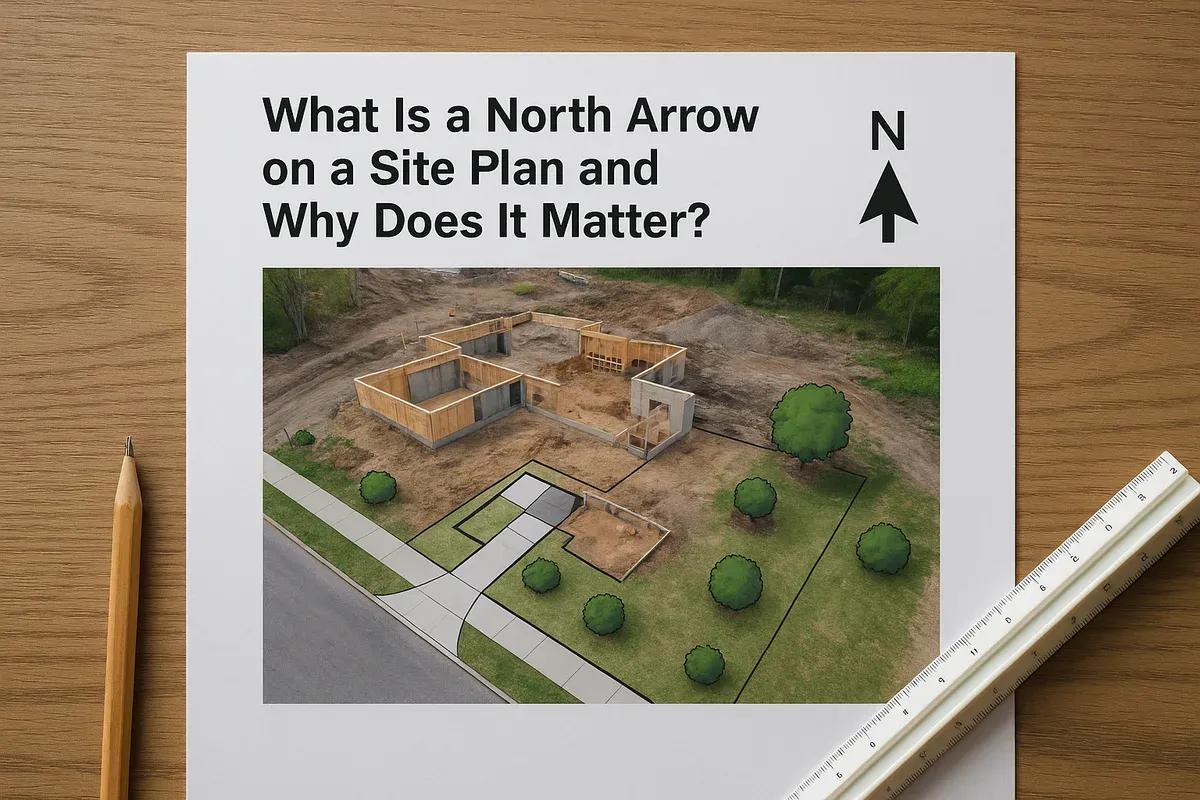
<h2>What Is a North Arrow on a Site Plan and Why Does It Matter?</h2>
<p>If you have ever reviewed a professionally drawn site plan, you have probably noticed a small compass-like symbol somewhere in the corner of the drawing. That symbol is the north arrow, and while it may look like a minor decorative detail, it is one of the most functionally important elements on any property site plan. Permit reviewers, surveyors, <a href="/contractors">contractors</a>, and municipal planners all rely on it to correctly interpret every other piece of information on the drawing.</p>
<p>Skip it, place it incorrectly, or point it in the wrong direction, and you can set off a chain of costly mistakes: setback violations, misaligned structures, failed permit reviews, or construction errors that require expensive corrections. Understanding the north arrow, its purpose, and how to use it correctly is a fundamental skill for anyone preparing a site plan for a permit application, a property addition, or a land development project.</p>
<p>This guide covers everything you need to know, from the basic definition to the technical requirements that most building departments expect.</p>
<hr>
<h2>What Is a North Arrow?</h2>
<p>A <strong>north arrow</strong> is a directional symbol placed on a site plan to indicate which direction is north relative to the drawing. It orients the viewer so that every measurement, boundary line, setback, and structure on the plan can be understood in relation to real-world compass directions.</p>
<p>In its simplest form, a north arrow is a single arrow pointing toward true north or magnetic north, labeled with the letter "N." More detailed versions may show all four cardinal directions (N, S, E, W) or include a full compass rose. For most permit-ready site plans, a clean, clearly labeled north arrow pointing to north is all that is required.</p>
<h3>True North vs. Magnetic North vs. Grid North</h3>
<p>This is a distinction that trips up many first-time site plan preparers. There are actually three different "norths" you may encounter:</p>
<ul>
<li><strong>True North (Geographic North):</strong> Points toward the geographic North Pole. This is the standard used in most surveying and official land records.</li>
<li><strong>Magnetic North:</strong> Points toward the Earth's magnetic pole, which shifts over time and differs from true north by a value called magnetic declination. This declination varies depending on your location and changes year to year.</li>
<li><strong>Grid North:</strong> Used in coordinate mapping systems like UTM (Universal Transverse Mercator), where north aligns with the vertical grid lines of a map projection rather than the actual pole.</li>
</ul>
<p>For most residential and light commercial permit site plans, <strong>true north</strong> is the expected standard. If your site plan is based on a survey, the surveyor will have already accounted for this. If you are preparing your own site plan using a tool like <a href="/">Site Plan Creator</a>, you should orient your north arrow to match the orientation shown on any official survey documents or legal descriptions for your property.</p>
<p>When in doubt, check with your local building department. Some jurisdictions are flexible, while others are very specific about which north reference they require.</p>
<hr>
<h2>Why the North Arrow Matters on a Site Plan</h2>
<p>The north arrow is not just a formality. It serves several critical functions that affect how your site plan is used, reviewed, and approved.</p>
<h3>1. It Anchors Every Other Measurement to the Real World</h3>
<p>A site plan shows distances, setbacks, and building positions. But those numbers are meaningless without a frame of reference. The north arrow connects the drawing to actual compass directions, which in turn connect to your property's legal description, your deed, your survey, and the physical land itself.</p>
<p>For example, if your local zoning code requires a 20-foot rear yard setback and your lot runs north-south, the reviewer needs to know which edge of your drawing is the rear of the property. The north arrow tells them that instantly.</p>
<h3>2. It Is Required for Permit Approval in Most Jurisdictions</h3>
<p>Building departments across the United States routinely list the north arrow as a mandatory element on site plan submittal checklists. The International Building Code (IBC), published by the International Code Council, provides the framework that most local jurisdictions adopt, and site plan documentation requirements under the IBC consistently include orientation indicators.</p>
<p>If your site plan is missing a north arrow, many permit offices will return your application as incomplete, adding days or weeks to your timeline. This is one of the most common reasons for permit application rejections on otherwise well-prepared plans.</p>
<h3>3. It Helps Reviewers Verify Setbacks and Zoning Compliance</h3>
<p>Zoning regulations define setbacks from each property line, and those property lines are described using compass directions. A reviewer comparing your site plan to your zoning parcel data needs the north arrow to confirm that your front yard setback is measured from the correct boundary, that your structure does not encroach on an easement running along the eastern edge of your lot, and that your accessory structure is positioned correctly relative to your neighbors.</p>
<p>Without the north arrow, this verification process becomes guesswork, and permit reviewers do not guess. They send the plan back.</p>
<h3>4. It Guides Contractors and Surveyors in the Field</h3>
<p>Once a permit is approved, your site plan becomes a working document that contractors use during construction. Workers in the field need to know which direction is north so they can correctly position foundations, set stakes, and verify that the structure is being built exactly where the plan shows it. A missing or incorrect north arrow can lead to a building being placed on the wrong part of a lot, which is an expensive and legally complicated problem to fix.</p>
<h3>5. It Supports Solar and Environmental Planning</h3>
<p>For projects involving solar panels, passive solar design, energy efficiency calculations, or environmental impact reviews, the north arrow is essential. Solar access depends entirely on which direction a roof faces, and that determination comes directly from the site plan orientation. The <a href="https://www.planning.org/" rel="nofollow noopener" target="_blank">American Planning Association</a> recognizes site orientation as a key factor in sustainable land use planning, and many green building programs require accurate orientation documentation as part of their certification processes.</p>
<hr>
<h2>Where Should the North Arrow Be Placed on a Site Plan?</h2>
<p>Placement conventions for the north arrow are fairly consistent across the industry, though they are not always rigidly mandated.</p>
<h3>Standard Placement Guidelines</h3>
<ul>
<li><strong>Corner placement is preferred:</strong> Most drafting conventions place the north arrow in the upper right corner or lower right corner of the drawing sheet. This keeps it visible without interfering with the property drawing itself.</li>
<li><strong>Keep it in the title block area or margin:</strong> Many site plans include a title block with the project address, scale, date, and preparer information. The north arrow is often grouped with this information.</li>
<li><strong>Make it large enough to read clearly:</strong> A north arrow that is too small to see defeats its purpose. It should be proportionally sized so it is immediately visible when the plan is printed at its intended scale.</li>
<li><strong>Do not place it inside the property boundary drawing:</strong> Overlapping the north arrow with your building footprints or setback lines creates visual confusion.</li>
</ul>
<h3>Orientation of the Drawing Itself</h3>
<p>A common best practice is to orient your site plan so that north points toward the top of the page. This is the convention most reviewers and contractors expect, and it makes the plan easier to read intuitively. However, this is not always possible, especially for oddly shaped lots or properties with road frontage on an angle.</p>
<p>When north cannot point straight up, the north arrow becomes even more important because it corrects the viewer's assumptions. In these cases, make sure the north arrow is prominently placed and clearly labeled.</p>
<hr>
<h2>Common North Arrow Mistakes to Avoid</h2>
<p>Even experienced plan preparers make errors with north arrows. Here are the most frequent problems and how to avoid them.</p>
<h3>Pointing It in the Wrong Direction</h3>
<p>This sounds obvious, but it happens more often than you might expect. If you are drawing a site plan from scratch or using a template, it is easy to place a north arrow out of habit without verifying that it actually matches the property's real-world orientation. Always cross-reference your north arrow against a reliable source: a survey document, a satellite image with compass overlay, or a GPS reading.</p>
<h3>Using a North Arrow That Does Not Match the Drawing Scale</h3>
<p>The north arrow should be consistent with the rest of the drawing. If your site plan is drawn at 1 inch = 20 feet, the north arrow should be sized appropriately for that sheet. A tiny north arrow on a large-format drawing, or a massive compass rose on a small drawing, looks unprofessional and can make the plan harder to read.</p>
<h3>Forgetting to Label It</h3>
<p>The arrow itself must be labeled with "N" or "North." An unlabeled arrow pointing in some direction is ambiguous. Some reviewers will not make assumptions about what an unlabeled directional symbol means.</p>
<h3>Inconsistency Across Multiple Sheets</h3>
<p>If your permit package includes multiple drawings (a site plan, a floor plan, an elevation sheet), the north arrow should be consistent across all sheets that include it. Conflicting orientations between sheets create confusion and raise red flags during review.</p>
<h3>Copying a North Arrow from Another Project</h3>
<p>If you are reusing a site plan template from a previous project, make absolutely sure the north arrow has been updated for the new property. A north arrow pointing east when north is actually northwest is worse than having no north arrow at all, because it actively misleads everyone who uses the plan.</p>
<hr>
<h2>What Permit Offices Actually Look For</h2>
<p>Building departments vary in their specific requirements, but most permit site plan checklists include several consistent elements alongside the north arrow. Understanding the full context helps you prepare a complete, approvable submittal.</p>
<h3>Typical Site Plan Elements Required for Permits</h3>
<ol>
<li><strong>North arrow</strong> (clearly labeled and correctly oriented)</li>
<li><strong>Scale indicator</strong> (written scale and/or graphic scale bar)</li>
<li><strong>Property boundaries</strong> with dimensions and bearing angles</li>
<li><strong>Existing and proposed structures</strong> with building footprints</li>
<li><strong>Setback dimensions</strong> from all property lines to all structures</li>
<li><strong>Easements and rights-of-way</strong> if applicable</li>
<li><strong>Driveways, parking areas, and access points</strong></li>
<li><strong>Utilities</strong> including water, sewer, and stormwater features</li>
<li><strong>Street names</strong> for adjacent roads</li>
<li><strong>Project address and legal description</strong></li>
<li><strong>Preparer information</strong> and date</li>
</ol>
<p>The north arrow ties all of these elements together. Without it, reviewers cannot confidently interpret the setback dimensions, verify boundary orientations, or confirm that the plan matches the legal description of the property.</p>
<p>For a practical reference on what your local jurisdiction may require, check your municipality's official building department website. Many counties and cities publish their site plan submittal checklists online. For example, <a href="https://msc.fema.gov/portal/home" rel="nofollow noopener" target="_blank">FEMA's flood map service</a> is another tool that uses geographic orientation data, and properties in flood zones often require site plans that accurately show north to support elevation certificate documentation.</p>
<hr>
<h2>How to Add a North Arrow to Your Site Plan</h2>
<p>The process of adding a north arrow depends on the tool you are using to prepare your site plan.</p>
<h3>Step 1: Determine the Correct Orientation</h3>
<p>Before you place anything on the drawing, confirm which direction is north for your specific property. Here is how:</p>
<ul>
<li><strong>Use your survey document:</strong> Most surveys include a north arrow or bearing information. Match your site plan orientation to the survey.</li>
<li><strong>Use satellite imagery:</strong> Tools like Google Maps or Google Earth show compass orientation. Look at your property from above and note which direction is north.</li>
<li><strong>Use a GPS device or compass app:</strong> If you are on-site, a smartphone compass app can give you a quick magnetic north reading. Remember to account for magnetic declination if you need true north.</li>
<li><strong>Check your deed or legal description:</strong> Property descriptions often include bearing angles (e.g., "N 45° E") that tell you the compass orientation of each boundary line.</li>
</ul>
<h3>Step 2: Orient Your Drawing</h3>
<p>If possible, set up your drawing so that north points toward the top of the page. This is the standard convention and makes your plan easier to read. If your property shape or lot orientation makes this impractical, orient the drawing for clarity and let the north arrow communicate the actual direction.</p>
<h3>Step 3: Place the North Arrow</h3>
<p>In Site Plan Creator, adding a north arrow is straightforward. The application includes a north arrow symbol as a standard drawing element. You can:</p>
<ul>
<li>Select the north arrow from the symbols library</li>
<li>Rotate it to match the true north orientation of your property</li>
<li>Place it in the corner of your drawing, away from the property boundary and building footprints</li>
<li>Ensure it is labeled clearly</li>
</ul>
<p>Site Plan Creator is designed specifically for permit-ready site plans, so the north arrow tool is sized and styled to meet the expectations of building department reviewers. You do not need to build a custom symbol from scratch or worry about whether the style is appropriate for a permit submittal.</p>
<h3>Step 4: Verify Before Submitting</h3>
<p>Before you finalize your site plan and submit it for a permit, run through this quick checklist:</p>
<ul>
<li>Is the north arrow pointing in the correct direction relative to the actual property?</li>
<li>Is it clearly labeled with "N" or "North"?</li>
<li>Is it placed in a location that does not overlap with other drawing elements?</li>
<li>Is it consistent with the orientation used in any other documents in your permit package (survey, plat, deed)?</li>
<li>Is it large enough to be clearly visible when the plan is printed at the intended scale?</li>
</ul>
<hr>
<h2>North Arrow Standards in Professional Drafting</h2>
<p>In professional architectural and engineering drafting, north arrow conventions are part of a broader set of drawing standards. Organizations like the American Institute of Architects (AIA) and the Construction Specifications Institute (CSI) have long-established guidelines for site plan documentation that include north arrow requirements.</p>
<p>For most residential permit applications, you do not need to follow formal AIA drafting standards to the letter. However, understanding that the north arrow is part of a recognized professional framework helps reinforce why it should never be treated as optional or an afterthought.</p>
<h3>When a Compass Rose Is More Appropriate</h3>
<p>A full compass rose (showing N, S, E, W and sometimes the intermediate directions NE, NW, SE, SW) is more common on:</p>
<ul>
<li>Large-scale subdivision plats</li>
<li>Commercial development site plans</li>
<li>Environmental impact documents</li>
<li>Master plan drawings for multi-building campuses</li>
</ul>
<p>For a typical residential permit site plan, a simple north arrow is perfectly appropriate and is actually preferred by many reviewers because it is clean and unambiguous.</p>
<hr>
<h2>How Site Plan Orientation Affects Your Entire Project</h2>
<p>It is worth stepping back and appreciating how much work the north arrow is quietly doing on your site plan. Every element of your property documentation is oriented around it.</p>
<p>Your <strong>property boundaries</strong> are described with bearing angles that reference north. Your <strong>setbacks</strong> are measured from specific property lines that are identified by their compass direction. Your <strong>building footprint</strong> is positioned relative to those boundaries. Your <strong>utility connections</strong> run in directions that correspond to street locations, which are themselves oriented on a compass grid.</p>
<p>When the north arrow is correct, all of these pieces align. The site plan matches the survey, which matches the deed, which matches the physical land. Permit reviewers can verify compliance quickly and confidently. Contractors can build in the right location. Neighbors and adjacent property owners can understand how the project relates to their land.</p>
<p>When the north arrow is wrong or missing, none of those alignments can be trusted. A plan that cannot be trusted is a plan that will not be approved.</p>
<hr>
<h2>Conclusion</h2>
<p>The north arrow on a site plan is a small symbol with an outsized impact. It is the key that unlocks the meaning of every other element on your drawing, connecting measurements and positions on paper to real directions and distances on the ground. Building departments require it, contractors depend on it, and surveyors use it to verify that your documentation matches the physical reality of your property.</p>
<p>Getting the north arrow right is not complicated, but it does require attention and intentionality. You need to know which direction is actually north for your specific property, orient your drawing accordingly, place the symbol clearly and correctly, and verify consistency across your entire permit package.</p>
<p>If you are preparing a site plan for a permit application, an addition, an <a href="/adu-feasibility-software">accessory dwelling unit</a>, a fence, a pool, or any other project that requires a <a href="/construction-permit-site-plans">building permit</a>, Site Plan Creator makes this process straightforward. The platform is built specifically for permit-ready site plans, with all the required elements including north arrows, scale indicators, property boundaries, setbacks, and building footprints built into an intuitive browser-based interface. You do not need CAD experience or professional drafting software to produce a plan that meets building department standards.</p>
<p>Visit <a href="https://www.siteplancreator.com">siteplancreator.com</a> to start your site plan today and make sure every element, including your north arrow, is exactly where it needs to be.</p>