How to Look Up Your Property's Zoning in 5 Minutes Free
Discovering your property's zoning classification doesn't require hiring a consultant or waiting on hold with city hall. This guide walks you through free online tools and step-by-step methods to find your zoning designation in five minutes or less — and what to do with that information once you have it.
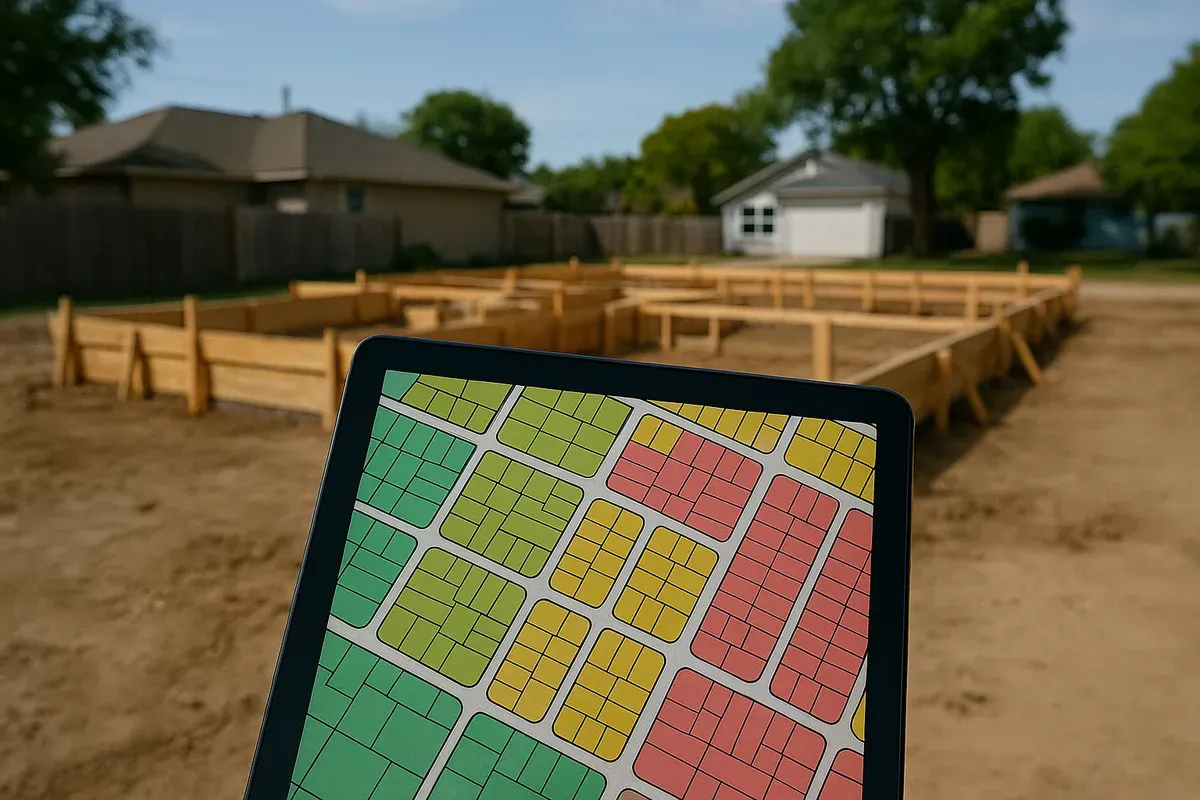
<p>Whether you're planning a home addition, building a backyard ADU, adding a fence, or simply buying a new property, one of the first things you need to know is how your land is zoned. Zoning determines what you can build, how close to the property line you can build it, how tall it can be, and what the land can legally be used for.</p>
<p>The good news? In 2026, most municipalities have digitized their zoning records, and you can often find your property's zoning classification in under five minutes without making a single phone call. This guide walks you through exactly how to do that — and what to do with the information once you have it.</p>
<h2>Why Knowing Your Zoning Matters Before You Build Anything</h2>
<p>Zoning isn't just bureaucratic red tape. It's a legally binding classification assigned to every parcel of land that dictates the rules of what can be done on that property. Getting this wrong before you start a project can cost you thousands of dollars in redesign fees, permit rejections, or worse — mandatory demolition of unpermitted work.</p>
<p>Here's what your zoning classification controls:</p>
<ul>
<li><strong>Permitted uses</strong> — residential, commercial, agricultural, industrial, or mixed-use</li>
<li><strong><a href="/setback-guide">Setback requirements</a></strong> — how far structures must sit from property lines, roads, and neighbors</li>
<li><strong>Building height limits</strong> — maximum height for primary structures and accessory buildings</li>
<li><strong>Lot coverage</strong> — the percentage of your lot that can be covered by impervious surfaces</li>
<li><strong><a href="/adu-feasibility-software">Accessory dwelling unit</a> (ADU) eligibility</strong> — whether you can legally add a second unit</li>
<li><strong>Fence and wall height restrictions</strong></li>
<li><strong>Home-based business rules</strong></li>
<li><strong>Parking and driveway requirements</strong></li>
</ul>
<p>If you're planning any project that requires a building permit — and most structural changes do — your site plan will need to reflect compliance with all of these zoning rules. That means knowing your zoning designation isn't optional. It's step one.</p>
<h2>Understanding Zoning Codes: What Do Those Letters and Numbers Mean?</h2>
<p>Before you start your lookup, it helps to understand what you're looking for. Zoning designations vary by municipality, but most follow a recognizable pattern.</p>
<h3>Common Residential Zoning Classifications</h3>
<ul>
<li><strong>R-1 or RS</strong> — Single-family residential, typically low density</li>
<li><strong>R-2 or RD</strong> — Two-family or duplex residential</li>
<li><strong>R-3 or RM</strong> — Multi-family residential (apartments, condos)</li>
<li><strong>R-A or RE</strong> — Residential agricultural, often for larger rural lots</li>
<li><strong>PD or PUD</strong> — Planned development or planned unit development</li>
</ul>
<h3>Common Commercial and Mixed-Use Codes</h3>
<ul>
<li><strong>C-1 or CN</strong> — Neighborhood commercial (small retail, offices)</li>
<li><strong>C-2 or CG</strong> — General commercial</li>
<li><strong>MU or MX</strong> — Mixed-use (residential + commercial combined)</li>
<li><strong>B-1, B-2</strong> — Business districts (common in older municipalities)</li>
</ul>
<h3>Industrial and Special Districts</h3>
<ul>
<li><strong>M-1 or IL</strong> — Light industrial</li>
<li><strong>M-2 or IH</strong> — Heavy industrial</li>
<li><strong>A-1 or AG</strong> — Agricultural</li>
<li><strong>OS or P</strong> — Open space or parks</li>
<li><strong>FP</strong> — Floodplain overlay (often layered on top of another zone)</li>
</ul>
<p>Your municipality may use completely different codes, which is why looking up the actual zoning ordinance after you find your designation is so important. The code tells you the classification; the ordinance tells you what that classification actually means in your jurisdiction.</p>
<h2>Step-by-Step: How to Find Property Zoning Online in 5 Minutes</h2>
<p>Here's the most reliable sequence for performing a zoning lookup online, starting with the fastest methods.</p>
<h3>Step 1: Start With Your County or City's Official GIS Portal</h3>
<p>The fastest and most reliable way to check zoning by address is through your local government's Geographic Information System (GIS) portal. Nearly every county and municipality in the United States now maintains a public-facing GIS map that includes zoning data.</p>
<p>How to find it:</p>
<ol>
<li>Open a search engine and type: <strong>[Your City or County Name] GIS zoning map</strong></li>
<li>Look for results ending in .gov or your municipality's official domain</li>
<li>Click the official GIS portal link</li>
<li>Use the address search bar to enter your property address</li>
<li>Click on your parcel — the zoning designation will appear in a pop-up or sidebar panel</li>
</ol>
<p>Most GIS portals will show you the zoning layer as a color-coded overlay on an aerial map. You can typically click directly on your parcel and see not just the zoning code but also the parcel ID, lot dimensions, and sometimes even the current assessed value.</p>
<p>Pro tip: If your city's GIS portal is clunky or hard to navigate, try searching for your <strong>county assessor's GIS map</strong> instead — county-level systems often cover all municipalities within the county and tend to be more user-friendly.</p>
<h3>Step 2: Use Your County Assessor or Parcel Search Tool</h3>
<p>If your local GIS portal doesn't show zoning data, your county assessor's website often does. The assessor's database tracks property characteristics for tax purposes, and zoning is frequently included as a field.</p>
<ol>
<li>Search for <strong>[County Name] county assessor parcel search</strong></li>
<li>Enter your address or parcel number (APN)</li>
<li>Open the property record</li>
<li>Look for a field labeled "Zoning," "Zone," "Land Use," or "General Plan Designation"</li>
</ol>
<p>Note that "Land Use" and "Zoning" are related but not identical. Land use refers to how the property is currently being used; zoning refers to how it's legally permitted to be used. Always look for the zoning field specifically.</p>
<h3>Step 3: Check the Municipality's Online Zoning Map</h3>
<p>Many cities and counties publish a standalone zoning map — separate from their full GIS system — as a PDF or interactive web map. These are especially common in smaller municipalities that haven't built out a full GIS infrastructure.</p>
<p>Search for:</p>
<ul>
<li><strong>[City Name] zoning map PDF</strong></li>
<li><strong>[City Name] official zoning map</strong></li>
<li><strong>[City Name] community development zoning</strong></li>
</ul>
<p>These maps are often found under the Planning Department, Community Development, or Building Department sections of the city's website. They may not be searchable by address, so you'll need to locate your property visually on the map.</p>
<h3>Step 4: Use a Third-Party Zoning Lookup Tool</h3>
<p>If official government portals aren't cooperating, several reputable third-party platforms aggregate zoning data and make it searchable by address:</p>
<ul>
<li><strong>Regrid.com</strong> — One of the most comprehensive parcel data platforms in the U.S., showing zoning, ownership, lot size, and more for most counties</li>
<li><strong>Zoneomics</strong> — Specifically built for zoning lookups, with data for thousands of jurisdictions</li>
<li><strong>PropertyShark</strong> — Strong in urban markets, includes zoning and flood zone data</li>
<li><strong>Zillow and Realtor.com</strong> — Sometimes display zoning information in property listings, though this should be verified with official sources</li>
</ul>
<p>Third-party tools are great for a quick preliminary check, but always verify the result against an official government source before making decisions or submitting permit applications. Data on third-party platforms can lag behind official records, especially after recent rezoning actions.</p>
<h3>Step 5: Call or Email the Planning Department (Last Resort)</h3>
<p>If all else fails — or if you need official written confirmation of a zoning designation — contact your local planning or zoning department directly. Most planning departments can confirm a property's zoning over the phone in minutes, and many now offer email inquiry options.</p>
<p>When you call, have your property address and parcel number (APN) ready. You can ask:</p>
<ul>
<li>What is the current zoning designation for this parcel?</li>
<li>Are there any overlay districts that apply?</li>
<li>Where can I access the full zoning ordinance for this designation?</li>
</ul>
<p>Some jurisdictions will provide a <strong>zoning verification letter</strong> for a small fee — a formal document confirming the zoning. This can be useful for <a href="/real-estate">real estate</a> transactions, financing, or permit applications.</p>
<h2>How to Read a Zoning Map: What You're Actually Looking At</h2>
<p>Once you've found your zoning map, knowing how to interpret it makes a significant difference.</p>
<h3>Color Coding</h3>
<p>Zoning maps use color to distinguish between different land use categories. While colors vary by jurisdiction, common conventions include:</p>
<ul>
<li><strong>Yellow or light orange</strong> — Single-family residential</li>
<li><strong>Orange or tan</strong> — Multi-family residential</li>
<li><strong>Red</strong> — Commercial</li>
<li><strong>Purple or blue</strong> — Industrial</li>
<li><strong>Green</strong> — Open space, parks, or agricultural</li>
<li><strong>Gray</strong> — Public/institutional (schools, government buildings)</li>
</ul>
<p>Always check the map legend — don't assume colors mean the same thing across different jurisdictions.</p>
<h3>Overlay Districts</h3>
<p>Overlay districts are zoning layers applied on top of the base zoning that add additional requirements or restrictions. Common overlays include:</p>
<ul>
<li><strong>Flood zone overlays</strong> — Triggered by FEMA flood maps; may require elevated foundations or special permits</li>
<li><strong>Historic preservation overlays</strong> — Restrict exterior changes to buildings in historic districts</li>
<li><strong>Airport overlay zones</strong> — Limit building heights near airports</li>
<li><strong>Hillside or slope overlays</strong> — Add grading and drainage requirements</li>
<li><strong>Coastal or riparian overlays</strong> — Environmental protections near water</li>
</ul>
<p>If your property falls within an overlay district, those rules stack on top of your base zoning requirements. You'll need to comply with both.</p>
<h3>Reading Setback Requirements From the Zoning Code</h3>
<p>Once you have your zoning designation, you'll need to look up the actual development standards in your municipality's zoning ordinance. Most zoning ordinances are now available online through platforms like <a href="https://library.municode.com" rel="nofollow noopener" target="_blank">Municode</a> or directly on the city's website.</p>
<p>Search for your zoning designation in the ordinance and look for a table of development standards that lists:</p>
<ul>
<li>Minimum lot size</li>
<li>Minimum lot width</li>
<li>Front yard setback</li>
<li>Side yard setbacks</li>
<li>Rear yard setback</li>
<li>Maximum lot coverage</li>
<li>Maximum building height</li>
<li>Parking requirements</li>
</ul>
<p>These numbers will directly inform the site plan you'll need to submit with your permit application.</p>
<h2>What to Do With Your Zoning Information</h2>
<p>Finding your zoning designation is just the beginning. Here's how to put that information to work.</p>
<h3>Verify Your Project Is a Permitted Use</h3>
<p>The first thing to check is whether your intended project is allowed in your zone at all. Most zoning ordinances list permitted uses (allowed by right), conditional uses (allowed with additional approval), and prohibited uses.</p>
<p>For example, if you want to build an ADU in an R-1 zone, you'll want to confirm that ADUs are a permitted use or conditionally permitted in that designation. In California, state law has significantly expanded ADU rights in most residential zones, but other states vary considerably. Check your local ordinance.</p>
<h3>Map Your Setbacks on a Site Plan</h3>
<p>Once you know your setback requirements, you can determine the <strong>buildable area</strong> of your lot — the zone within which any new structure must be placed. This is a critical step in any permit application.</p>
<p>A properly drawn site plan shows:</p>
<ul>
<li>Property boundaries with dimensions</li>
<li>Existing structures and their distances from property lines</li>
<li>Proposed new structures or additions</li>
<li>Required setback lines clearly labeled</li>
<li>North arrow and scale</li>
<li>Easements and utility lines if applicable</li>
</ul>
<p>Permit offices require this level of detail to verify zoning compliance before issuing a building permit. This is exactly what <a href="/">Site Plan Creator</a> is designed to help you produce — a clean, accurate, permit-ready site plan that reflects your actual lot dimensions and zoning setbacks.</p>
<h3>Check for Variances or Special Conditions</h3>
<p>If your project can't comply with standard zoning requirements — for example, if your lot is unusually narrow and a standard side setback would make building impossible — you may be able to apply for a <strong>variance</strong>. A variance is a formal request to deviate from standard zoning requirements.</p>
<p>Variances require a formal application, often a public hearing, and a demonstrated hardship. They're not guaranteed, but they are a legitimate path when standard setbacks create an unreasonable restriction on a property.</p>
<h3>Research Flood Zone Status</h3>
<p>While you're researching zoning, it's worth checking whether your property falls in a FEMA-designated flood zone. Flood zone status affects insurance requirements, foundation requirements, and sometimes what you can build at all.</p>
<p>You can check flood zone status using <a href="https://msc.fema.gov/portal/home" rel="nofollow noopener" target="_blank">FEMA's Flood Map Service Center</a> at no cost. Enter your address and view the Flood Insurance Rate Map (FIRM) for your area. Properties in high-risk flood zones (Zone A, AE, V, VE) face the most significant restrictions and insurance requirements.</p>
<h2>Common Mistakes to Avoid When Looking Up Zoning</h2>
<p>Even with good tools, there are several pitfalls that can lead you astray.</p>
<h3>Relying on Real Estate Listings Alone</h3>
<p>Real estate listings sometimes include zoning information, but this data is often pulled from outdated sources or entered incorrectly by listing agents. Never make a building or development decision based solely on a real estate listing's zoning description.</p>
<h3>Confusing General Plan Designation With Zoning</h3>
<p>Many counties have both a <strong>General Plan</strong> (a long-range land use policy document) and a <strong>Zoning Ordinance</strong> (the enforceable set of current rules). These can differ — a property might be designated for future commercial use in the General Plan but still zoned residential today. Always focus on the current zoning designation for permit purposes.</p>
<h3>Ignoring Overlay Districts</h3>
<p>As mentioned earlier, overlay districts add requirements on top of base zoning. A property might be zoned R-1 but also fall within a historic preservation overlay that restricts what you can change on the exterior. Always check for overlays after confirming your base zone.</p>
<h3>Not Checking for Recent Rezoning</h3>
<p>Municipalities rezone properties regularly. If you're working from a PDF zoning map that's a year or two old, it may not reflect recent changes. Always verify against the most current official source, and when in doubt, confirm with the planning department.</p>
<h3>Assuming Zoning Is the Same Across a Street</h3>
<p>Zoning boundaries don't always follow intuitive lines. Properties on opposite sides of a street, or even adjacent parcels on the same block, can have different zoning designations. Always look up the specific parcel you're interested in rather than assuming it matches its neighbors.</p>
<h2>Using Zoning Research to Prepare a Permit-Ready Site Plan</h2>
<p>Once you've completed your zoning research, you have everything you need to start preparing a site plan for your permit application. Here's a quick checklist of what your zoning research should have produced:</p>
<ol>
<li>✅ Confirmed zoning designation (e.g., R-1, C-2)</li>
<li>✅ Identified any overlay districts</li>
<li>✅ Noted front, side, and rear setback requirements</li>
<li>✅ Confirmed maximum lot coverage percentage</li>
<li>✅ Confirmed maximum building height</li>
<li>✅ Verified your project type is a permitted or conditional use</li>
<li>✅ Checked flood zone status</li>
<li>✅ Located your parcel dimensions (from GIS or assessor records)</li>
</ol>
<p>With this information in hand, you can create a site plan that accurately shows your property boundaries, existing structures, proposed work, and setback compliance — all the elements a permit reviewer needs to approve your application.</p>
<p>The <a href="https://www.planning.org" rel="nofollow noopener" target="_blank">American Planning Association</a> recommends that property owners engage with their local planning department early in any project to confirm zoning requirements and understand the permit process. This proactive approach saves time, money, and frustration down the line.</p>
<p>For projects that require <a href="/construction-permit-site-plans">building permits</a>, most jurisdictions require a site plan drawn to scale that demonstrates zoning compliance. This doesn't have to be a complex architectural drawing — but it does need to be accurate, legible, and clearly dimensioned. That's where a purpose-built tool like Site Plan Creator makes the process dramatically faster and less stressful than trying to produce these documents in a general-purpose drawing program.</p>
<h2>A Note on Zoning in Rural and Unincorporated Areas</h2>
<p>If your property is in an unincorporated area — meaning it falls under county jurisdiction rather than a city's — the process is largely the same, but you'll be looking at county zoning rather than municipal zoning. County planning departments handle permit applications and zoning enforcement for unincorporated areas.</p>
<p>Some rural counties have very permissive zoning with minimal restrictions, while others have strict agricultural preservation ordinances. Don't assume rural means unrestricted — always verify.</p>
<p>Additionally, properties in some rural areas may be subject to state-level environmental regulations that operate independently of local zoning, particularly near wetlands, rivers, coastlines, or habitat areas. The <a href="https://www.iccsafe.org" rel="nofollow noopener" target="_blank">ICC's building code resources</a> can help you understand how building codes interact with zoning in your jurisdiction.</p>
<h2>Conclusion: Know Your Zone Before You Break Ground</h2>
<p>Looking up your property's zoning takes five minutes and can save you months of headaches. With the free tools available in 2026 — from county GIS portals to parcel search databases to dedicated zoning lookup platforms — there's no reason to start any property project without first confirming your zoning designation and understanding what it means for your plans.</p>
<p>The sequence is simple: find your zone, read the ordinance, map your setbacks, and then create a site plan that reflects zoning compliance before you ever submit a permit application. Getting this right the first time keeps your project on schedule and on budget.</p>
<p>When you're ready to translate your zoning research into a permit-ready site plan, <strong>Site Plan Creator</strong> gives you a professional, browser-based tool designed specifically for this purpose. Draw your property boundaries, place existing and proposed structures, and produce a clean, scaled site plan that permit offices accept — no CAD experience required. Start your site plan today at <a href="https://www.siteplancreator.com">siteplancreator.com</a>.</p>