How to Create a Simple Site Plan for a Permit (2026 Guide)
Creating a simple site plan for a permit doesn't have to be overwhelming. This step-by-step guide walks you through everything you need — from reading your property survey to drawing accurate building footprints — so your permit application gets approved the first time.
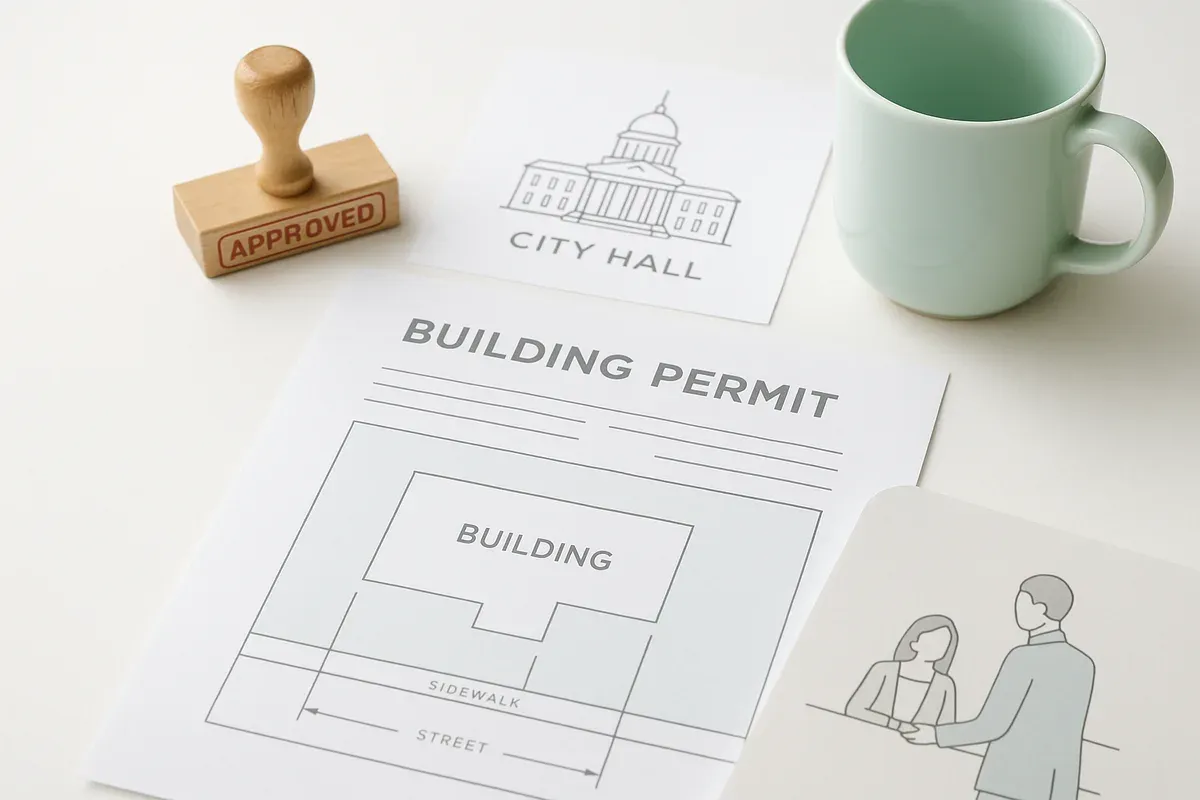
<p>Getting a <a href="/construction-permit-site-plans">building permit</a> approved is one of those milestones that separates a project that moves forward from one that stalls indefinitely. And at the center of nearly every permit application is a document that trips up more <a href="/homeowners">homeowners</a> and <a href="/contractors">contractors</a> than any other: the site plan.</p>
<p>The good news? A simple site plan doesn't require an architecture degree, expensive CAD software, or weeks of preparation. With the right information and the right tools, you can produce a clear, accurate, permit-ready site plan in a matter of hours. This guide will walk you through exactly how to do it — step by step — covering what permit offices actually look for, how to gather your property data, and how to draw a basic site plan example that holds up to scrutiny.</p>
<p>Whether you're adding a deck, building a detached garage, installing a fence, or putting up an <a href="/adu-feasibility-software">accessory dwelling unit</a>, this is the foundation you need.</p>
<h2>What Is a Simple Site Plan and Why Do Permits Require One</h2>
<p>A site plan is a scaled, overhead drawing of your property that shows the relationship between your land boundaries and any existing or proposed structures on it. Think of it as a bird's-eye view of your entire lot.</p>
<p>Permit offices require site plans because they need to verify several things before approving any construction:</p>
<ul>
<li>That your proposed structure respects <strong><a href="/setback-guide">setback requirements</a></strong> — the minimum distances from property lines, streets, and other features mandated by your local zoning code</li>
<li>That your lot coverage (the percentage of your lot occupied by impervious surfaces or structures) doesn't exceed the maximum allowed</li>
<li>That your project won't encroach on easements, drainage corridors, or utility rights-of-way</li>
<li>That emergency vehicle access and egress requirements are met</li>
<li>That the overall scope of the project is clear and reviewable</li>
</ul>
<p>A simple permit site plan doesn't need to be an architectural masterpiece. It needs to be accurate, legible, and drawn to scale. Reviewers are looking for specific information presented clearly — not artistic flair.</p>
<h3>The Difference Between a Site Plan and a Floor Plan</h3>
<p>This is one of the most common points of confusion for first-time permit applicants. A floor plan shows the interior layout of a building — room dimensions, door and window placements, wall configurations. A site plan shows the exterior relationship between your building and your property. Most permit applications require both, but they serve entirely different purposes. Don't submit one in place of the other.</p>
<h2>Step 1: Gather Your Property Documents</h2>
<p>Before you draw a single line, you need accurate data. Guessing at property dimensions is one of the fastest ways to get a permit application rejected — or worse, to build something that violates a setback and has to be moved or demolished.</p>
<h3>Find Your Property Survey</h3>
<p>Your property survey is the authoritative document showing the legal boundaries of your lot. It was likely prepared by a licensed land surveyor when you purchased the property. Here's where to look for it:</p>
<ul>
<li>Your closing documents or title insurance packet</li>
<li>Your county recorder's or assessor's office (many now have online portals)</li>
<li>The previous owner's records, if you can obtain them</li>
<li>A title company, if you used one during purchase</li>
</ul>
<p>If you can't locate a survey, you may need to order a new one from a licensed surveyor. For smaller projects, some jurisdictions accept a plat map (the recorded subdivision map) in lieu of an individual survey. Check with your local permit office to confirm what they'll accept.</p>
<h3>Collect Zoning and Setback Information</h3>
<p>Once you have your property dimensions, you need to know the rules that govern what you can build and where. Your local planning or zoning department is the authoritative source for this. Most municipalities now publish zoning codes online, and many have interactive zoning maps where you can look up your parcel by address.</p>
<p>Key information to gather:</p>
<ul>
<li><strong>Front setback</strong> — minimum distance from your front property line (or right-of-way line) to any structure</li>
<li><strong>Rear setback</strong> — minimum distance from your rear property line</li>
<li><strong>Side setbacks</strong> — minimum distances from each side property line</li>
<li><strong>Maximum lot coverage</strong> — the percentage of your lot that can be covered by structures and/or impervious surfaces</li>
<li><strong>Maximum building height</strong> — relevant even for simple structures like sheds and garages</li>
<li><strong>Special overlay districts</strong> — flood zones, historic districts, wildfire hazard areas, or coastal zones that impose additional requirements</li>
</ul>
<p>The <a href="https://www.planning.org" rel="nofollow noopener" target="_blank">American Planning Association</a> maintains excellent resources on zoning fundamentals if you want to build a deeper understanding of how these rules are structured.</p>
<h3>Identify Easements and Utility Lines</h3>
<p>Easements are portions of your property where another party — a utility company, a neighbor, or the municipality — has the legal right to access or use the land. Building within an easement is typically prohibited and can result in costly forced removal.</p>
<p>Easements are usually shown on your survey. You can also check your property deed and contact your local utility companies to request a utility locate before any construction begins. In the United States, you can call 811 (the national "Call Before You Dig" number) to have underground utilities marked at no cost.</p>
<h2>Step 2: Measure Your Property and Existing Structures</h2>
<p>With your documents in hand, it's time to collect field measurements. Even if your survey shows your lot dimensions, you'll need to physically measure the locations of existing structures — your house, any outbuildings, driveways, patios, and other improvements.</p>
<h3>Tools You'll Need</h3>
<ul>
<li>A 100-foot measuring tape (a 25-foot tape won't be enough for most lots)</li>
<li>A helper to hold the other end of the tape</li>
<li>A notepad or graph paper for sketching a rough layout</li>
<li>A smartphone with a compass app (helpful for establishing orientation)</li>
<li>Optionally, a laser distance measurer for faster, more accurate readings</li>
</ul>
<h3>What to Measure</h3>
<p>For a basic site plan example, you'll need to document:</p>
<ol>
<li><strong>Overall lot dimensions</strong> — length and width of each property line segment</li>
<li><strong>Distance from your house to each property line</strong> — measure from the exterior wall face, not the foundation</li>
<li><strong>Footprint of your house</strong> — the outer dimensions of the structure at ground level</li>
<li><strong>Location and dimensions of any existing accessory structures</strong> — sheds, garages, pools, decks</li>
<li><strong>Driveway location and width</strong></li>
<li><strong>Location of any wells, septic systems, or drainage features</strong> (if applicable)</li>
<li><strong>Location and dimensions of your proposed new structure or improvement</strong></li>
</ol>
<p>Record everything. It's much easier to have too much information when you sit down to draw than to realize mid-drawing that you're missing a critical measurement.</p>
<h2>Step 3: Choose Your Drawing Method</h2>
<p>This is where many people get stuck. The traditional approach — graph paper, ruler, and pencil — works, but it's slow, hard to revise, and often produces drawings that permit reviewers find difficult to read. Modern browser-based tools have changed the game significantly.</p>
<h3>Hand-Drawing on Graph Paper</h3>
<p>If your project is very simple and your jurisdiction accepts hand-drawn plans, this remains an option. Use a consistent scale (1 inch = 10 feet is common for residential lots), a ruler, and clear lettering. Label every dimension, include a north arrow, write your property address, and indicate the scale used. The main downside is that any mistake requires erasing or starting over, and the final product rarely looks as professional as a digitally produced plan.</p>
<h3>Using a Browser-Based Site Plan Tool</h3>
<p>For most homeowners and contractors, a purpose-built online tool is the fastest and most reliable path to a permit-ready simple site plan. These tools are designed specifically for this use case — they handle scale automatically, include standard symbols and annotations, and produce clean PDF output that permit offices expect.</p>
<p><a href="/">Site Plan Creator</a> is built exactly for this purpose. You can input your property dimensions, place your existing and proposed structures with accurate footprints, add setback lines, label dimensions, and export a professional, to-scale PDF — all without installing any software. The browser-based interface means you can work from any device, save your progress, and make revisions quickly if a reviewer requests changes.</p>
<h3>General CAD Software</h3>
<p>Full CAD applications like AutoCAD are powerful but have a steep learning curve and are overkill for most residential permit applications. Unless you're already proficient in CAD, the time investment to learn the software for a single permit project rarely makes sense.</p>
<h2>Step 4: Draw Your Simple Site Plan</h2>
<p>Now you're ready to put it all together. Whether you're drawing by hand or using an online tool, the process follows the same logical sequence.</p>
<h3>Establish Your Scale and Page Orientation</h3>
<p>Choose a scale that allows your entire property to fit on a standard sheet (typically 8.5" x 11" or 11" x 17") while still being legible. Common scales for residential site plans:</p>
<ul>
<li>1" = 10' for small urban lots</li>
<li>1" = 20' for typical suburban lots</li>
<li>1" = 30' or 1" = 40' for larger rural parcels</li>
</ul>
<p>Orient your drawing so that north is toward the top of the page if possible. Include a north arrow regardless of orientation.</p>
<h3>Draw the Property Boundary</h3>
<p>Start with the outer boundary of your lot. Draw each property line segment to scale, labeling the length of each line in feet. If your lot has irregular angles, note the bearing of each line (e.g., "N 45° E") as shown on your survey. This is the skeleton of your entire drawing — get it right before adding anything else.</p>
<h3>Add Setback Lines</h3>
<p>Using your zoning information, draw dashed lines parallel to each property line at the required setback distance. These lines define the <strong>buildable area</strong> of your lot — the zone within which structures can legally be placed. Labeling these lines (e.g., "25' Front Setback") makes it immediately clear to reviewers that you understand and are complying with the zoning requirements.</p>
<h3>Place Existing Structures</h3>
<p>Draw the footprint of your existing house and any other permanent structures. Use your field measurements to position each structure accurately relative to the property lines. Label the distance from each structure to the nearest property lines — this is critical information that reviewers will check against your setback requirements.</p>
<p>Include:</p>
<ul>
<li>Your primary residence with exterior dimensions labeled</li>
<li>Attached garages (part of the main footprint)</li>
<li>Detached garages, sheds, or outbuildings</li>
<li>In-ground pools or spas</li>
<li>Existing decks or patios (if they have permanent footings)</li>
</ul>
<h3>Add the Proposed Structure or Improvement</h3>
<p>This is the centerpiece of your permit application. Draw your proposed addition, new structure, or improvement clearly — often in a different line weight or with a note like "PROPOSED" to distinguish it from existing conditions. Label:</p>
<ul>
<li>Overall dimensions of the proposed structure</li>
<li>Distance from the proposed structure to all property lines</li>
<li>Distance from the proposed structure to existing structures (where relevant)</li>
</ul>
<p>If you're proposing a structure that comes close to a setback line, be especially precise. A reviewer who sees a proposed structure that appears to violate a setback will reject the application even if the actual dimensions are compliant — the drawing needs to make compliance obvious.</p>
<h3>Add Required Annotations and Title Block</h3>
<p>A complete simple permit site plan includes several standard annotations that permit offices look for:</p>
<ol>
<li><strong>Property address</strong> — clearly displayed</li>
<li><strong>Assessor's Parcel Number (APN)</strong> — usually required</li>
<li><strong>Owner's name</strong> — as it appears on the deed</li>
<li><strong>Scale</strong> — written (e.g., "1 inch = 20 feet") and graphical (a scale bar)</li>
<li><strong>North arrow</strong></li>
<li><strong>Date of preparation</strong></li>
<li><strong>Name of preparer</strong> — your name, or the name of whoever drew the plan</li>
<li><strong>Sheet number</strong> — even if it's just "Sheet 1 of 1"</li>
<li><strong>Legend</strong> — explaining any symbols used</li>
</ol>
<p>Some jurisdictions also require the zoning designation, lot area, existing and proposed lot coverage calculations, and the permit application number (if already assigned). Check your local permit office's submittal checklist — most publish these online.</p>
<h2>Step 5: Review and Verify Before Submitting</h2>
<p>Before you submit anything, do a thorough self-review. A few minutes of careful checking now can save weeks of back-and-forth with the permit office.</p>
<h3>The Pre-Submission Checklist</h3>
<p>Work through this list before finalizing your site plan:</p>
<ul>
<li><input disabled="" type="checkbox"> All property lines are drawn to scale with dimensions labeled</li>
<li><input disabled="" type="checkbox"> Setback lines are shown for all four sides (or all applicable sides)</li>
<li><input disabled="" type="checkbox"> All existing structures are shown with accurate footprints and distances to property lines</li>
<li><input disabled="" type="checkbox"> The proposed structure is clearly labeled and dimensioned</li>
<li><input disabled="" type="checkbox"> All distances from the proposed structure to property lines are labeled and comply with setbacks</li>
<li><input disabled="" type="checkbox"> Lot coverage calculation is included (if required)</li>
<li><input disabled="" type="checkbox"> North arrow is present</li>
<li><input disabled="" type="checkbox"> Scale is indicated both in writing and with a graphic scale bar</li>
<li><input disabled="" type="checkbox"> Property address and APN are displayed</li>
<li><input disabled="" type="checkbox"> The drawing is legible at the size it will be printed or submitted</li>
<li><input disabled="" type="checkbox"> Any easements shown on the survey are reflected on the site plan</li>
</ul>
<h3>Understanding Lot Coverage Calculations</h3>
<p>Many permit applications require you to calculate and disclose your lot coverage. The formula is straightforward:</p>
<p><strong>Lot Coverage % = (Total Area of All Structures and Impervious Surfaces ÷ Total Lot Area) × 100</strong></p>
<p>Be sure to confirm with your jurisdiction whether they count only structures, or also driveways, patios, and other impervious surfaces. Definitions vary. The <a href="https://www.iccsafe.org" rel="nofollow noopener" target="_blank">International Code Council</a> publishes model building codes that many jurisdictions adopt, and understanding the definitions in your local adopted code version can clarify any ambiguity.</p>
<h3>Know Your Flood Zone Status</h3>
<p>If your property is in or near a FEMA-designated flood zone, your permit application will have additional requirements — and your site plan may need to show the Base Flood Elevation, floodway boundaries, or other flood-related information. You can check your property's flood zone status using <a href="https://msc.fema.gov" rel="nofollow noopener" target="_blank">FEMA's Flood Map Service Center</a>. Properties in Special Flood Hazard Areas (SFHAs) often require elevation certificates and may have restrictions on the types of structures that can be built.</p>
<h2>Common Mistakes That Get Site Plans Rejected</h2>
<p>After seeing countless permit applications, certain errors come up again and again. Avoiding these will dramatically improve your chances of first-submission approval.</p>
<h3>Drawing Without a Consistent Scale</h3>
<p>This is the single most common reason site plans get sent back. If your drawing isn't to scale — or if the scale is inconsistent across different parts of the drawing — a reviewer cannot verify that your dimensions are accurate. Always draw to a consistent, stated scale.</p>
<h3>Forgetting to Show Setback Lines</h3>
<p>Some applicants show their structures and label the distances to property lines but forget to draw the actual setback lines. Reviewers want to see those dashed lines explicitly — it demonstrates that you've accounted for the zoning requirements, not just that you know where your property lines are.</p>
<h3>Omitting Existing Structures</h3>
<p>A site plan that shows only the proposed new structure and ignores everything else on the lot is incomplete. Permit reviewers need the full picture of what exists on the property to evaluate the application in context.</p>
<h3>Using Incorrect Property Dimensions</h3>
<p>Measuring your lot yourself without reference to a survey, or using Google Maps to estimate dimensions, is a recipe for rejection. Property lines don't always follow what you can see on the ground. Always reference your recorded survey.</p>
<h3>Illegible Drawings</h3>
<p>Handwritten plans with cramped labels, faint lines, or inconsistent lettering are difficult to review. If a reviewer can't read your plan, they'll send it back. Clarity is not optional.</p>
<h2>Tips for Specific Project Types</h2>
<h3>Decks and Patios</h3>
<p>For deck permits, your site plan needs to show the deck's footprint, its distance from all property lines, and its relationship to the house (typically attached to the rear or side). If the deck is elevated, note the height above grade. Many jurisdictions have specific setback rules for decks that differ from the rules for the main structure.</p>
<h3>Detached Garages and Accessory Structures</h3>
<p>Detached garages and sheds often have different (and sometimes more lenient) setback requirements than the primary residence — but they still have requirements. Show the structure's footprint, its distance from all property lines, its distance from the primary residence, and its dimensions. Note whether it will have electricity, plumbing, or HVAC, as these trigger additional permit requirements.</p>
<h3>Accessory Dwelling Units (ADUs)</h3>
<p>ADU permits are among the most document-intensive residential permits. Your site plan will need to show the ADU's footprint, all setbacks, parking spaces (some jurisdictions require a certain number of off-street spaces), and utility connections. If the ADU is attached to or above the main residence, the relationship between the two structures needs to be clearly illustrated.</p>
<h3>Fences</h3>
<p>Fence permits are often simpler, but they still require a site plan showing the fence's proposed location relative to property lines. Many jurisdictions have rules about fence height that vary by location on the lot (front yard vs. side yard vs. rear yard), so showing the fence's position clearly is important.</p>
<h2>Working With Your Local Permit Office</h2>
<p>Permit offices are not adversaries — they're there to ensure that construction in their jurisdiction is safe and code-compliant. Most permit technicians are genuinely happy to help applicants understand what's required before they submit.</p>
<p>Before you finalize your site plan, consider:</p>
<ul>
<li><strong>Calling or visiting the permit counter</strong> to ask if they have a sample site plan or a submittal checklist specific to your project type. Many do.</li>
<li><strong>Requesting a pre-application meeting</strong> for more complex projects. This is an informal review of your plans before official submission, and it can save significant time.</li>
<li><strong>Asking about digital submission options.</strong> Many jurisdictions now accept — or even prefer — electronic permit applications, which means your PDF site plan can be submitted online without printing.</li>
</ul>
<h2>Conclusion: Your Simple Site Plan Is the Key to a Smooth Permit Process</h2>
<p>A well-prepared simple site plan is more than a bureaucratic requirement — it's your clearest communication to the permit office that you've thought through your project, you understand the rules, and your construction will be safe and compliant. Invest the time to get it right, and you'll move through the permit process faster and with far less frustration.</p>
<p>The steps are straightforward: gather your property documents, collect your field measurements, understand your setback and zoning requirements, and produce a clean, to-scale drawing that shows both existing conditions and your proposed improvements with all required annotations.</p>
<p>If you're ready to create your simple permit site plan without the headache of hand-drawing or expensive software, <strong>Site Plan Creator</strong> is the tool built for exactly this purpose. It's browser-based, intuitive, and designed to produce the kind of professional, permit-ready output that gets applications approved. Start your site plan today at <a href="https://www.siteplancreator.com">siteplancreator.com</a> and move your project forward with confidence.</p>