What Is a GIS Map and How Homeowners Use It for Permits
GIS maps give homeowners powerful access to parcel data, zoning boundaries, and property information that was once only available to professionals. This guide explains what GIS maps are, how to find your county GIS portal, and how to use free property maps to research permits before you build.
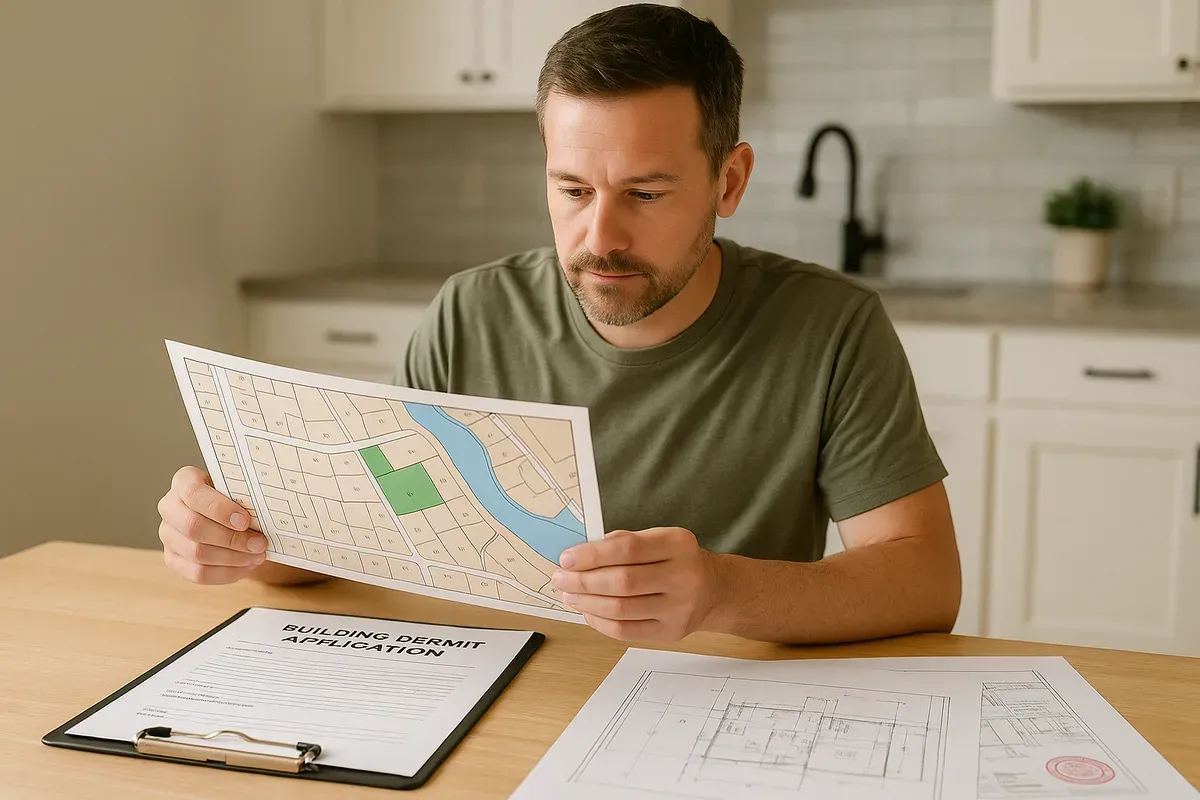
<h2>What Is a GIS Map and Why Should Homeowners Care?</h2>
<p>If you've ever tried to figure out exactly where your property line sits, what zoning district you're in, or whether your neighbor's fence is actually on your land — you've probably wished there was a simple, authoritative map you could consult. The good news: that map exists, and it's almost certainly free.</p>
<p>Geographic Information System (GIS) maps are digital, layered mapping tools that combine geographic data with real-world property information. Unlike a static satellite photo, a GIS map is a living database — one that layers parcel boundaries, zoning classifications, flood zones, utility easements, topography, and dozens of other data sets over a base map of your neighborhood.</p>
<p>For <a href="/homeowners">homeowners</a>, GIS property research has quietly become one of the most powerful — and most underused — tools available. Whether you're planning a home addition, building a detached garage, installing a pool, or simply trying to understand what you can and can't do with your land, your county GIS portal is the first place you should look. In 2026, the majority of U.S. counties offer some form of free public GIS access, and the data quality has improved dramatically in recent years.</p>
<p>This guide will walk you through what GIS maps actually are, how to find and navigate your county's portal, what parcel data online can tell you about your property, and how to use that information to prepare for the permit process — including creating the site plans that most building departments require.</p>
<hr>
<h2>Understanding GIS: More Than Just a Map</h2>
<p>The term "GIS" gets thrown around a lot, but it's worth understanding what it actually means before you start clicking around your county's website.</p>
<h3>The Basics of Geographic Information Systems</h3>
<p>A Geographic Information System is a framework for gathering, managing, and analyzing spatial data — information that is tied to a specific location on Earth. GIS software layers different types of geographic data on top of each other, allowing users to see relationships between things like property boundaries, roads, waterways, and land use designations.</p>
<p>In a county GIS portal, you might find layers including:</p>
<ul>
<li><strong>Parcel boundaries</strong> — the legal boundaries of individual properties</li>
<li><strong>Zoning districts</strong> — residential, commercial, agricultural, mixed-use, etc.</li>
<li><strong>Flood zone designations</strong> — FEMA-mapped areas at risk of flooding</li>
<li><strong>Aerial and satellite imagery</strong> — recent and historical photos of the land</li>
<li><strong>Topographic contour lines</strong> — showing elevation changes across a property</li>
<li><strong>Utility easements</strong> — areas where utility companies have legal access rights</li>
<li><strong>Road rights-of-way</strong> — the public land adjacent to streets</li>
<li><strong>Tax assessment data</strong> — square footage, assessed value, and improvement records</li>
<li><strong>Wetlands and environmental overlays</strong> — protected natural areas</li>
<li><strong>School districts and municipal boundaries</strong> — jurisdictional information</li>
</ul>
<p>Each of these layers can be turned on or off, allowing you to focus on exactly the information you need. That's what makes GIS so powerful compared to a simple Google Maps search.</p>
<h3>How GIS Data Is Created and Maintained</h3>
<p>County assessor offices, planning departments, and GIS departments work together to maintain parcel data. Surveyors submit legal descriptions and plat maps when properties are subdivided or sold, and this data gets incorporated into the county's GIS system. Zoning information comes from the local planning department, while flood zone data is sourced from FEMA's National Flood Insurance Program.</p>
<p>It's worth noting that GIS maps are generally accurate but not legally definitive. The parcel boundaries shown in a GIS system are based on recorded plat data and deed descriptions, but they may not reflect the precision of a certified land survey. For permit purposes, GIS is an excellent research starting point — but if there's any dispute about where your property line actually sits, a licensed surveyor's stakes are what will hold up legally.</p>
<hr>
<h2>Finding Your County GIS Portal</h2>
<p>Locating your county's GIS portal is usually straightforward, though the interface and available data vary widely from one jurisdiction to another.</p>
<h3>How to Search for Your County GIS Portal</h3>
<ol>
<li><strong>Search Google</strong> for "[Your County Name] GIS" or "[Your County Name] parcel viewer" or "[Your County Name] property map"</li>
<li><strong>Visit your county assessor's website</strong> — most assessor offices link directly to the GIS portal from their homepage</li>
<li><strong>Check your county planning department's website</strong> — zoning maps are often hosted here</li>
<li><strong>Look for a county government portal</strong> — many counties have consolidated GIS access under a single mapping application</li>
</ol>
<p>Common names for these tools include "Parcel Viewer," "Property Search," "GIS Mapping," "Interactive Map," or simply "Online Maps." Once you find the right portal, you can typically search by address, parcel number (also called an APN — Assessor's Parcel Number), or owner name.</p>
<h3>What to Expect When You Get There</h3>
<p>County GIS portals range from sleek, modern web applications to older interfaces that feel like they were designed in 2005. Don't let an outdated interface discourage you — the data inside is usually excellent regardless of the presentation.</p>
<p>Most portals will allow you to:</p>
<ul>
<li>Search for a specific address or parcel</li>
<li>View the parcel boundary highlighted on a map</li>
<li>Click on a parcel to see associated data (owner, acreage, zoning, etc.)</li>
<li>Toggle different map layers on and off</li>
<li>Measure distances and areas directly on the map</li>
<li>Print or export a basic map image</li>
</ul>
<p>Some counties — particularly larger metropolitan areas — offer highly sophisticated GIS portals with 3D visualization, historical aerial imagery going back decades, and direct links to permit records. Others provide basic parcel lookup with limited layers. Either way, you'll find useful information for your permit research.</p>
<hr>
<h2>What Parcel Data Online Can Tell You About Your Property</h2>
<p>Once you've located your property in the county GIS portal, you'll find a wealth of information attached to your parcel record. Here's a breakdown of what to look for and why it matters for permit research.</p>
<h3>Property Dimensions and Area</h3>
<p>The GIS map will show your parcel's shape and dimensions. Most portals display lot size in acres or square feet, and many allow you to use a measuring tool to check the approximate dimensions of your lot. This is critical information when you're planning any construction project, because your <a href="/setback-guide">setback requirements</a> are calculated based on your property boundaries.</p>
<p>For example, if your lot is 60 feet wide and your zoning requires 5-foot side setbacks, you know your buildable width is 50 feet. If you're planning a 20-foot-wide garage addition, you can quickly verify you have room without immediately hiring a surveyor.</p>
<h3>Zoning Classification</h3>
<p>Your zoning classification determines what you're allowed to build, how tall structures can be, how much of your lot can be covered by impervious surfaces, and what setbacks apply. The GIS map will show you which zoning district your parcel falls in — and most portals link directly to the zoning code so you can look up the specific regulations.</p>
<p>Common residential zoning designations you might see include R-1, R-2, RS, RA, or similar codes. Each has its own set of development standards. Knowing your zoning classification before you visit the permit office will save you significant time.</p>
<h3>Flood Zone Status</h3>
<p>Many county GIS portals include FEMA flood zone data as a layer. If your property falls within a Special Flood Hazard Area (SFHA) — typically designated as Zone A or Zone AE — you'll face additional permit requirements and may need to meet specific elevation standards for any new construction. You can also check your flood zone status directly using <a href="https://msc.fema.gov/portal/home" rel="nofollow noopener" target="_blank">FEMA's Flood Map Service Center</a>.</p>
<p>Discovering your flood zone status early can prevent expensive surprises. Some homeowners don't realize their property is in a flood zone until they're already deep into the permit process.</p>
<h3>Easements and Rights-of-Way</h3>
<p>GIS maps often show utility easements and road rights-of-way that may affect where you can build. A drainage easement running across the back of your lot, for example, may prohibit you from placing a structure there even if it otherwise meets setback requirements. Understanding these encumbrances before you design your project can save you from having to redesign it later.</p>
<h3>Tax Assessment Records</h3>
<p>The parcel data record typically includes the assessor's information about your property — the year it was built, the recorded square footage of your home, the number of structures on the lot, and the assessed value. This information can be useful for cross-referencing with your own records and for understanding how your property is currently classified.</p>
<hr>
<h2>Using GIS for Permit Research: A Step-by-Step Approach</h2>
<p>Now that you understand what GIS maps contain, let's walk through how to use this information systematically when preparing for a permit application.</p>
<h3>Step 1: Identify Your Parcel and Confirm Boundaries</h3>
<p>Start by locating your property in the county GIS portal and confirming the parcel boundaries match your understanding of your property. Note your parcel's dimensions, shape, and any irregularities like flag lots or pie-shaped lots that might affect setback calculations.</p>
<p>Print or screenshot the parcel map showing your property boundaries. You'll reference this throughout your planning process.</p>
<h3>Step 2: Determine Your Zoning and Development Standards</h3>
<p>Record your zoning classification and look up the applicable development standards in your local zoning ordinance. Key figures to note include:</p>
<ul>
<li><strong>Front setback</strong> — minimum distance from the front property line to any structure</li>
<li><strong>Rear setback</strong> — minimum distance from the rear property line</li>
<li><strong>Side setbacks</strong> — minimum distances from each side property line</li>
<li><strong>Maximum lot coverage</strong> — the percentage of your lot that can be covered by structures and impervious surfaces</li>
<li><strong>Maximum building height</strong> — the tallest structure allowed</li>
<li><strong>Accessory structure regulations</strong> — rules specific to garages, sheds, ADUs, etc.</li>
</ul>
<p>The <a href="https://www.planning.org" rel="nofollow noopener" target="_blank">American Planning Association</a> offers excellent resources for understanding zoning concepts if you're new to this process.</p>
<h3>Step 3: Check for Overlay Districts and Special Conditions</h3>
<p>Beyond basic zoning, check whether your property falls within any overlay districts that add additional requirements. Common overlays include:</p>
<ul>
<li>Historic preservation districts</li>
<li>Hillside or slope development overlay zones</li>
<li>Flood plain management areas</li>
<li>Wildland-urban interface (fire hazard) zones</li>
<li>Airport influence areas</li>
<li>Coastal development zones</li>
</ul>
<p>Each overlay adds a layer of review to the permit process. Knowing about them in advance lets you prepare the right documentation.</p>
<h3>Step 4: Measure Existing Structures and Calculate Setbacks</h3>
<p>Using the GIS map's measurement tools, estimate the distances from your existing structures to your property lines. Compare these measurements to the required setbacks. This will tell you:</p>
<ul>
<li>Whether your existing structures are conforming (meeting current setback requirements)</li>
<li>How much buildable area you have for new construction</li>
<li>Where on your lot you can legally place a new structure</li>
</ul>
<p>Keep in mind that GIS measurements are approximate. For permit submission, you'll need accurate measurements — either from a survey, from your recorded plat, or from careful field measurements.</p>
<h3>Step 5: Research Permit History</h3>
<p>Many county GIS portals link to permit records associated with each parcel. This can be invaluable for understanding what work has already been done on the property, whether any unpermitted structures exist, and what the permit process looked like for similar projects in your area.</p>
<p>If you're buying a property, reviewing its permit history through the GIS portal is a smart due diligence step. Unpermitted additions can create significant problems at resale.</p>
<hr>
<h2>From GIS Research to Site Plan: Bridging the Gap</h2>
<p>Here's where many homeowners get stuck. They've done their GIS research, they understand their zoning, they know their setbacks — but then they realize the permit office requires a <strong>site plan</strong> showing all of this information in a professionally formatted drawing.</p>
<p>A site plan is a scaled, overhead drawing of your property that shows:</p>
<ul>
<li>Property boundaries with dimensions</li>
<li>Existing structures (your home, garage, sheds, etc.) with their footprints</li>
<li>Proposed new construction with its footprint</li>
<li>Setback dimensions from all structures to all property lines</li>
<li>Driveways, walkways, and other site features</li>
<li>North arrow and scale bar</li>
<li>Street name and address</li>
</ul>
<p>Traditionally, producing this drawing required hiring a surveyor or drafter — an expense that could run $500 to $2,000 or more for a simple residential project. That's where tools like <a href="/">Site Plan Creator</a> change the equation entirely.</p>
<h3>Translating GIS Data Into a Permit-Ready Site Plan</h3>
<p>The information you've gathered from your county GIS portal gives you exactly what you need to create an accurate site plan:</p>
<ol>
<li><strong>Parcel dimensions from GIS</strong> → Property boundary lines in your site plan</li>
<li><strong>Existing structure footprints from GIS/aerial imagery</strong> → Existing building outlines in your site plan</li>
<li><strong>Setback requirements from zoning</strong> → Setback dimension annotations in your site plan</li>
<li><strong>Proposed project dimensions</strong> → New construction footprint in your site plan</li>
</ol>
<p>Site Plan Creator is a browser-based CAD-style application that lets you draw your property to scale, place building footprints, annotate setbacks, and produce a clean, permit-ready PDF — without needing any CAD experience or expensive software. You can use the parcel dimensions and measurements you've gathered from your GIS research to set up your drawing accurately.</p>
<h3>What Building Departments Look For in a Site Plan</h3>
<p>Permit reviewers want to quickly verify that your proposed project meets zoning requirements. A well-prepared site plan makes their job easier and speeds up your approval. Key elements they check include:</p>
<ul>
<li>Are all setbacks clearly dimensioned and do they meet code?</li>
<li>Is the lot coverage calculation shown and within limits?</li>
<li>Are existing and proposed structures clearly differentiated?</li>
<li>Is the drawing to scale with a legible scale bar?</li>
<li>Are property lines dimensioned and consistent with recorded plat data?</li>
</ul>
<p>Using your GIS research to populate these elements accurately is the difference between a smooth permit review and a request for corrections that delays your project by weeks.</p>
<hr>
<h2>Common Mistakes Homeowners Make with GIS Research</h2>
<p>GIS maps are powerful, but there are some important limitations and common pitfalls to be aware of.</p>
<h3>Treating GIS Boundaries as Survey-Accurate</h3>
<p>As mentioned earlier, GIS parcel boundaries are based on recorded data but may not be precise to the inch. If your project will be close to a property line — within a foot or two of the minimum setback — you should get a survey confirmation rather than relying solely on GIS measurements. The consequences of building over a property line are severe and expensive.</p>
<h3>Ignoring Recent Zoning Changes</h3>
<p>GIS portals are updated regularly, but zoning changes can sometimes lag in the system. Always verify your zoning classification directly with the planning department if you're making major decisions based on it. Many jurisdictions have adopted new ADU (<a href="/adu-feasibility-software">accessory dwelling unit</a>) regulations, updated parking requirements, or revised setback standards in recent years — and the GIS portal may not always reflect the very latest changes.</p>
<h3>Overlooking HOA Restrictions</h3>
<p>Your county GIS map shows government-imposed regulations, but if you live in a neighborhood with a homeowners association, the HOA may have additional restrictions on what you can build, where you can build it, and what it can look like. HOA rules are private covenants, not public zoning, so they won't appear in the GIS portal. Always check your CC&Rs (Covenants, Conditions, and Restrictions) in addition to your GIS research.</p>
<h3>Assuming All Structures on the Aerial Are Permitted</h3>
<p>Aerial imagery in GIS portals shows what's physically present on a property, not what's legally permitted. A structure visible in the aerial photo may have been built without permits. Don't assume that because something is there, it's compliant — especially when buying a property.</p>
<h3>Not Checking for Easements in the Legal Description</h3>
<p>GIS portals show many easements, but not all easements are graphically represented in the GIS system. Some easements are described in the property's legal description or title report rather than plotted on a map. For a thorough understanding of encumbrances on your property, review your title report and recorded plat in addition to the GIS map.</p>
<hr>
<h2>Advanced GIS Features Worth Exploring</h2>
<p>Once you're comfortable with the basics of GIS property research, there are some more advanced features that can provide additional value for homeowners and property researchers.</p>
<h3>Historical Aerial Imagery</h3>
<p>Some county GIS portals and tools like Google Earth allow you to view historical aerial photos of your property going back decades. This can be useful for documenting when structures were built, identifying drainage patterns, or understanding how the neighborhood has changed over time.</p>
<h3>3D Building Visualization</h3>
<p>Larger metropolitan counties are increasingly offering 3D GIS visualization that shows building heights and massing. This can help you understand how a proposed addition might relate to neighboring structures in terms of height and shadow impacts.</p>
<h3>Integration with Permit and Assessment Records</h3>
<p>Some advanced county GIS portals integrate directly with <a href="/construction-permit-site-plans">building permit</a> databases and tax assessment records, allowing you to see the full history of a parcel — every permit ever pulled, every assessment change, every ownership transfer — from a single interface.</p>
<h3>Downloading Parcel Data</h3>
<p>Many county GIS portals allow you to download parcel data in formats like Shapefile, GeoJSON, or CSV. If you're comfortable with data tools, downloading the parcel data for your area can allow you to do more sophisticated analysis — for example, identifying all properties in a specific zoning district within a certain distance of a particular location.</p>
<hr>
<h2>GIS Resources Beyond Your County Portal</h2>
<p>Your county GIS portal is the primary resource for local parcel data, but several other free tools can supplement your research.</p>
<h3>FEMA Flood Map Service Center</h3>
<p>For flood zone information, <a href="https://msc.fema.gov/portal/home" rel="nofollow noopener" target="_blank">FEMA's Flood Map Service Center</a> is the authoritative source. You can search by address to find your official flood zone designation and view the Flood Insurance Rate Map (FIRM) for your area.</p>
<h3>State GIS Portals</h3>
<p>Many states maintain their own GIS portals that aggregate data from all counties. These state-level portals can be useful when county portals are limited or when you need to compare data across multiple jurisdictions.</p>
<h3>USGS National Map</h3>
<p>The U.S. Geological Survey's National Map provides topographic data, elevation information, and other geographic datasets that can supplement county GIS data — particularly useful for projects on sloped or complex terrain.</p>
<h3>Regrid and Similar Platforms</h3>
<p>Third-party platforms like Regrid aggregate parcel data from counties across the country into a single, consistent interface. These can be useful when county portals are difficult to navigate, though they may not always have the most current data.</p>
<hr>
<h2>Conclusion: GIS Research Is Your First Step — Site Plan Creator Is Your Next One</h2>
<p>In 2026, there's no excuse for going into the permit process blind. Your county GIS portal gives you free access to the parcel data, zoning information, and property details that were once the exclusive domain of professionals. Spending an hour with your county's GIS map before you visit the permit office can save you days of back-and-forth and hundreds of dollars in consultant fees.</p>
<p>Start by finding your county GIS portal, locating your parcel, and recording your property dimensions, zoning classification, setback requirements, and any special overlay conditions. Use that information to understand what you can build and where. Check your flood zone status, look for easements, and review any available permit history.</p>
<p>Then, when you're ready to translate that research into the permit-ready site plan your building department requires, <strong>Site Plan Creator</strong> is the fastest, most affordable way to get there. Our browser-based platform lets you draw your property to scale, place existing and proposed building footprints, annotate all required setbacks, and export a professional PDF — no CAD experience needed, no expensive software to install.</p>
<p>Your GIS research gives you the measurements. Site Plan Creator turns those measurements into a permit-ready document. Together, they give you everything you need to move your project forward with confidence.</p>
<p>Ready to get started? Visit <a href="https://www.siteplancreator.com">siteplancreator.com</a> and create your first site plan today.</p>