How General Contractors Can Streamline Permit Submissions Across Multiple Projects
Managing permit submissions across multiple active job sites is one of the biggest operational challenges general contractors face in 2026. This guide breaks down proven strategies, tools, and workflows that help contractors submit cleaner applications, get faster approvals, and keep every project moving on schedule.
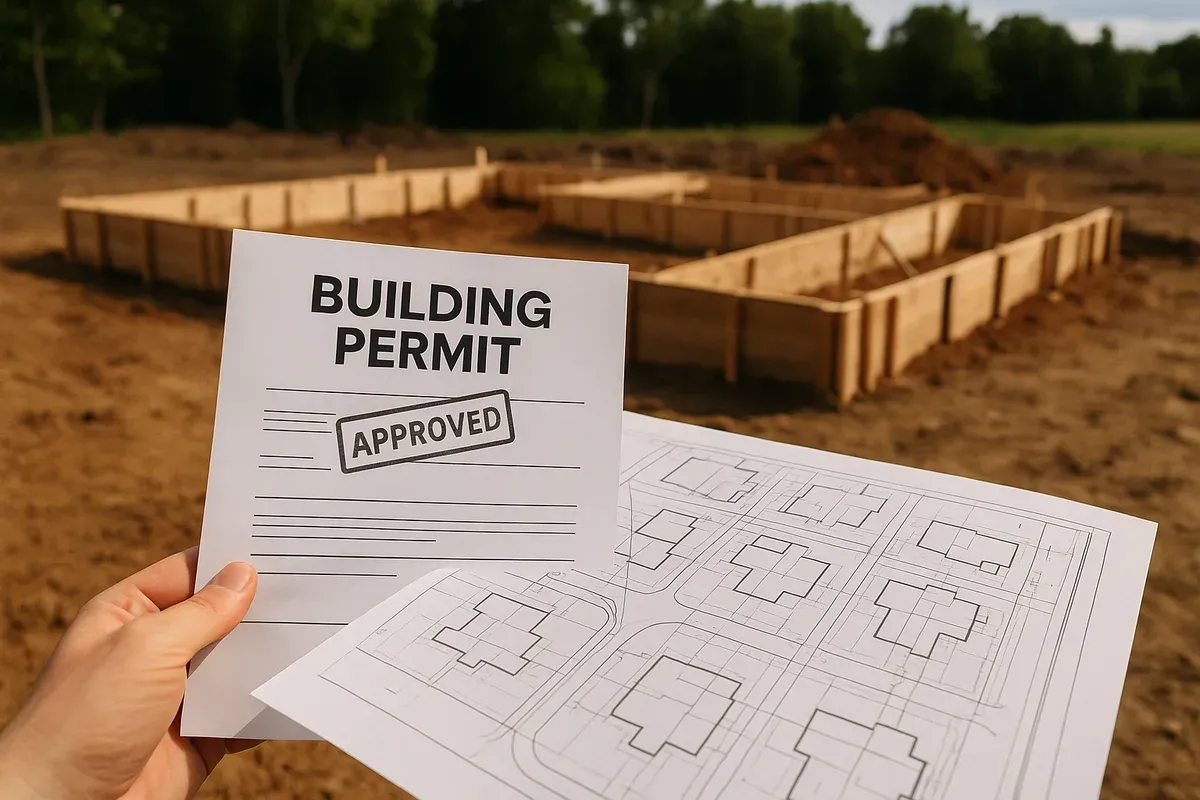
<p>Juggling three active job sites, two permit applications in review, and a fourth project about to break ground is a reality that most established general <a href="/contractors">contractors</a> know well. The permit submission process is rarely glamorous, but it is one of the most consequential parts of any construction project. A delayed permit means a delayed start, and a delayed start means real money left on the table.</p>
<p>In 2026, building departments across the country are processing higher volumes of permit applications than ever before, driven by continued residential construction, <a href="/adu-feasibility-software">ADU</a> legislation, and commercial renovation activity. That increased volume means reviewers are under pressure, and applications that arrive incomplete, inconsistent, or unclear get pushed to the back of the queue. For general contractors managing multiple projects simultaneously, the stakes are even higher. A single bottleneck in the permit submission process can create a cascade of scheduling problems across an entire portfolio of work.</p>
<p>The good news is that a well-designed general contractor permit workflow can dramatically reduce submission errors, speed up approvals, and give your team the consistency it needs to scale. This article walks through the practical strategies, documentation habits, and tools that high-performing contractors use to keep permit submissions on track across every active project.</p>
<h2>Why Permit Submissions Break Down at Scale</h2>
<p>Before diving into solutions, it helps to understand exactly where the process tends to fall apart when contractors are managing multiple projects at once.</p>
<h3>Inconsistent Documentation Across Projects</h3>
<p>One of the most common problems is that each project ends up with a slightly different set of documents, prepared by different people, in different formats. One site plan shows property boundaries but omits setback dimensions. Another includes the building footprint but uses an inconsistent scale. A third has the right information but presents it in a way that does not match the jurisdiction's requirements.</p>
<p>Building departments are not in the business of guessing. When a reviewer encounters a site plan that is missing a required element, the application gets flagged, returned, or placed on hold. Multiply that across five or six active permit applications and you have a serious operational problem.</p>
<h3>No Centralized Tracking System</h3>
<p>Many general contractors, particularly those who have grown quickly, rely on a patchwork of spreadsheets, email threads, and memory to track where each permit application stands. This works fine when you have one or two projects. It breaks down fast when you are managing a larger portfolio.</p>
<p>Without centralized tracking, it is easy to miss a response deadline from a building department, forget to submit a revised document after a correction notice, or lose track of which projects are waiting on which approvals.</p>
<h3>Reinventing the Wheel on Every Project</h3>
<p>Contractors who do not have a standardized permit submission process end up recreating the same documents from scratch on every project. That is inefficient and introduces unnecessary variation. When your drafter or project manager has to rebuild a site plan template for each new job, the chances of errors increase and the time investment grows with every project added to the pipeline.</p>
<h3>Underestimating Jurisdiction-Specific Requirements</h3>
<p>Building departments in different cities, counties, and states have different requirements for what must appear on a permit application and in what format. A site plan that sails through review in one jurisdiction may get rejected in the next because it is missing a required north arrow, a flood zone designation, or a specific setback callout. Contractors working across multiple jurisdictions need a system for capturing and applying those local requirements consistently.</p>
<h2>Building a Scalable General Contractor Permit Workflow</h2>
<p>A scalable permit workflow is one that can be applied consistently across projects of different sizes, in different jurisdictions, without requiring your team to figure out the process from scratch each time. Here is how to build one.</p>
<h3>Step 1: Standardize Your Pre-Submission Checklist</h3>
<p>Every permit application your firm submits should go through the same pre-submission review process before it leaves your office. Create a master checklist that covers the universal requirements most jurisdictions share, and then build in a section for jurisdiction-specific additions.</p>
<p>A solid base checklist for residential and light commercial permits typically includes:</p>
<ul>
<li>Accurate property boundary dimensions drawn to scale</li>
<li>Building footprint with correct dimensions and placement</li>
<li>Setback measurements from all property lines (front, rear, and side)</li>
<li>North arrow and graphic scale</li>
<li>Street name and address</li>
<li>Lot area and lot coverage calculation</li>
<li>Existing structures clearly labeled</li>
<li>Proposed structures or additions clearly distinguished from existing</li>
<li>Utility locations where required</li>
<li>Flood zone designation if the property falls within a FEMA-mapped area</li>
<li>Zoning district and applicable code references</li>
<li>Applicant and contractor license information</li>
</ul>
<p>Before any application goes out the door, a team member other than the person who prepared it should run through this checklist. That second set of eyes catches a surprising number of errors.</p>
<h3>Step 2: Create Reusable Site Plan Templates</h3>
<p>One of the highest-leverage investments a general contracting firm can make is developing a library of reusable site plan templates. Rather than starting from a blank canvas on every project, your team starts from a template that already has the correct title block, standard notation conventions, required callouts, and formatting.</p>
<p>For contractors working in multiple jurisdictions, it makes sense to maintain separate templates for each jurisdiction you work in regularly. That way, the jurisdiction-specific requirements are already baked into the starting point, and your team only needs to add the project-specific information.</p>
<p>Tools like <a href="https://www.siteplancreator.com">Site Plan Creator</a> make this kind of template-based approach practical for contractors who are not licensed architects or CAD professionals. The browser-based interface allows you to produce clean, accurate, permit-ready site plans without specialized software training, and you can work from a consistent format across every project in your portfolio.</p>
<h3>Step 3: Assign Clear Ownership for Each Permit Application</h3>
<p>In a busy contracting operation, permit applications can fall through the cracks when no single person owns the process for a given project. Establish a clear rule: every active permit application has one named owner who is responsible for tracking its status, responding to correction notices, and escalating issues when needed.</p>
<p>That owner does not have to prepare every document personally, but they are accountable for making sure the application is complete, submitted on time, and followed up on appropriately. In larger firms, this role often falls to a project manager or a dedicated permit coordinator. In smaller operations, it may be the contractor themselves or a trusted office manager.</p>
<h3>Step 4: Implement a Centralized Permit Tracking System</h3>
<p>Your permit tracking system does not need to be expensive or complicated, but it does need to exist in a form that everyone on your team can access and update. At minimum, your tracking system should capture:</p>
<ul>
<li>Project name and address</li>
<li>Jurisdiction and building department contact information</li>
<li>Permit type and application number</li>
<li>Submission date</li>
<li>Current status (submitted, under review, correction required, approved, issued)</li>
<li>Due dates for any required responses or resubmissions</li>
<li>Notes on any reviewer feedback or special requirements</li>
</ul>
<p>Many contractors manage this effectively in a shared spreadsheet or a project management tool like Asana, Trello, or Monday.com. Others use construction management software that includes permit tracking as a built-in feature. The specific tool matters less than the discipline to keep it updated consistently.</p>
<h3>Step 5: Build Jurisdiction Profiles for Your Most Common Markets</h3>
<p>If your firm regularly works in the same cities or counties, invest the time to build detailed jurisdiction profiles that document exactly what each building department requires. This is the kind of institutional knowledge that lives in your most experienced team members' heads and disappears the moment they leave.</p>
<p>A jurisdiction profile should include:</p>
<ul>
<li>Required documents for each permit type you commonly pull</li>
<li>Preferred or required file formats for electronic submissions</li>
<li>Any specific formatting requirements for site plans (scale, sheet size, callouts)</li>
<li>Turnaround times for initial review and corrections</li>
<li>Contact names and direct phone numbers at the building department</li>
<li>Any quirks or preferences that experienced applicants know but are not written down anywhere</li>
</ul>
<p>This documentation pays dividends every time a new team member needs to submit a permit in that jurisdiction, and it reduces the risk that institutional knowledge walks out the door.</p>
<h2>Producing Permit-Ready Site Plans Efficiently</h2>
<p>The site plan is often the most labor-intensive part of a permit application, and it is the document most likely to trigger a correction notice if it is not done right. Here is how to make site plan production faster and more consistent across your project portfolio.</p>
<h3>Know What Building Departments Actually Want to See</h3>
<p>Reviewers are looking for a few core things when they evaluate a site plan. They want to confirm that the proposed work complies with zoning requirements, that setbacks are met, that lot coverage limits are respected, and that the project does not create conflicts with utilities, easements, or neighboring properties.</p>
<p>A site plan that clearly communicates all of that information, in a clean and readable format, is going to move through review faster than one that is technically complete but hard to read. Invest in presentation quality, not just technical accuracy.</p>
<p>The <a href="https://www.iccsafe.org" rel="nofollow noopener" target="_blank">International Code Council</a> publishes model building codes that most jurisdictions adopt with local amendments. Familiarizing yourself with the base code requirements for site plan content helps you produce documents that meet the standard even when a jurisdiction's local guidelines are vague.</p>
<h3>Use the Right Tools for the Job</h3>
<p>Not every site plan requires a full architectural drawing produced in AutoCAD. For many residential permits, accessory structures, additions, and light commercial projects, a clean and accurate site plan produced in a purpose-built tool is entirely appropriate and often preferred by building departments for its clarity.</p>
<p>Browser-based tools like <a href="/">Site Plan Creator</a> are designed specifically for this use case. They allow contractors and property owners to produce professional, permit-ready site plans quickly, without the learning curve of traditional CAD software. For a general contractor managing multiple projects, the ability to produce a site plan in a fraction of the time it would take a traditional drafting workflow is a meaningful competitive advantage.</p>
<h3>Include Every Required Dimension</h3>
<p>The single most common reason site plans get kicked back in review is missing dimensions. Reviewers need to verify setbacks, and they cannot do that if the distances from the building footprint to the property lines are not clearly labeled.</p>
<p>Make it a habit to dimension every site plan completely before submission. That means:</p>
<ul>
<li>All property line lengths</li>
<li>Distance from each proposed structure to each adjacent property line</li>
<li>Distance from proposed structures to existing structures</li>
<li>Overall dimensions of every proposed and existing building footprint</li>
<li>Driveway width and location where applicable</li>
<li>Any required utility easement widths</li>
</ul>
<p>If your jurisdiction requires a specific setback calculation or lot coverage percentage to appear on the plan, include it as a note or table directly on the drawing.</p>
<h3>Account for Flood Zone Requirements Early</h3>
<p>For properties in or near FEMA-designated flood zones, permit applications often require additional documentation and the site plan may need to show base flood elevation, lowest finished floor elevation, and other flood-related information. Catching these requirements early, before the site plan is produced, saves significant rework time.</p>
<p>You can check a property's flood zone status using <a href="https://msc.fema.gov/portal/home" rel="nofollow noopener" target="_blank">FEMA's Flood Map Service Center</a> before starting the site plan. If the property is in a Special Flood Hazard Area, flag it immediately and make sure your application package includes all required flood documentation.</p>
<h2>Managing the Permit Submission Process Across Multiple Active Projects</h2>
<p>Once your workflow and documentation standards are in place, the challenge shifts to execution: keeping multiple permit applications moving forward simultaneously without dropping the ball on any of them.</p>
<h3>Batch Similar Tasks Across Projects</h3>
<p>One efficiency strategy that experienced permit coordinators use is batching similar tasks across multiple projects. Rather than switching contexts constantly, they set aside dedicated time blocks for specific types of permit work.</p>
<p>For example, you might designate Monday mornings for reviewing the status of all active permit applications, identifying any that need follow-up, and drafting any required responses to correction notices. Wednesday afternoons might be reserved for preparing new permit application packages. This kind of batching reduces the cognitive overhead of context-switching and makes it easier to maintain quality across every application.</p>
<h3>Communicate Proactively with Building Departments</h3>
<p>Building departments are staffed by people, and relationships matter. Contractors who treat permit reviewers as partners rather than obstacles tend to get better outcomes over time. That means:</p>
<ul>
<li>Calling ahead to ask about any unusual requirements before submitting a complex application</li>
<li>Responding to correction notices promptly and completely</li>
<li>Being polite and professional in every interaction, even when timelines are frustrating</li>
<li>Thanking reviewers when they provide helpful guidance</li>
</ul>
<p>Some jurisdictions offer pre-application meetings for complex projects. These are almost always worth the time investment, because they allow you to surface potential issues before the formal review clock starts.</p>
<h3>Track Correction Notice Patterns</h3>
<p>If you are managing a high volume of permit applications, pay attention to the patterns in the correction notices you receive. If the same types of errors are showing up repeatedly, that is a signal that your standard process needs to be updated.</p>
<p>Keep a log of every correction notice you receive, categorized by the type of issue identified. Review that log quarterly and use it to update your pre-submission checklist, your site plan templates, or your team training materials. Over time, this feedback loop will drive your correction notice rate down significantly.</p>
<h3>Set Realistic Timeline Expectations with Clients</h3>
<p>One of the most important things a general contractor can do to reduce permit-related stress is set accurate timeline expectations with clients from the beginning of the project. Building department review times vary widely by jurisdiction and by time of year. In some markets, review turnaround can stretch to six weeks or more for complex projects.</p>
<p>Build permit review time into your project schedule from day one, and communicate clearly with clients about what the process involves and why it takes the time it does. Clients who understand the permit submission process are far less likely to create pressure that leads to rushed applications and preventable errors.</p>
<p>The <a href="https://www.planning.org" rel="nofollow noopener" target="_blank">American Planning Association</a> offers resources on zoning and land use planning that can be helpful context for explaining permit requirements to clients who are unfamiliar with the regulatory landscape.</p>
<h2>Scaling Your Permit Operations as Your Business Grows</h2>
<p>As your contracting business grows and the number of simultaneous projects increases, the permit submission process needs to scale with it. Here are some considerations for contractors who are moving from managing a handful of projects to managing a larger portfolio.</p>
<h3>Consider a Dedicated Permit Coordinator Role</h3>
<p>At a certain volume of work, it makes sense to hire or designate a dedicated permit coordinator whose primary responsibility is managing permit applications across all active projects. This person becomes the institutional expert on local requirements, building department relationships, and submission processes.</p>
<p>A good permit coordinator pays for themselves quickly in reduced correction notices, faster approvals, and freed-up time for project managers to focus on field operations.</p>
<h3>Invest in Digital Submission Capabilities</h3>
<p>Many building departments have moved to electronic permit submission, and some now require it. Make sure your team is equipped to submit applications digitally, including producing site plans and supporting documents in the required file formats (typically PDF, with specific resolution and file size requirements).</p>
<p>Digital submission also makes it easier to maintain organized records of every application your firm has submitted, which is valuable for future reference and for demonstrating your track record to new clients.</p>
<h3>Develop a Lessons-Learned Process</h3>
<p>After each project reaches permit approval, take a few minutes to document what went smoothly and what created friction in the submission process. These lessons-learned notes, accumulated over dozens of projects, become a valuable operational resource that makes every future submission a little bit easier.</p>
<h2>Conclusion</h2>
<p>The permit submission process is not the most exciting part of running a general contracting business, but it is one of the most consequential. Contractors who invest in building a consistent, scalable general contractor permit workflow gain a real competitive advantage: faster project starts, fewer costly delays, and a reputation with building departments as a professional operation that submits clean applications.</p>
<p>The strategies covered in this article, from standardized checklists and reusable templates to centralized tracking and jurisdiction profiles, are all practical steps that any contracting firm can implement regardless of size. The key is to treat the permit submission process as a system to be designed and improved, not just a task to be completed.</p>
<p>If producing accurate, permit-ready site plans across multiple projects is a bottleneck in your current workflow, Site Plan Creator was built to solve exactly that problem. The browser-based platform makes it fast and straightforward to produce professional site plans that meet building department requirements, without specialized software or a drafting background. Whether you are pulling permits for a single ADU or managing a portfolio of active projects, Site Plan Creator gives your team the tools to submit with confidence.</p>
<p>Visit <a href="https://www.siteplancreator.com">siteplancreator.com</a> to start your first site plan today and see how much time your team can save on every permit submission.</p>