Free Site Plan Tool for Permits: Honest Pros and Cons (2026)
Free site plan tools sound like a great deal, but are they actually permit-ready? We break down the honest pros and cons of free versus paid options so you can make the right call before submitting to your local building department.
<h2>Is a Free Site Plan Tool Actually Good Enough for a Permit?</h2>
<p>You need a site plan. Your building department says so, your contractor mentioned it, and now you're staring at a blank page wondering how much this is going to cost you. Then you search online and find a dozen "free site plan tools" promising to solve your problem in minutes. It sounds almost too good to be true.</p>
<p>Sometimes it is. Sometimes it isn't.</p>
<p>The honest answer depends on your project type, your local jurisdiction's requirements, and how well the free tool actually performs. This article gives you a genuinely unbiased breakdown of what free site plan tools can and cannot do, where paid or professional options earn their price tag, and how to figure out which path makes sense for your specific situation.</p>
<p>By the end, you'll know exactly what questions to ask before you commit to any tool, free or otherwise.</p>
<hr>
<h2><a href="/what-is-a-site-plan">What Is a Site Plan</a>, and Why Do Permits Require One?</h2>
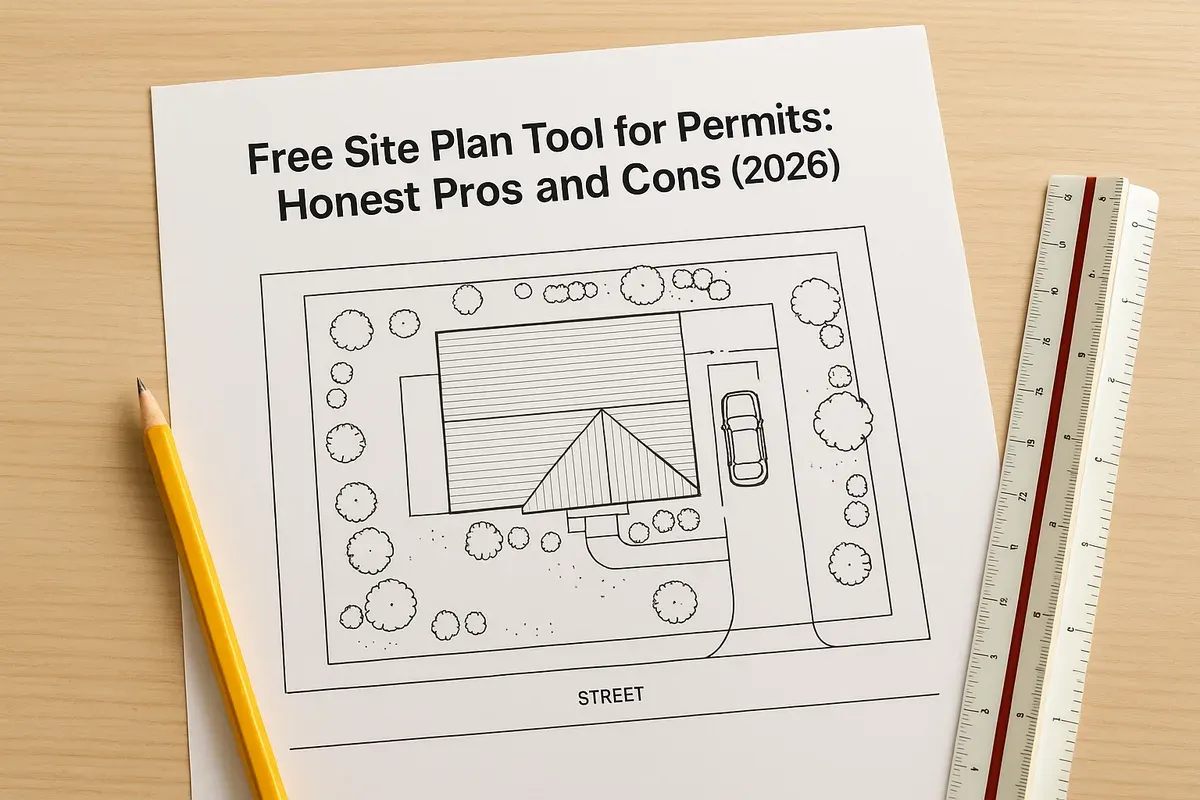
<p>Before comparing tools, it helps to understand what a permit-ready site plan actually needs to include. A site plan is a scaled, overhead drawing of your property that shows:</p>
<ul>
<li><strong>Property boundaries</strong> with accurate dimensions</li>
<li>Existing and proposed structures with their building footprints</li>
<li>Setbacks from property lines, roads, and easements</li>
<li>Driveways, parking areas, and access points</li>
<li>Utility connections (water, sewer, electrical)</li>
<li>North arrow, scale bar, and lot dimensions</li>
<li>Any required notes about zoning, flood zones, or special conditions</li>
</ul>
<p>Building departments use site plans to verify that your project complies with local zoning codes, <a href="/setback-guide">setback requirements</a>, and land use regulations before they issue a permit. A missing dimension or an unlabeled setback can get your application rejected outright, costing you days or weeks of delay.</p>
<p>The <a href="https://www.iccsafe.org" rel="nofollow noopener" target="_blank">International Code Council (ICC)</a> publishes model building codes that most U.S. jurisdictions adopt and adapt, and virtually all of them require a site plan as part of a complete permit application. Your local planning department may have additional requirements layered on top of those baseline standards.</p>
<hr>
<h2>The Landscape of Free Site Plan Tools in 2026</h2>
<p>The market for site plan software has expanded significantly. In 2026, free site plan tools generally fall into three categories:</p>
<h3>1. General-Purpose Drawing Tools with Free Tiers</h3>
<p>Tools like basic versions of drawing apps or floor plan software that weren't specifically built for site plans but can technically produce one. These often include drag-and-drop shapes, basic measurement labels, and export options. They're free because they're generic.</p>
<h3>2. Freemium CAD-Style Tools</h3>
<p>These are more purpose-built tools that offer a limited free version with the intent of upselling you to a paid plan. You might get access to basic features but hit a paywall when you try to print to scale, add a north arrow, or export a PDF suitable for permit submission.</p>
<h3>3. Browser-Based Property Planning Tools</h3>
<p>This category includes tools specifically designed for permit-related site plans. Some offer genuinely useful free tiers. Others use "free" as a marketing hook and lock essential permit features behind a subscription. <a href="/">Site Plan Creator</a> falls into this category, designed from the ground up to produce permit-ready drawings.</p>
<p>Knowing which category a tool falls into before you invest your time is critical.</p>
<hr>
<h2>The Real Pros of Using a Free Site Plan Tool</h2>
<p>Free tools aren't a scam. For the right situation, they offer genuine advantages.</p>
<h3>Cost Savings Are Real</h3>
<p>Hiring a professional drafter or architect to produce a simple site plan can cost anywhere from $300 to $1,500 or more depending on your location and project complexity. For a straightforward residential project like adding a shed, fence, or small deck, that cost can feel completely disproportionate to the scope of work. A free or low-cost tool that produces an acceptable site plan is a legitimate money-saver.</p>
<h3>Accessibility and Speed</h3>
<p>Browser-based free tools require no software installation, no CAD training, and no waiting for a professional's schedule to open up. If you have a clear understanding of your property dimensions and the permit requirements in your area, you can produce a basic site plan in an afternoon.</p>
<h3>Iteration Without Cost</h3>
<p>When you're in the planning phase and still deciding where to place a structure, a free tool lets you experiment with layouts without financial commitment. You can move a proposed garage footprint, adjust setbacks, and compare options before you finalize anything.</p>
<h3>Good Enough for Simple Projects</h3>
<p>For genuinely simple projects in jurisdictions with straightforward requirements, a well-executed free site plan can absolutely pass permit review. Many <a href="/homeowners">homeowners</a> have successfully used free or low-cost tools to get permits for:</p>
<ul>
<li>Backyard sheds under a certain square footage threshold</li>
<li>Privacy fences along property lines</li>
<li>Small decks or patios</li>
<li>Driveway extensions</li>
<li>Above-ground pools</li>
</ul>
<p>The key phrase is "well-executed." A sloppy free site plan will fail just as surely as a sloppy paid one.</p>
<h3>Learning Your Property</h3>
<p>The process of creating a site plan, even with a free tool, forces you to gather accurate information about your property: boundary dimensions, existing structure locations, easements, and utility lines. This research is valuable regardless of what you ultimately submit for your permit.</p>
<hr>
<h2>The Honest Cons of Free Site Plan Tools</h2>
<p>Here's where many articles pull their punches. We won't.</p>
<h3>Scale Accuracy Is Often Compromised</h3>
<p>This is the single biggest issue with free tools. A permit-ready site plan must be drawn to scale, typically 1 inch equals 20 feet, 1 inch equals 30 feet, or another standard engineering scale. Many free tools produce drawings that look scaled but don't print accurately. When a plan reviewer measures your setbacks on a printed plan and the numbers don't match the scale bar, your application gets rejected.</p>
<p>Always test a free tool's scale accuracy by printing a sample plan and physically measuring a known dimension with a ruler before you trust it for permit submission.</p>
<h3>Missing Permit-Required Elements</h3>
<p>Free tools often lack built-in prompts or templates for required permit elements. You might produce a beautiful drawing that's missing:</p>
<ul>
<li>A proper title block with your name, address, and date</li>
<li>A north arrow</li>
<li>A labeled scale bar</li>
<li>Setback dimensions from all property lines</li>
<li>Zoning designation or lot area notation</li>
<li>Flood zone information if applicable</li>
</ul>
<p>Building departments have checklists. If your plan doesn't match their checklist, it doesn't matter how good the drawing looks.</p>
<h3>Limited Export Quality</h3>
<p>Many free tools restrict high-resolution PDF exports or watermark your output. A watermarked site plan will not be accepted by a building department. Low-resolution exports may be illegible when printed at the sizes required (often 11x17 or 24x36 inches). This is one of the most common freemium bait-and-switch tactics: the tool is free to use but the usable output costs money.</p>
<h3>No Property-Specific Guidance</h3>
<p>Free general-purpose tools don't know your zoning district, your local setback requirements, or whether your property is in a FEMA flood zone. You are entirely responsible for researching and correctly applying all local regulations. <a href="https://msc.fema.gov/portal/home" rel="nofollow noopener" target="_blank">FEMA's Flood Map Service Center</a> is a good starting point for flood zone verification, but interpreting what that means for your permit application is your responsibility when using a free tool.</p>
<h3>Customer Support Is Often Nonexistent</h3>
<p>When you hit a problem with a free tool at 9 PM the night before your permit submission deadline, there's usually no one to call. Free tiers rarely include meaningful customer support, and community forums can only help so much when you have a jurisdiction-specific question.</p>
<h3>Risk of Rejection and Delay</h3>
<p>Every permit rejection costs you time. In many jurisdictions, resubmissions require a new review cycle that can take days or weeks. If a free tool produces a plan that gets rejected for technical reasons (wrong scale, missing elements, unclear dimensions), the time cost may exceed what you would have spent on a professional tool or service from the start.</p>
<hr>
<h2>Free vs. Paid Site Plan Tools: A Direct Comparison</h2>
<p>Let's put the key differences side by side.</p>
<h3>Accuracy and Scale</h3>
<ul>
<li><strong>Free tools:</strong> Variable. Often adequate for visual planning but unreliable for precise scaled output.</li>
<li><strong>Paid tools:</strong> Engineered for accurate scale output with verified print calibration.</li>
</ul>
<h3>Permit-Ready Templates</h3>
<ul>
<li><strong>Free tools:</strong> Rarely included. You build from scratch and hope you've covered everything.</li>
<li><strong>Paid tools:</strong> Often include templates pre-loaded with common permit elements: title blocks, north arrows, scale bars, setback notation fields.</li>
</ul>
<h3>Export Quality</h3>
<ul>
<li><strong>Free tools:</strong> Frequently watermarked, low-resolution, or locked behind a paywall.</li>
<li><strong>Paid tools:</strong> Clean, high-resolution PDF exports suitable for building department submission.</li>
</ul>
<h3>Ease of Use for Non-Designers</h3>
<ul>
<li><strong>Free tools:</strong> Varies widely. Some are intuitive; others assume CAD knowledge.</li>
<li><strong>Paid tools:</strong> Purpose-built tools like Site Plan Creator are specifically designed for homeowners and <a href="/contractors">contractors</a> without drafting backgrounds.</li>
</ul>
<h3>Support and Guidance</h3>
<ul>
<li><strong>Free tools:</strong> Community forums, help articles, or nothing.</li>
<li><strong>Paid tools:</strong> Direct customer support, often with people who understand permit requirements.</li>
</ul>
<h3>Cost</h3>
<ul>
<li><strong>Free tools:</strong> $0 upfront, but potential costs from rejected permits, resubmissions, and wasted time.</li>
<li><strong>Paid tools:</strong> Typically $20 to $100+ depending on the tool and subscription model, often a one-time or project-based fee.</li>
</ul>
<hr>
<h2>When a Free Site Plan Tool Is Probably Good Enough</h2>
<p>Be honest with yourself about your project and your jurisdiction. A free tool is likely adequate when:</p>
<ol>
<li>Your project is simple: a shed, fence, small deck, or minor addition with a straightforward footprint.</li>
<li>Your jurisdiction has minimal site plan requirements and you've confirmed exactly what they need.</li>
<li>You have a clear survey or plat map with accurate property dimensions to work from.</li>
<li>The free tool you're using produces clean, scale-accurate, watermark-free PDF exports.</li>
<li>You're willing to invest time in learning the tool and verifying every required element against your local checklist.</li>
<li>You've confirmed the tool prints accurately to scale before finalizing your submission.</li>
</ol>
<p>Pro tip: Call your local building department before you start drawing. Ask them specifically what a site plan needs to include for your project type. Many departments have a one-page checklist they'll email you. This single phone call can save you hours of guesswork.</p>
<hr>
<h2>When You Should Pay for a Better Tool (or a Professional)</h2>
<p>There are situations where cutting costs on your site plan is a false economy.</p>
<h3>Complex Projects</h3>
<p>Any project involving structural changes, additions over a certain square footage, ADUs (<a href="/adu-feasibility-software">accessory dwelling units</a>), or commercial use typically requires a more detailed site plan with engineering-level accuracy. Free tools are not designed for this.</p>
<h3>Jurisdictions with Strict Requirements</h3>
<p>Some municipalities, particularly in California, New York, and other states with layered local codes, have very specific site plan requirements. Some require licensed architect or engineer stamps. No free tool can replicate that.</p>
<h3>Properties with Complications</h3>
<p>If your property has irregular boundaries, multiple easements, flood zone overlays, steep slopes, or shared access agreements, your site plan needs to accurately represent all of that complexity. A free tool's limitations become liabilities in these situations.</p>
<h3>When Time Is Money</h3>
<p>If a permit delay will cost you contractor time, rental income, or a project deadline, the $50 to $100 investment in a purpose-built tool that gets it right the first time is absolutely worth it.</p>
<h3>HOA or Variance Situations</h3>
<p>If your project requires a variance hearing or HOA approval in addition to a <a href="/construction-permit-site-plans">building permit</a>, your site plan will be reviewed by committees and boards, not just a single permit technician. Professional-quality presentation matters in those contexts.</p>
<p>The <a href="https://www.planning.org" rel="nofollow noopener" target="_blank">American Planning Association</a> offers resources on variance and special use permit processes that can help you understand what level of documentation is expected in formal hearings.</p>
<hr>
<h2>How to Evaluate Any Site Plan Tool Before You Commit</h2>
<p>Whether you're evaluating a free site plan tool or a paid one, run through this checklist before you invest time in it:</p>
<ol>
<li><strong>Scale accuracy test:</strong> Create a simple rectangle with known dimensions. Export and print. Measure with a ruler. Does it match?</li>
<li><strong>Export quality:</strong> Can you export a clean, watermark-free PDF at a resolution suitable for printing at 11x17 or larger?</li>
<li><strong>Required elements:</strong> Does the tool support title blocks, north arrows, scale bars, and dimension labels?</li>
<li><strong>Ease of property boundary input:</strong> Can you enter specific lot dimensions and create an accurate property boundary shape?</li>
<li><strong>Setback tools:</strong> Does the tool help you visualize and label setback distances from property lines?</li>
<li><strong>Learning curve:</strong> Can someone without CAD experience produce a usable plan within a reasonable time investment?</li>
<li><strong>Support availability:</strong> Is there documentation, tutorials, or customer support if you get stuck?</li>
</ol>
<p>If a free tool passes all seven of these tests, it may genuinely serve your needs. If it fails on scale accuracy or export quality, walk away regardless of the price.</p>
<hr>
<h2>The Middle Ground: Low-Cost Purpose-Built Tools</h2>
<p>The binary of "free tool vs. expensive professional" misses a growing middle ground: purpose-built, browser-based site plan tools that are affordable, permit-focused, and accessible to non-designers.</p>
<p>This is exactly where Site Plan Creator sits. Rather than adapting a generic drawing tool for permit use or paying hundreds of dollars for professional drafting services, homeowners and contractors can use a tool specifically engineered for the permit process. That means:</p>
<ul>
<li>Accurate scale output calibrated for real-world printing</li>
<li>Built-in permit elements like title blocks, north arrows, and dimension tools</li>
<li>Clean PDF exports with no watermarks</li>
<li>A workflow designed around property boundaries, building footprints, and setback compliance</li>
<li><a href="/pricing">Pricing</a> that reflects a single project or a subscription model, not a professional services retainer</li>
</ul>
<p>For most residential permit projects in 2026, this middle-ground approach offers the best combination of cost, accuracy, and usability. You get the control and speed of a DIY approach without the limitations that make truly free tools risky for permit submission.</p>
<hr>
<h2>Real-World Scenarios: Matching the Tool to the Project</h2>
<h3>Scenario 1: Backyard Shed, Rural County</h3>
<p>A homeowner in a rural county wants to build a 12x16 shed. The county's permit office requires a simple site plan showing the lot, the existing house footprint, and the proposed shed location with setback distances noted. The checklist has five items.</p>
<p>Verdict: A quality free tool or a low-cost purpose-built tool works well here. The requirements are minimal, the property is a simple rectangle, and the project is straightforward.</p>
<h3>Scenario 2: Detached Garage, Suburban Municipality</h3>
<p>A homeowner in a suburban city wants to build a 24x24 detached garage. The city requires a site plan showing all structures, all setbacks, utility easements, and a drainage notation. The plan must be drawn at a specific scale and include a title block with the owner's name, address, APN, and zoning designation.</p>
<p>Verdict: A free general-purpose tool is risky here. A purpose-built tool like Site Plan Creator or a professional drafter is the better choice.</p>
<h3>Scenario 3: ADU Addition, California</h3>
<p>A homeowner in California wants to add a detached ADU. California's ADU regulations involve state law, local zoning overlays, setback calculations, and often a detailed site plan with utility connections.</p>
<p>Verdict: A professional drafter or architect is strongly recommended. Free tools are not appropriate for this complexity level.</p>
<hr>
<h2>Conclusion: Be Honest About What Your Project Needs</h2>
<p>The question "is a free site plan tool good enough for a permit?" doesn't have a universal answer. It has a conditional one.</p>
<p>For simple projects in straightforward jurisdictions, a well-chosen free tool can absolutely get the job done. The savings are real and the process is manageable if you do your homework, verify your local requirements, and test the tool's output before submitting.</p>
<p>For anything more complex, the risks of using a free tool outweigh the savings. A rejected permit, a resubmission cycle, or a plan that misrepresents your setbacks can cost you far more in time and frustration than a purpose-built tool would have.</p>
<p>The smartest approach in most cases is to skip the false choice between "free and risky" and "expensive and professional." Purpose-built, permit-focused tools like Site Plan Creator give you accurate, clean, permit-ready site plans at a fraction of the cost of professional drafting, without the limitations that make free tools a gamble.</p>
<p>If you're ready to create a site plan that actually gets approved, try Site Plan Creator today. You'll have your property boundaries, building footprints, setbacks, and all required permit elements in one clean, scalable, export-ready drawing without the guesswork.</p>