Can You Draw Your Own Site Plan for a Permit? What Cities Accept
Many homeowners are surprised to learn they can legally draw their own site plan for a building permit. This guide breaks down exactly what cities and counties require, where DIY plans fall short, and how to create a permit-ready site plan that gets approved.
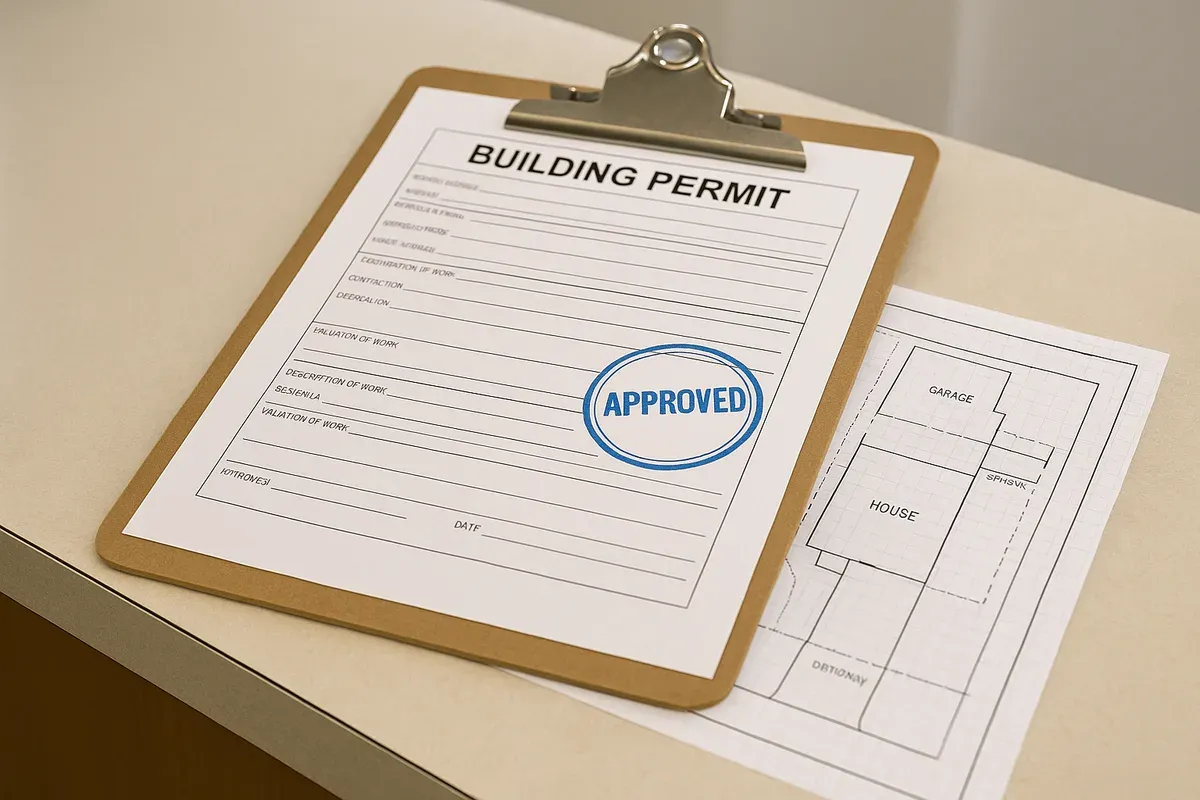
<p>If you have ever started a home improvement project and hit the wall of permit requirements, you have probably stared at a building department checklist and wondered: do I really need to hire someone just to draw a site plan? The answer, for most residential projects, is no. <a href="/homeowners">Homeowners</a> can absolutely draw their own site plans, and building departments across the country accept them every day.</p>
<p>But here is the catch: "accepted" does not mean "anything goes." Cities and counties have specific standards for what a site plan must show, how it should be formatted, and what level of accuracy is required. Submit something that looks like a rough sketch on notebook paper and you will get it kicked back. Submit a clean, accurate, properly scaled drawing that hits all the required elements and you will move through the permit process with far less friction.</p>
<p>This guide walks you through what homeowners can legally do, what building departments actually look for, where DIY site plans commonly fail, and how to produce a homeowner-drawn site plan that your local building department will accept.</p>
<h2><a href="/what-is-a-site-plan">What Is a Site Plan</a> and Why Do Permits Require One?</h2>
<p>A site plan is a scaled, bird's-eye-view drawing of your property that shows the relationship between your lot boundaries, existing structures, proposed construction, and key features like driveways, utilities, and setbacks. It is not an architectural floor plan or an elevation drawing. It is a map of your property as seen from above.</p>
<p>Building departments require site plans because they need to verify several things before issuing a permit:</p>
<ul>
<li>That your proposed structure or addition fits within required <strong>setbacks</strong> (minimum distances from property lines)</li>
<li>That lot coverage limits are not being exceeded</li>
<li>That the project does not encroach on easements or rights-of-way</li>
<li>That drainage and grading will not negatively impact neighboring properties</li>
<li>That the placement of structures complies with local zoning ordinances</li>
</ul>
<p>Without a site plan, a plan reviewer has no way to confirm any of these things from your application alone. This is why nearly every permit application for exterior work, additions, accessory structures, pools, fences, and new construction requires one.</p>
<h2>Can Homeowners Legally Draw Their Own Site Plans?</h2>
<p>In most jurisdictions across the United States, yes. There is no federal or state law that requires a licensed architect, engineer, or surveyor to produce a site plan for a standard residential permit application. The <a href="https://www.iccsafe.org/codes-tech-support/codes/2021-i-codes/ibc/" rel="nofollow noopener" target="_blank">International Building Code (IBC)</a>, which forms the basis for building codes in most states, does not mandate that site plans be prepared by a licensed professional for single-family residential projects.</p>
<p>That said, there are important nuances:</p>
<h3>When a Licensed Professional Is Required</h3>
<p>Some situations do require a licensed professional to prepare or certify plans:</p>
<ol>
<li><strong>New construction of a primary dwelling</strong> in certain states or municipalities may require architect-stamped drawings</li>
<li><strong>Structural modifications</strong> involving load-bearing changes often require engineer-stamped plans</li>
<li><strong>Flood zone construction</strong> may require an elevation certificate from a licensed surveyor</li>
<li><strong>Commercial projects</strong> almost universally require licensed professionals</li>
<li><strong>Complex grading or drainage work</strong> may require a civil engineer's stamp</li>
</ol>
<p>For the vast majority of homeowner projects, though, a permit site plan does not need a professional stamp. Decks, sheds, garages, additions, pools, fences, ADUs (<a href="/adu-feasibility-software">accessory dwelling units</a>), and similar residential projects are commonly permitted with homeowner-drawn site plans every single day.</p>
<h3>The Owner-Builder Exemption</h3>
<p>Many states have an owner-builder exemption that explicitly allows property owners to act as their own general contractor and prepare their own plans. California, Florida, Texas, and most other states recognize this right. If you own the property and are the one applying for the permit, you have broad latitude to prepare your own documentation, including site plans.</p>
<p>Check your specific state's contractor licensing board or department of consumer affairs website to confirm the owner-builder rules in your jurisdiction before proceeding.</p>
<h2>What Building Departments Actually Look For</h2>
<p>Here is where the rubber meets the road. A building department site plan does not need to be pretty, but it does need to be accurate and complete. Plan reviewers are checking for specific information, and missing even one required element can result in a correction notice that delays your project.</p>
<h3>The Core Elements Almost Every City Requires</h3>
<p>While requirements vary by jurisdiction, the following elements appear on virtually every building department's site plan checklist:</p>
<ol>
<li><strong>Property boundaries with dimensions</strong>: Your lot lines must be shown with accurate measurements. These should match your deed or survey.</li>
<li><strong>North arrow</strong>: Reviewers need to orient the plan to understand how the property sits relative to streets and neighboring lots.</li>
<li><strong>Scale</strong>: Your plan must be drawn to a consistent, stated scale (for example, 1 inch = 20 feet). Approximate or "not to scale" drawings are often rejected.</li>
<li><strong>Existing structures</strong>: Show all buildings currently on the property, including the main house, detached garages, sheds, and any other permanent structures.</li>
<li><strong>Proposed construction</strong>: Clearly differentiate what is new or being modified, typically shown with dashed lines or a different line weight.</li>
<li><strong>Setback dimensions</strong>: Show the measured distance from each proposed structure to each property line. This is one of the most critical pieces of information on the plan.</li>
<li><strong>Street and street name</strong>: Show the adjacent street(s) and label them.</li>
<li><strong>Easements and rights-of-way</strong>: If your property has any recorded easements, they must be shown.</li>
<li><strong>Driveway and access</strong>: Show where vehicles access the property.</li>
<li><strong>Utilities</strong>: Some jurisdictions require you to show water, sewer, gas, and electrical service locations.</li>
<li><strong>Lot dimensions and area</strong>: Total lot square footage and overall dimensions.</li>
</ol>
<h3>Additional Elements That May Be Required</h3>
<p>Depending on your project type and local requirements, you may also need to show:</p>
<ul>
<li>Grading and drainage patterns (especially for additions or new structures)</li>
<li>Impervious surface calculations (for stormwater management compliance)</li>
<li>Tree locations, particularly for protected or heritage trees</li>
<li>Septic system location (for properties not on municipal sewer)</li>
<li>Well location and setbacks</li>
<li>Flood zone designation and base flood elevation</li>
<li>Parking spaces (for ADUs or commercial-adjacent residential)</li>
</ul>
<p>The best way to get a complete list is to call your local building department directly or download the permit application packet from their website. Most departments publish their site plan requirements online, and many have example drawings you can reference.</p>
<h2>Where DIY Site Plans Commonly Get Rejected</h2>
<p>Understanding where homeowner-drawn site plans fail is just as important as knowing what to include. Here are the most common reasons a DIY site plan gets kicked back:</p>
<h3>Inaccurate Dimensions</h3>
<p>This is the number one problem. Homeowners often estimate distances rather than measuring them carefully. If your plan shows a 10-foot setback but the actual measurement is 8 feet, the plan reviewer may approve the permit only to have a field inspector flag a violation during construction. Worse, if the setback violation is discovered after the structure is built, you could be required to modify or remove it.</p>
<p>Measure everything carefully. Use a 100-foot tape measure or a laser measuring tool. If you are unsure of your property line locations, pull your property survey from the county recorder's office or have a surveyor stake the corners.</p>
<h3>No Scale or Inconsistent Scale</h3>
<p>A plan that is "not to scale" is difficult for a reviewer to use. Most building departments require a stated scale and expect the drawing to actually conform to that scale. If you say your plan is at 1 inch = 20 feet but the measurements on the drawing do not match that ratio, it will be rejected.</p>
<p>Use graph paper, CAD software, or an online site plan tool to ensure your drawing is properly scaled.</p>
<h3>Missing Required Elements</h3>
<p>Forgetting to include a north arrow, street label, or setback dimensions are surprisingly common omissions. Reviewers often work from checklists, and a missing element means an automatic correction notice regardless of how good the rest of the plan looks.</p>
<h3>Poor Legibility</h3>
<p>Handwritten plans that are difficult to read, cramped, or drawn on ruled notebook paper give reviewers a bad first impression and make it harder to extract the information they need. While many departments do accept hand-drawn plans, they must be clear, legible, and organized.</p>
<h3>Failure to Show Proposed vs. Existing Conditions</h3>
<p>If a reviewer cannot tell what is existing and what is proposed, the plan is not doing its job. Use different line types, labels, or a legend to make this distinction obvious.</p>
<h2>How to Create a Homeowner-Drawn Site Plan That Gets Approved</h2>
<p>With the right approach and tools, creating a permit-ready site plan is well within reach for most homeowners. Here is a step-by-step process:</p>
<h3>Step 1: Gather Your Property Information</h3>
<p>Before you draw anything, collect the following:</p>
<ul>
<li>Your property survey or plat map (available from the county recorder or assessor's office)</li>
<li>Your deed, which may include lot dimensions</li>
<li>Your local zoning code, specifically the <a href="/setback-guide">setback requirements</a> for your zone and project type</li>
<li>Your building department's site plan requirements checklist</li>
</ul>
<p>If you do not have a survey, you can often find a plat map through your county's GIS portal or assessor's website. Many counties now offer free online access to recorded plats. The <a href="https://www.planning.org/" rel="nofollow noopener" target="_blank">American Planning Association</a> also provides resources for understanding local land use regulations.</p>
<h3>Step 2: Measure Your Property and Existing Structures</h3>
<p>Do not rely on memory or rough estimates. Go outside with a tape measure and document:</p>
<ul>
<li>The distance from each corner of your house to each property line</li>
<li>The dimensions of all existing structures</li>
<li>The location of your driveway, walkways, and any hardscaping</li>
<li>The location of any utilities, meters, or access points</li>
<li>The proposed location of your new structure or addition, measured from property lines</li>
</ul>
<p>Take photographs as you measure. They are helpful reference points when you sit down to draw.</p>
<h3>Step 3: Choose Your Drawing Method</h3>
<p>You have several options for actually producing the plan:</p>
<p><strong>Hand-drawn on graph paper</strong>: Acceptable in many jurisdictions for simple projects. Use a ruler, be consistent with your scale, and label everything clearly. This is the most basic approach and works for straightforward projects.</p>
<p><strong>General CAD software</strong>: Programs like AutoCAD or LibreCAD allow precise, scaled drawings. However, they have steep learning curves for non-technical users.</p>
<p><strong>Purpose-built site plan tools</strong>: Browser-based applications designed specifically for property site plans offer the best combination of accuracy and ease of use. Tools like <a href="/">Site Plan Creator</a> allow you to draw to scale, add property boundaries, place building footprints, show setbacks, and produce a professional-looking PDF that meets building department standards, without needing any CAD experience.</p>
<p>For most homeowners, a purpose-built site plan tool is the most practical choice. It eliminates the guesswork around scale, provides the right drawing elements out of the box, and produces a clean, legible output that reviewers can easily work with.</p>
<h3>Step 4: Draw Your Site Plan</h3>
<p>Follow this sequence:</p>
<ol>
<li>Start with your property boundary, drawn to scale with all dimensions labeled</li>
<li>Add the north arrow and street label</li>
<li>Place existing structures with their dimensions and distance from property lines</li>
<li>Add the proposed structure or construction, clearly labeled as "proposed"</li>
<li>Dimension all setbacks from the proposed structure to each property line</li>
<li>Add the driveway, easements, and any other required features</li>
<li>Include a title block with your name, property address, date, and scale</li>
<li>Add a simple legend if you are using different line types</li>
</ol>
<h3>Step 5: Review Against the Checklist</h3>
<p>Before submitting, go through your building department's site plan checklist item by item. If they provide an example site plan, compare yours to it. Have a neighbor or family member look at it and ask if they can understand what is existing, what is proposed, and where the property lines are. If they can follow it easily, a plan reviewer will be able to as well.</p>
<h3>Step 6: Submit and Be Ready to Revise</h3>
<p>Even well-prepared plans sometimes receive correction notices. This is normal and not a reason to panic. Correction notices typically identify specific items that need to be clarified or added. Address each item on the list, revise your plan, and resubmit. Most building departments allow multiple resubmittals as part of the normal review process.</p>
<h2>What Different Types of Projects Typically Require</h2>
<p>Not all projects have the same site plan requirements. Here is a quick overview of what to expect for common residential projects:</p>
<h3>Sheds and Accessory Structures</h3>
<p>These typically require the simplest site plans: property boundary, existing house footprint, proposed shed location, and setback dimensions. Many jurisdictions have simplified permit processes for small sheds under a certain square footage.</p>
<h3>Decks</h3>
<p>Deck permits usually require a site plan showing the deck's location relative to the house and property lines, plus setback dimensions. Some jurisdictions also want to see the footprint of the house and any existing decks or patios.</p>
<h3>Room Additions</h3>
<p>Additions require a more detailed site plan that clearly shows how the addition connects to the existing structure, all setbacks, and often the total lot coverage calculation (existing impervious surface plus proposed addition as a percentage of total lot area).</p>
<h3>Detached Garages and Carports</h3>
<p>Similar to sheds but often with additional requirements around driveway access, setbacks from the primary dwelling, and utility connections.</p>
<h3>Swimming Pools</h3>
<p>Pool permits typically require site plans that show pool location, setbacks from all property lines and structures, equipment pad location, and sometimes drainage information. <a href="https://msc.fema.gov/portal/home" rel="nofollow noopener" target="_blank">FEMA's flood map service</a> is worth checking if your property is near a flood zone, as pool construction in flood zones has additional requirements.</p>
<h3>Accessory Dwelling Units (ADUs)</h3>
<p>ADU permits often have the most detailed site plan requirements of any residential project type, including lot coverage calculations, parking, utility connections, and in some jurisdictions, grading and drainage plans.</p>
<h2>Tips for Working With Your Building Department</h2>
<p>The building department is not your adversary. Plan reviewers want to approve your project. Here are some strategies for making the process smoother:</p>
<ul>
<li><strong>Call before you submit</strong>: A quick phone call or pre-application meeting can save you from submitting a plan with obvious problems. Many departments offer free pre-application consultations.</li>
<li><strong>Ask for their example</strong>: Many building departments have sample site plans on their website or will email you one if you ask. Use it as a template.</li>
<li><strong>Submit digitally when possible</strong>: Many jurisdictions now accept or prefer digital PDF submissions, which are easier to review and faster to process.</li>
<li><strong>Be responsive</strong>: If you receive a correction notice, respond quickly. Permits that sit in correction status too long can expire or fall to the bottom of the queue.</li>
<li><strong>Label everything</strong>: When in doubt, label it. A plan with too many labels is easier to review than one with too few.</li>
</ul>
<h2>The Bottom Line on DIY Site Plans</h2>
<p>The idea that you need to hire an architect or surveyor just to draw a site plan for a residential permit is a myth that costs homeowners time and money. For the vast majority of residential projects, a homeowner-drawn site plan is completely acceptable, provided it meets the building department's standards for accuracy, completeness, and legibility.</p>
<p>The key is understanding what your specific jurisdiction requires, measuring carefully, and producing a clean, scaled drawing that clearly communicates your project. The days of needing expensive CAD software or professional drafting skills to accomplish this are behind us. Modern browser-based tools have made it genuinely accessible for homeowners to produce permit-quality site plans on their own.</p>
<h2>Create Your Site Plan With Site Plan Creator</h2>
<p>If you are ready to draw your own site plan and want a tool built specifically for this purpose, Site Plan Creator is designed for exactly this situation. It is a browser-based CAD-style application that lets homeowners and professionals alike create accurate, scaled, permit-ready site plans without any drafting experience.</p>
<p>You can draw your property boundaries to scale, place building footprints, show setbacks, add labels and dimensions, and export a clean PDF that meets building department standards. Thousands of homeowners have used Site Plan Creator to successfully permit decks, sheds, additions, pools, ADUs, and more.</p>
<p>Stop guessing whether your hand-drawn sketch will pass review. Visit <a href="https://www.siteplancreator.com">Site Plan Creator</a> today and create a professional site plan that gives your permit application the best possible chance of approval on the first submission.</p>